AR-5127 SIMULATION 8 - 25
Operation/procedure
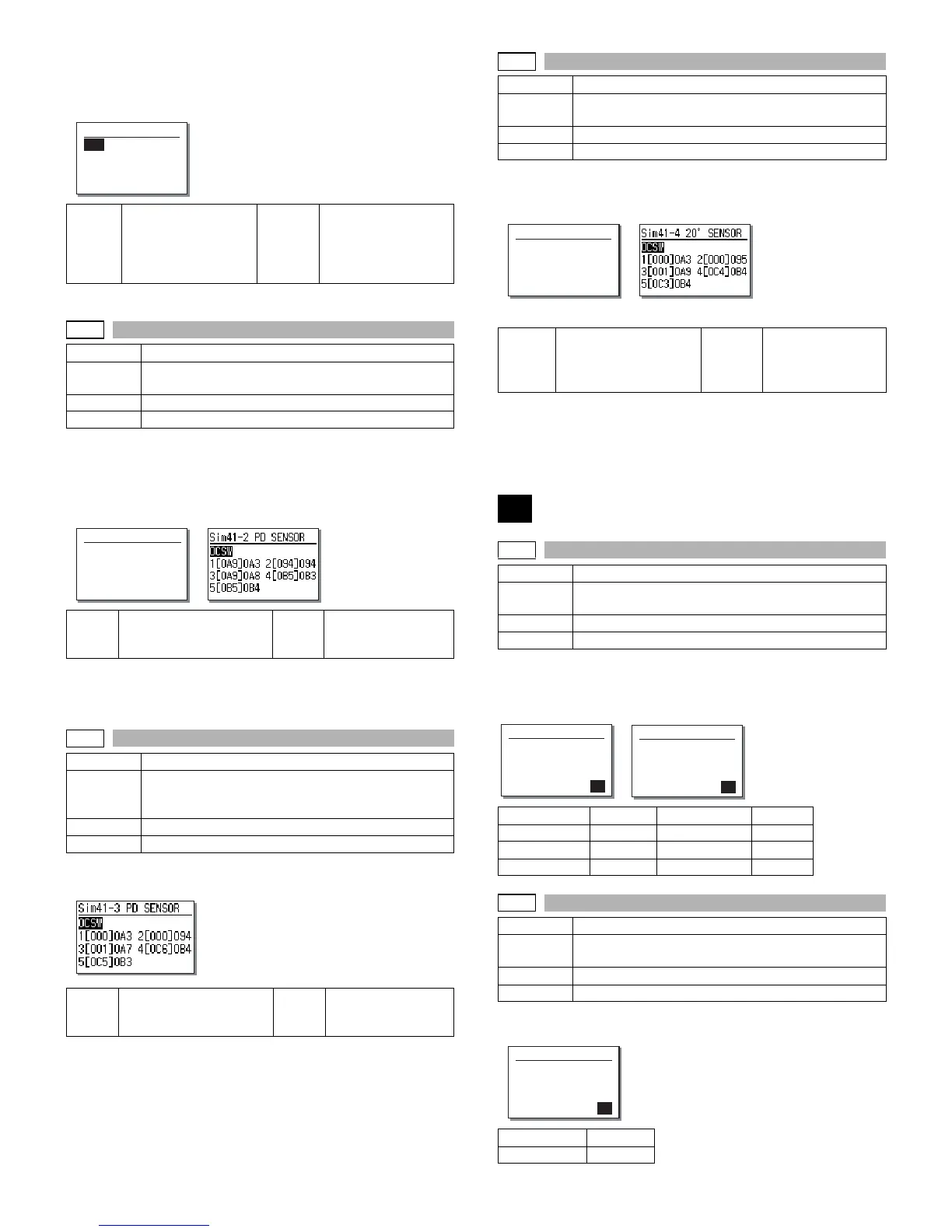
The operation status of the sensors and detectors in the original size
detection section are displayed. The active sensors and detectors are
highlighted.
For AB series, PD1 - 5 is displayed, for inch series, PD1 - 4.
Operation/procedure
Place an A3 (or WLT) document on the document table, and press
[OK] key with the OC cover open.
The adjustment is performed and the result is displayed.
The value in [ ] shows the threshold value.
For AB series, 1 - 5 is displayed, for inch series, 1 - 4.
During execution, [EXEC] is highlighted.
Operation/procedure
The detection output level of each sensor is displayed in real time.
The value in [ ] shows the threshold value of 20 degree detection
adjustment.
For AB series, 1 - 5 is displayed, for inch series, PD1 - 4.
Operation/procedure
Set the OC cover at 20 degrees detection and press the [OK] key.
The detection output level of each sensor is displayed in real time.
The value in [ ] shows the threshold value of 20 degree detection
adjustment.
For AB series, 1 - 5 is displayed, for inch series, 1 - 4.
During execution, [EXEC] is highlighted.
Operation/procedure
After the mode selection, enter the adjustment value and press the
[OK] key.
Operation/procedure
Input the set value with the 10-key and press the [OK] key.
OCSW Original cover state
Open: Highlighted
display
Close: Normal display
PD1 to 5 Original sensor status
Without original:
Normal display
With original:
Highlighted display
41-2
Purpose Adjustment
Function
(Purpose)
Used to adjust the detection level of the document size
photo sensor.
Section Others
Item Operation
(Initial screen)
(Executing screen)
OCSW Original cover state
Open: Highlighted display
Close: Normal display
1 to 5 PD sensor detection
level
41-3
Purpose Operation test/check
Function
(Purpose)
Used to check the light reception level and the
detection level of the original size detection photo
sensor.
Section Others
Item Operation
OCSW Original cover state
Open: Highlighted display
Close: Normal display
1 to 5 PD sensor detection
level
Sim41-1 PD SENSOR
OCSW PD1 PD2
PD3 PD4 PD5
Sim41-2 PD SENSOR
PRESS OK KEY EXEC
41-4
Purpose Adjustment
Function
(Purpose)
Used to adjust the detection level of OC 20 degrees.
Section Others
Item Operation
(Initial screen)
(Executing screen)
OCSW Original cover state
Open: Highlighted
display
Close: Normal display
1 to 5 PD sensor
detection level
43
43-1
Purpose Setting
Function
(Purpose)
Used to set the fusing temperature in each operation
mode.
Section Fixing (Fusing)
Item Operation
(Initial screen) (Input screen)
Display items Content Setting range Default
1:600dpi
600dpi 155-190 185
2:1200dpi
1200dpi 140-190 Disabled
3:POST CARD
Postcard 155-190 185
43-10
Purpose Setting
Function
(Purpose)
Used to set the paper feed cycle for postcard.
Section Paper feed
Item Operation
Setting range 1-99
Default 50
Sim41-4 20˚ SENSOR
PRESS OK KEY EXEC
Sim43-1 FUSER TEMP.
1:600dpi 185
2:1200dpi 160
3:POST CARD 185
2
Sim43-1 FUSER TEMP.
2:1200dpi 160
[140-190] 160
Sim43-10 POST CARD
PICK UP CYCLE 50
[ 1- 99] 50



 To Next Page