EasyManua.ls Logo

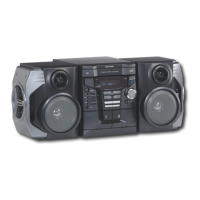
Sharp CD-G7500V - User Manual

Sharp CD-G7500V
52 pages
Print Icon
To Next Page IconTo Next Page
Loading...
04/3/10 CD-G7500V(Z)_FR.fm
TINSZA101AWZZ
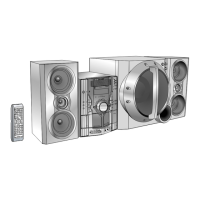
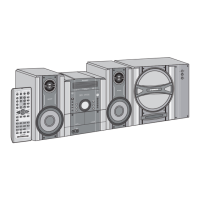
VIDEO CD MINI SYSTEM
MINI-CHAÎNE CD VIDÉO
SISTEMA MINI VÍDEO CD
MODEL
MODÈLE
MODELO
OPERATION MANUAL
MODE D’EMPLOI
MANUAL DE MANEJO
Please refer to pages E-1 to E-50.
Se reporter aux pages F-1 à F-50.
Consulte las páginas S-1 a S-50.
ENGLISH
FRANÇAIS
ESPAÑOL
SHARP CORPORATION
CD-G7500V
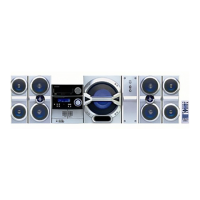
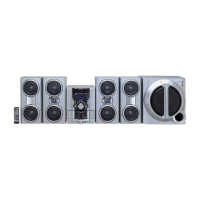
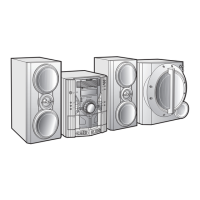
SPEAKER SYSTEM
ENCEINTES ACOUSTIQUES
SISTEMA DE ALTAVOCES
MODEL
MODÈLE
MODELO
CP-G7500
NTSC/PAL

Questions and Answers

  • W
    williamalexanderSep 12, 2025
    What to do if playback does not start on Sharp Stereo System?
    • N
      Nancy ValdezSep 12, 2025
      If playback on your Sharp Stereo System doesn't start, check if the disc is loaded upside down, if the disc meets the required standards, and if the disc is distorted or scratched.
  • J
    Jeffrey SmithSep 10, 2025
    What to do if there is condensation on Sharp CD-G7500V Stereo System?
    • R
      Ronald BranchSep 12, 2025
      If condensation has formed, leave the power on with no disc (or cassette) in the unit until normal playback is possible, which should take about 1 hour. Wipe off any condensation on the transmitter with a soft cloth before operating the unit.
  • J
    Joseph LinSep 9, 2025
    Why can't I record tracks with proper sound quality on Sharp Stereo System?
    • R
      Richard KellySep 9, 2025
      If you cannot record tracks with proper sound quality, ensure you are using a normal tape for recording. Metal or CrO2 tapes are not suitable for recording with this unit.
  • A
    Andrea BarronSep 8, 2025
    Why can't I record on my Sharp CD-G7500V Stereo System?
    • T
      Teresa VaughnSep 8, 2025
      If you cannot record, check the erase-protection tab on the tape.
  • J
    Jamie BurkeAug 23, 2025
    What to do if the Sharp Stereo System remote control does not operate?
    • W
      wbrownAug 23, 2025
      If the remote control isn't working, try these steps: Ensure the AC power lead of the unit is plugged in. Verify the battery polarity is correct and replace the batteries if they are dead. Adjust the distance or angle from which you are using the remote. Also, reduce strong light exposure to the remote control sensor.
  • K
    Kimberly DeleonSep 6, 2025
    Why is the clock not accurate on my Sharp CD-G7500V Stereo System?
    • R
      Renee MitchellSep 6, 2025
      If the clock is not accurate, it may be due to a power failure. Reset the clock to correct this.
  • S
    Sarah RobinsonSep 4, 2025
    How to fix Sharp Stereo System if I cannot remove the tape?
    • L
      Laura TerrellSep 5, 2025
      If you cannot remove the tape due to a power failure during playback, do not force the compartment open. Wait until the electricity resumes before trying to remove the tape.
  • A
    angelajohnsonSep 3, 2025
    Why is the balance between left and right channels bad on Sharp CD-G7500V?
    • J
      Jessica NguyenSep 4, 2025
      If the balance between the left and right channels is off, check the speaker connections to ensure they are not connected to the wrong channels. If an external unit is connected, verify its left and right channel connections as well.
  • N
    normanmichaelSep 2, 2025
    Why is the picture quality poor on my Sharp Stereo System?
    • G
      Grace HarrisSep 3, 2025
      Poor or distorted picture quality can be due to a dirty disc. Clean the disc to resolve this issue.
  • C
    Corey RoySep 1, 2025
    Why are sounds skipped during playback on my Sharp Stereo System?
    • A
      Alicia SmithSep 2, 2025
      Skipping or stopping during playback can occur if the unit is near excessive vibrations, so reposition it away from these sources. Clean the disc if it is very dirty. If condensation has formed inside the unit, allow it to dry out.

Sharp CD-G7500V Specifications

General IconGeneral
CD PlayerYes
BluetoothNo
USB PortNo
Karaoke FunctionYes
Speakers2-Way Speakers
TunerAM/FM
Cassette DeckDual
Playable MediaCD, Cassette
OutputsHeadphone
InputsMic In

Related product manuals