GB-14
0.5h 1.0h 1.5h 10h 11h 12h
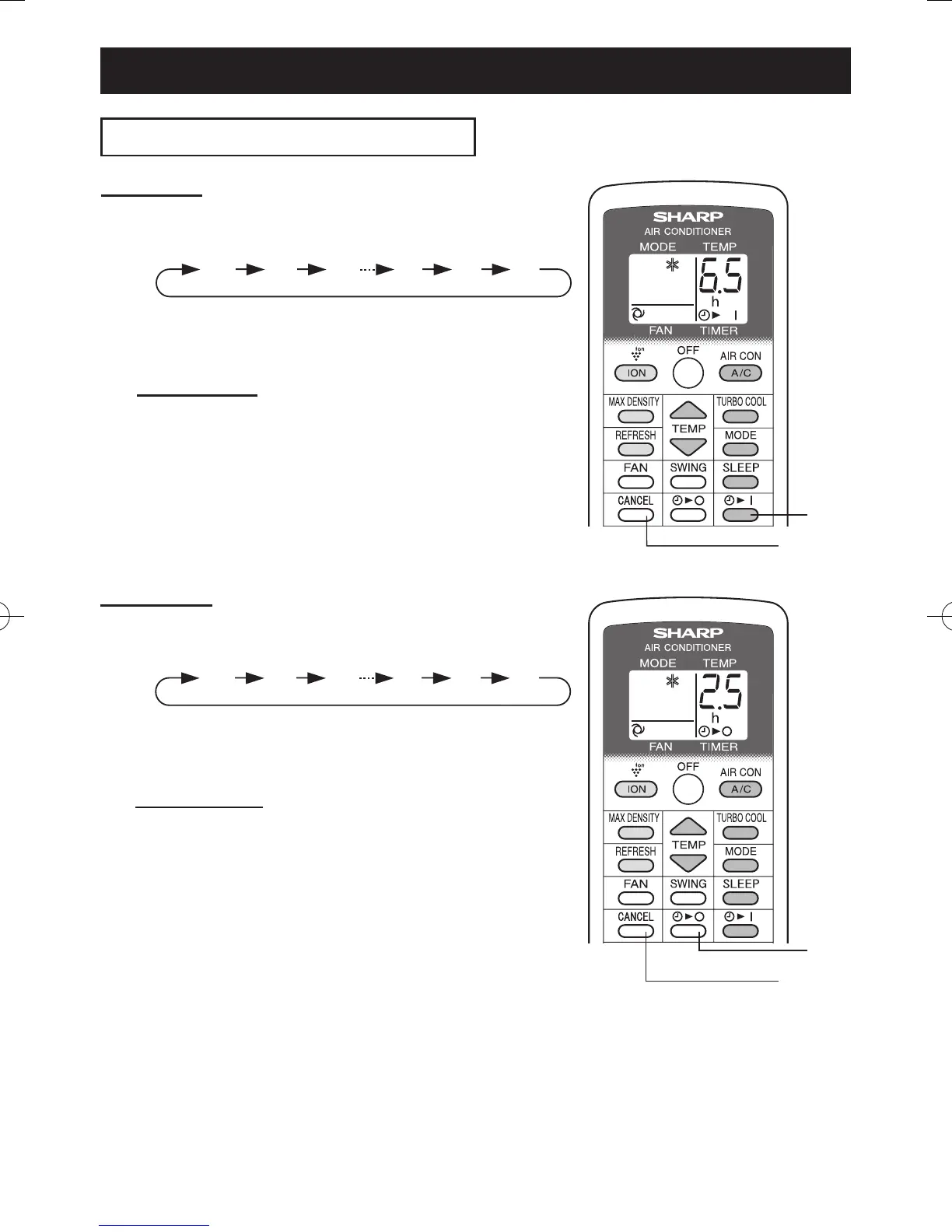
TIMER ON
1
Press the TIMER ON button and set the
time as desired.
• The orange TIMER lamp will light.
• The time setting will count down to show the re-
maining time.
TO CANCEL
Press the CANCEL button.
• The orange TIMER lamp will turn off.
0.5h 1.0h 1.5h 10h 11h 12h
NOTES:
• Timer duration can be set from a minimum of half an hour to a maximum of 12 hours.
Up to 9.5 hours, you can set in half-hour increments and from 10 to 12 hours, in 1-hour increments.
• The TIMER OFF and TIMER ON can not be set together.
• If a power failure occurs while the TIMER OFF or TIMER ON is set, the TIMER setting will be can-
celled and will not be retrieved even after the power is restored.
• When the temperature is set during timer setting, the temperature will show in the display for 5 sec-
onds and then return to the timer display.
TIMER OFF
1
Press the TIMER OFF button and set the
time as desired.
• The orange TIMER lamp will light.
• The time setting will count down to show the re-
maining time.
TO CANCEL
Press the CANCEL button.
• The orange TIMER lamp will turn off.
USE FOR AIR CONDITIONER
CANCEL
1
TIMER OPERATION
1
CANCEL
01_CV-P10PR_OM_EN.indd 14 14/08/29 16:42


 To Next Page
 Loading...