77
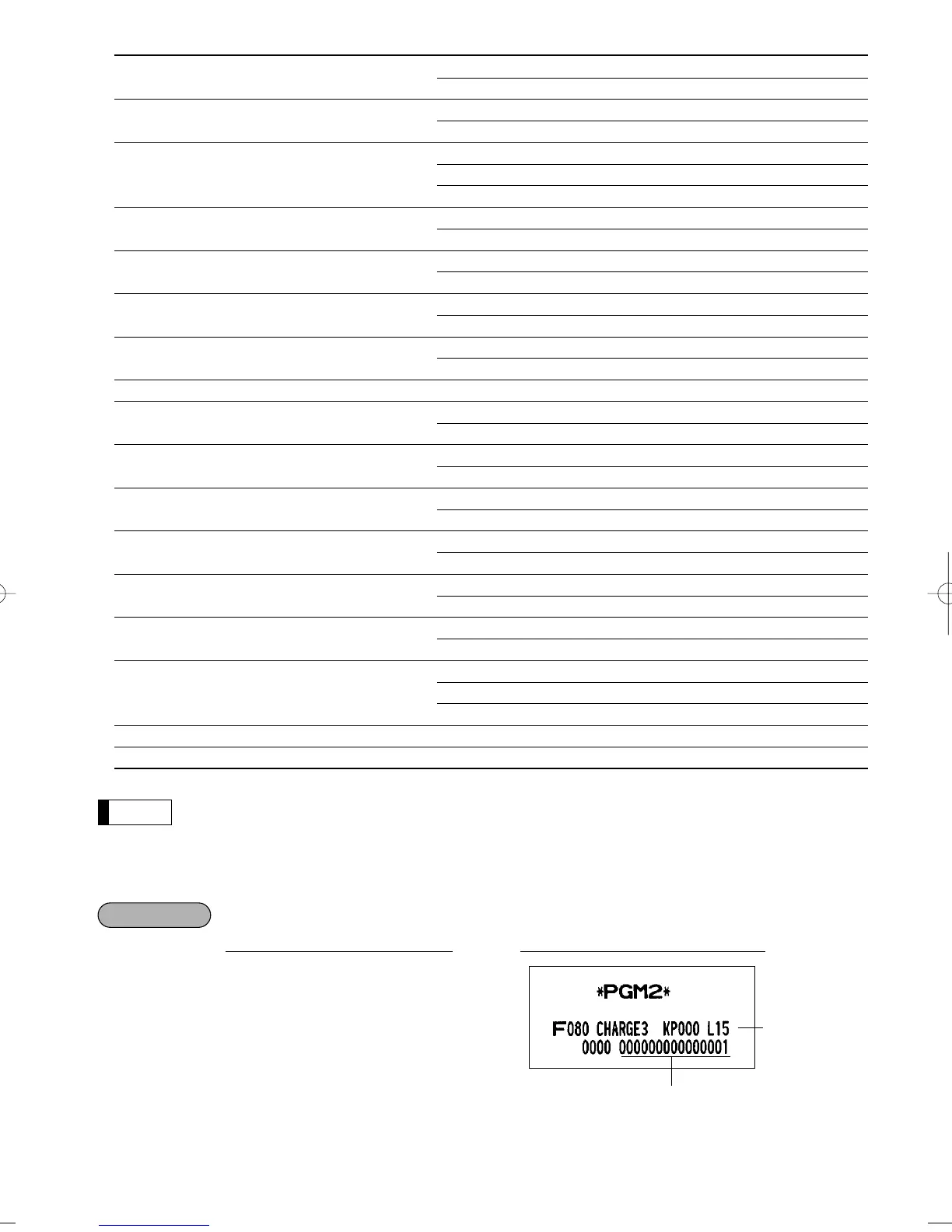
* Item: Selection: Entry:
A CAT transaction Non-compulsory 0
Compulsory 1
B CAT action POST-AUTH 0
DIAL 1
C CAT type CREDIT 0
DEBIT 1
CHECK 2
D Card number printing Yes 0
No 1
E Card number print format Partial (printing only part of the card number) 0
Full (printing the entire card number) 1
F CAT signature line print Yes 0
No 1
G CAT expiration printing Yes 0
No 1
H Number of CAT authorization receipt 0 thru 9
I Bill (slip) printing Non-compulsory 0
Compulsory 1
J Footer printing on receipt No 0
Yes 1
K Non-add code entry Non-compulsory 0
Compulsory 1
L Change enable (over tender enable) Enable 0
Disable 1
M Validation printing Non-compulsory 0
Compulsory 1
N Drawer opening Yes 0
No 1
O Amount tendered operation Optional amount tendered for cash or check 0
Inhibit amount tendered for charge 0
Compulsory amount tendered 1
P Significant digit for HALO 0 thru 9
Q Number of zeros to follow the significant digit for HALO 0 thru 8
HALO (High amount lockout)
“PQ” is the same as P
×
10
Q
.
For example, presetting 13 ($10.00) here means that amount entries of up to $10.00 are allowed in
the REG mode. When you preset 18, however, the upper limit amount is 999999.99.
00000000000000115
@*
Ç
PrintKey operation
ER-A410/A420(SEC)-3 03.12.22 0:18 PM Page 77



 To Next Page