P
,
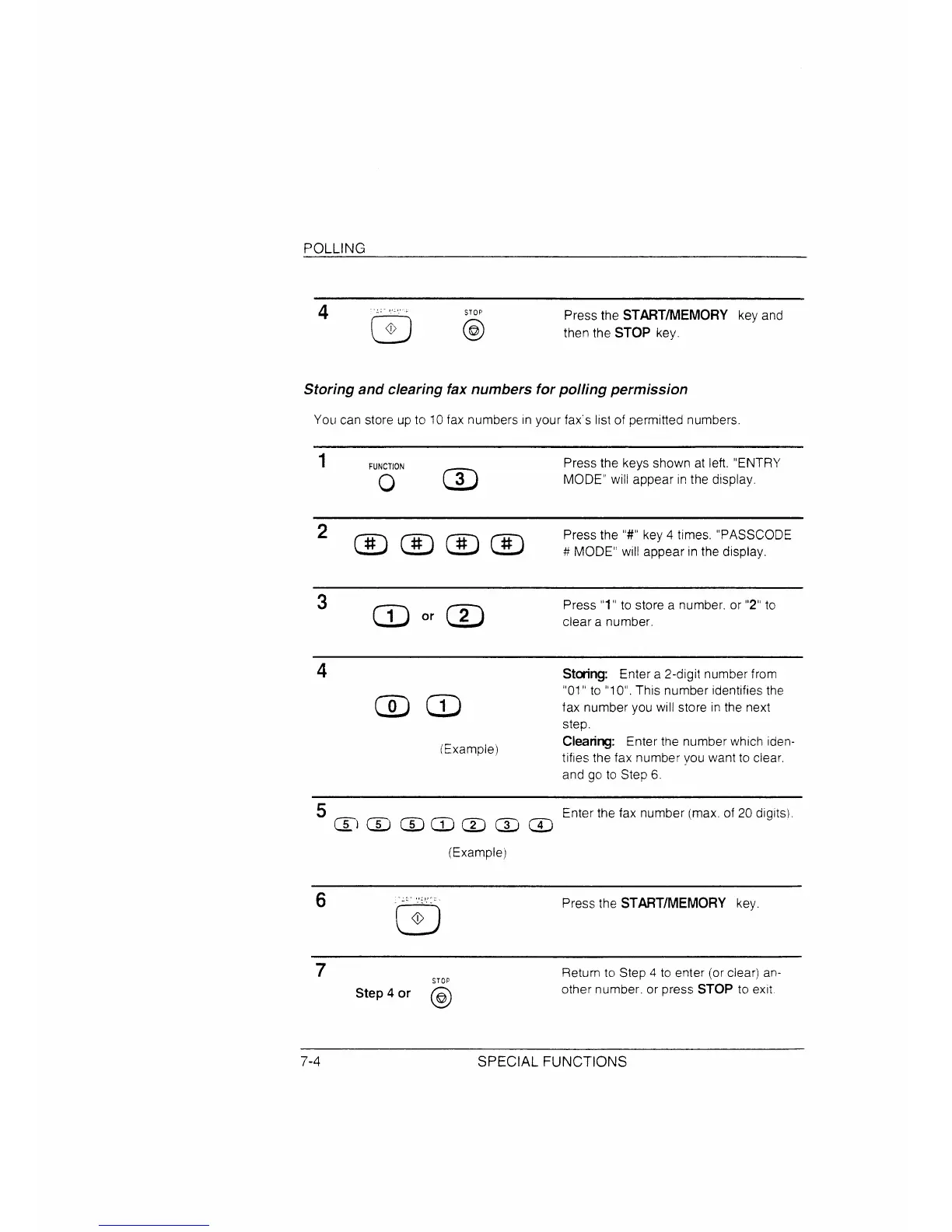
Press the START/MEMORY key and
then the STOP key.
S a c f n f p p
You can store up to 10fax numbers Inyour fax”s I[stof permitted numbers.
1
F
Press the keys shown at left. “ENTRY
o
m
MODE” will appear Inthe display,
key 4 times. “PASSCODE
appear In the display.
3
m ‘r m
Press “ to store a number. or “2” to
clear a number.
4
S Enter a 2-digit numberfrom
mm
“01” to “1O“.This number identifiesthe
fax number you will store in the next
step.
(Examplej
Clearing: Enter the number which iden-
tifies the fax number you want to clear,
and go to Step 6.
5
~ ~ @ @ @ @ ~
Enter the fax number (max. of 20 dlglts)
(Example)
6
- :
o
Press the START/MEMORY key.
7
o
Step 4 or ~
Return to Step 4 to enter (or clear) an-
other number. or press STOP to exit
7-4
S F



 To Next Page