13
Listening with Headphones
DISPLAY AND CONTROL OVERVIEW (Continued)
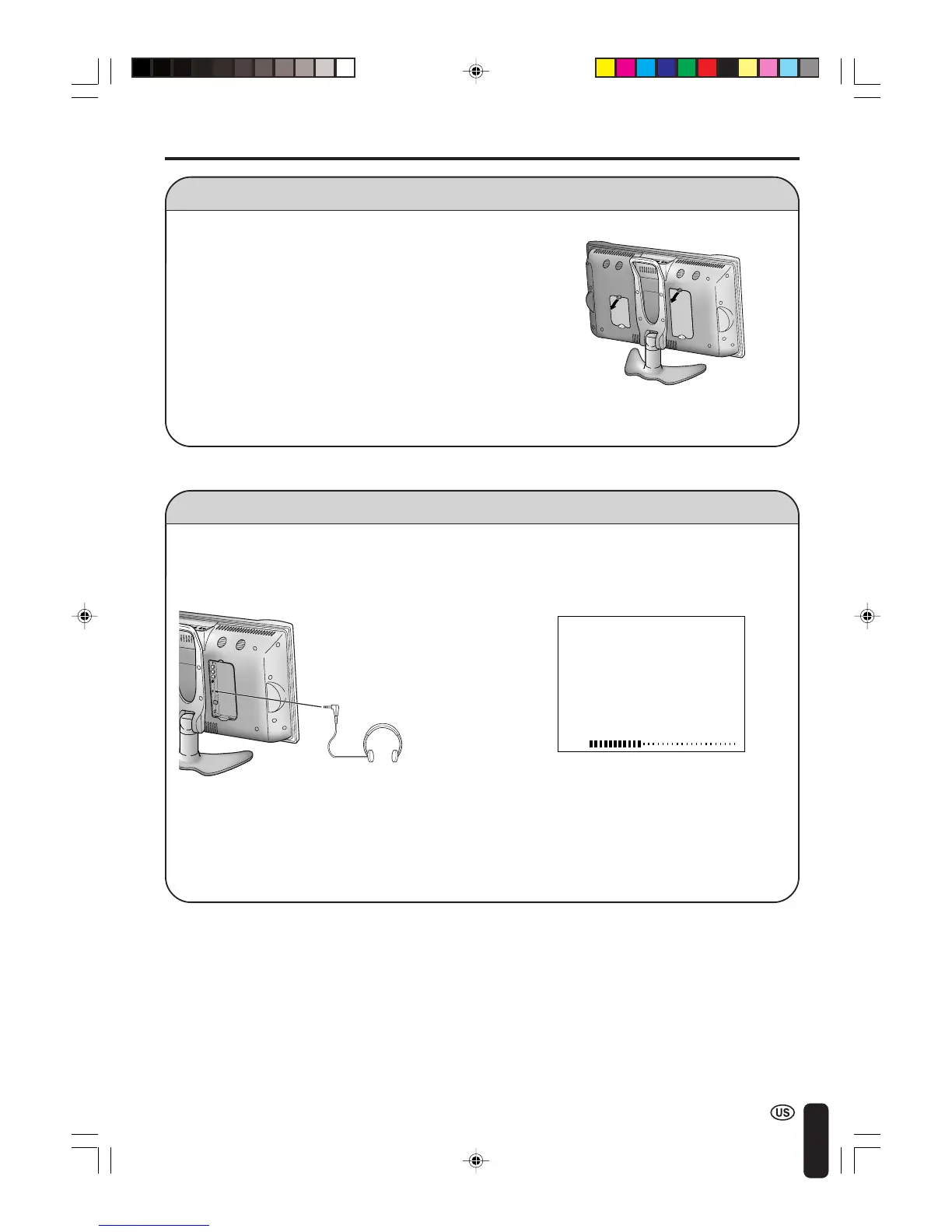
■ Before connecting cables and cords to the rear terminals, remove the
back covers. Push in the tabs and pull out the back covers carefully.
■ To mount the cover, insert the 2 hooks on the bottom of the cover
into the cabinet and press on the upper part of the back cover until
the tab locks in place with a click.
Removing the Back Cover
■ Plug the headphone mini-plug into the HEADPHONE jack located on the rear of the TV set.
Headphones
A
• Headphones are not included in the supplied accessories.
• No sound is heard from the main unit speakers when a headphone mini-plug is connected into the
HEADPHONE jack.
▼ On-screen display
20
VOLUME
c Rear terminal
V
O
L
C
HM
E
N
U
T
V/V
I
DE
O
M













 To Next Page