27
ADJUSTMENTS (Continued)
Adjusting BRIGHTNESS Settings
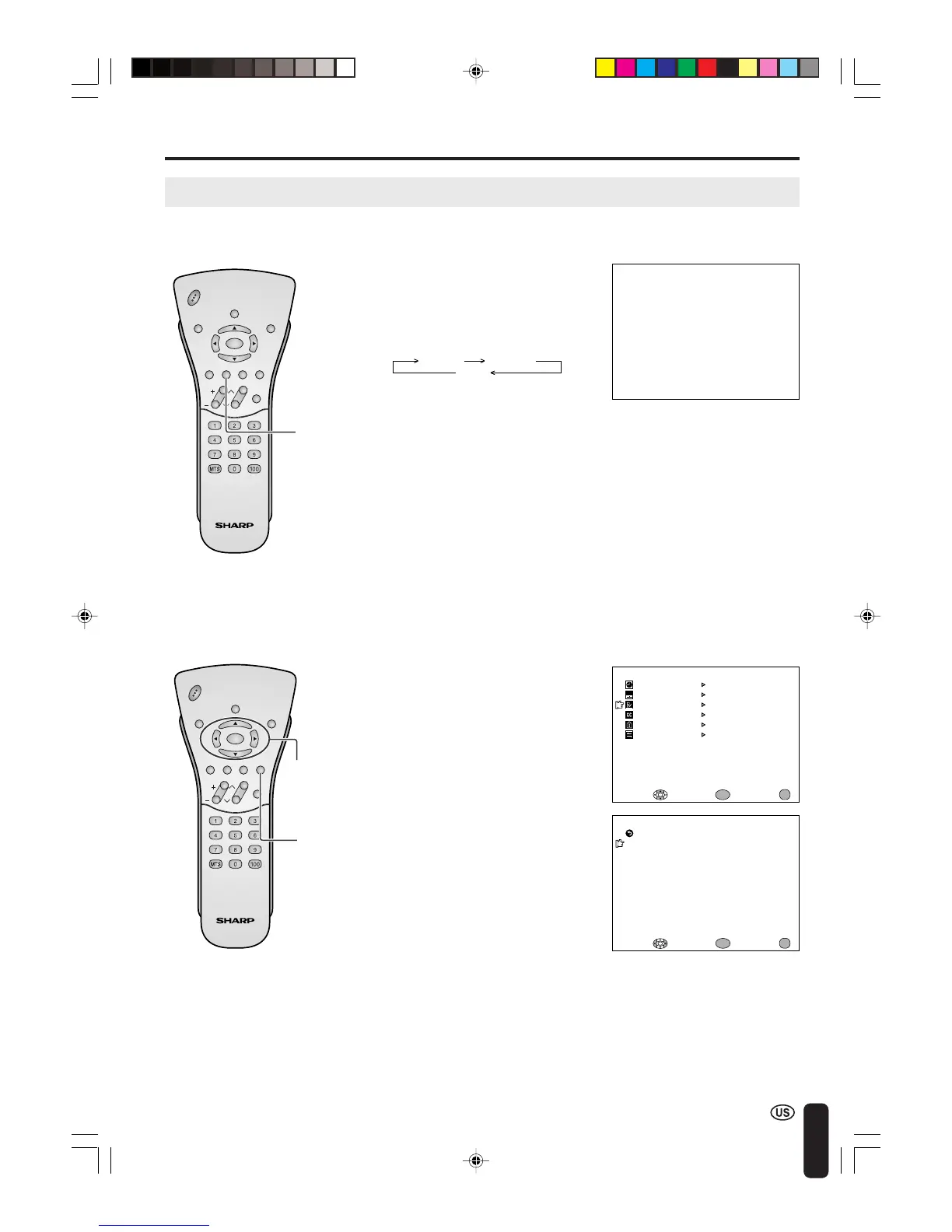
You can adjust the brightness of the screen.
Directly setting the BRIGHTNESS
1 Press BRIGHT to display the
BRIGHTNESS screen.
2 Press BRIGHT to change the
setting.
CHVOL
PO
W
ER
ENTER
DISPLAY
MUTE
SLEEP PIC. FLIP
BRIGHT TV/VIDEO MENU
FLASH-
BACK
ENTER/
a/b/c/d
CHVOL
P
O
W
ER
ENTER
DISPLAY
MUTE
SLEEP PIC. FLIP
BRIGHT TV/VIDEO MENU
FLASH-
BACK
BRIGHT
BRIGHTNESS [BRIGHT ]
M
ENU
SLEEP T I
M
ER
PRESET
CLOSED CAPT ION
V–CHIP BLOCK
SET UP
SELECT : EXIT:
V I DEO AD JUST
ENTER:
ENTER
MENU
BRIGHTNESS [BRIGHT ]
M
TS [STEREO]
AUTO PO
W
ER OFF
PICTURE FLIP
AV2 IN/OUT
EXIT:
RETURN
[OFF ]
[NOR
M
AL ]
[IN ]
PRESET
ENTER:
ENTER
ADJUST :
MENU
Setting the BRIGHTNESS on the
MENU screen
1 Press MENU to display the MENU
screen.
2 Press a/b to move the cursor to
PRESET, and press ENTER.
3 Press a/b to move the cursor to
BRIGHTNESS, and press ENTER.
4 Press c/d to change setting, and
press ENTER.
5 Press MENU to return to the main
screen.
BRIGHT
DARK
NORMAL
A
• The BRIGHTNESS screen automatically
disappears in 3 seconds.
• [BRIGHT]: maximum brightness
[NORMAL]: 60% brightness (Suitable for
viewing in a well-lit area.
Saves energy.)
[DARK]: 10% brightness (Sufficiently
bright when viewing in dim
areas.)
MENU
LC-20B4U(E)-c 03.2.26, 3:28 PM27













 To Next Page