43
[5] CHANGING V-CHIP BLOCK SETTINGS
Adjusting V-CHIP Settings (Continued)
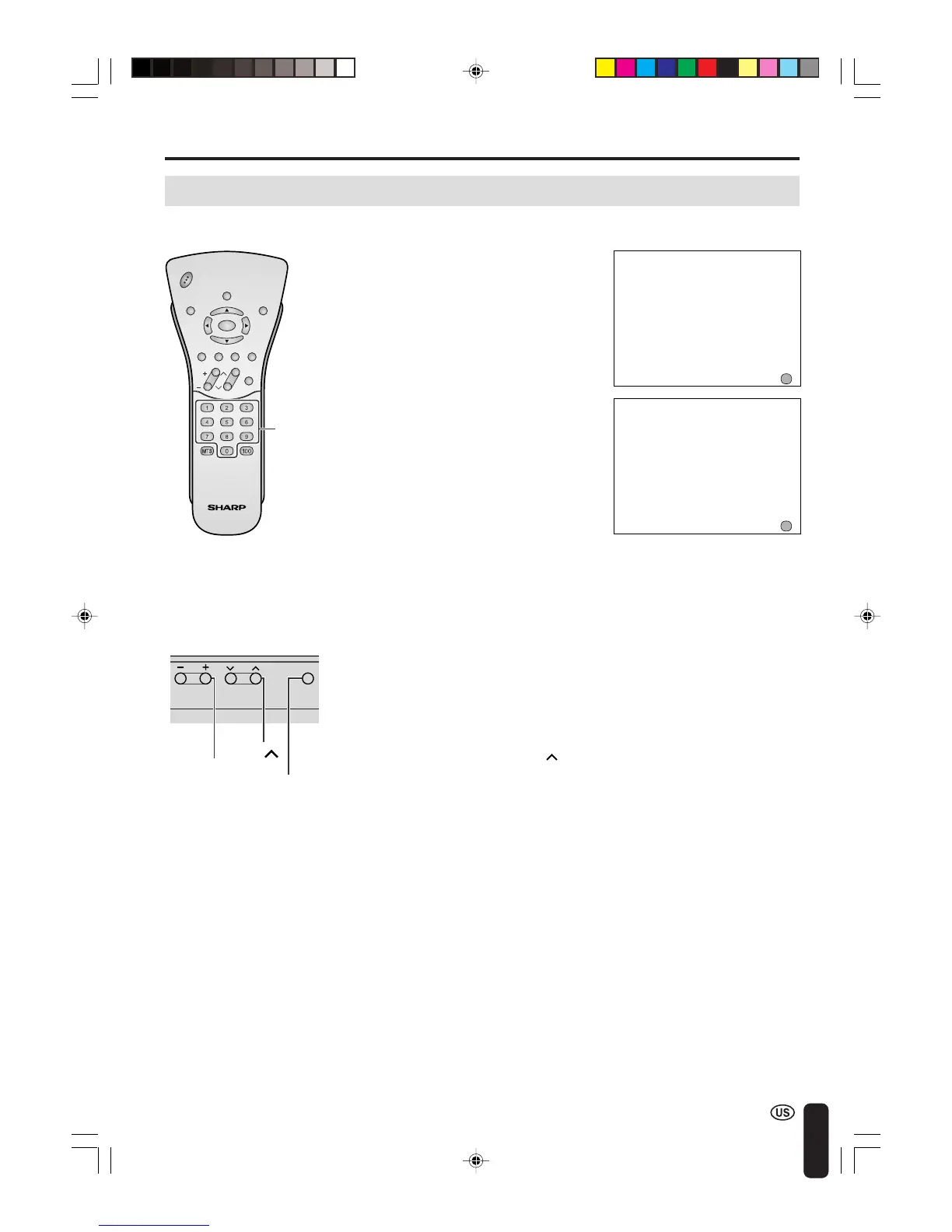
1 Repeat steps 1 to 2 of [1] MPAA
RATING, then INPUT SECRET
NO. will be displayed.
2 Input the 4-digit secret number by
using Channel Select; the V-
CHIP select mode will be dis-
played. Set V-CHIP BLOCK again.
[6] CHANGING OR CLEARING THE SECRET NUMBER
1 Repeat steps 1 to 2 of [1] MPAA
RATING, or 1 to 2 of [4]
CANCELING THE V-CHIP
BLOCK SCREEN WHILE V-CHIP
BLOCK IS ACTIVATED, then
INPUT SECRET NO. will be
displayed.
2 Press and hold both CH ( ) and
VOL (+) on the TV set simultane-
ously until the message INPUT
SECRET NO. blinks.
3 Press MENU to exit.
ADJUSTMENTS (Continued)
CHVOL
PO
W
E
R
ENTER
DISPLAY
MUTE
SLEEP PIC. FLIP
BRIGHT TV/VIDEO MENU
FLASH-
BACK
INPUT SECRET NO .
– – – –
EXIT:
MENU
INPUT SECRET NO .
* * * *
EXIT:
MENU
Channel
Select
If you forget the secret number, clear the secret number as follows.














 To Next Page