42
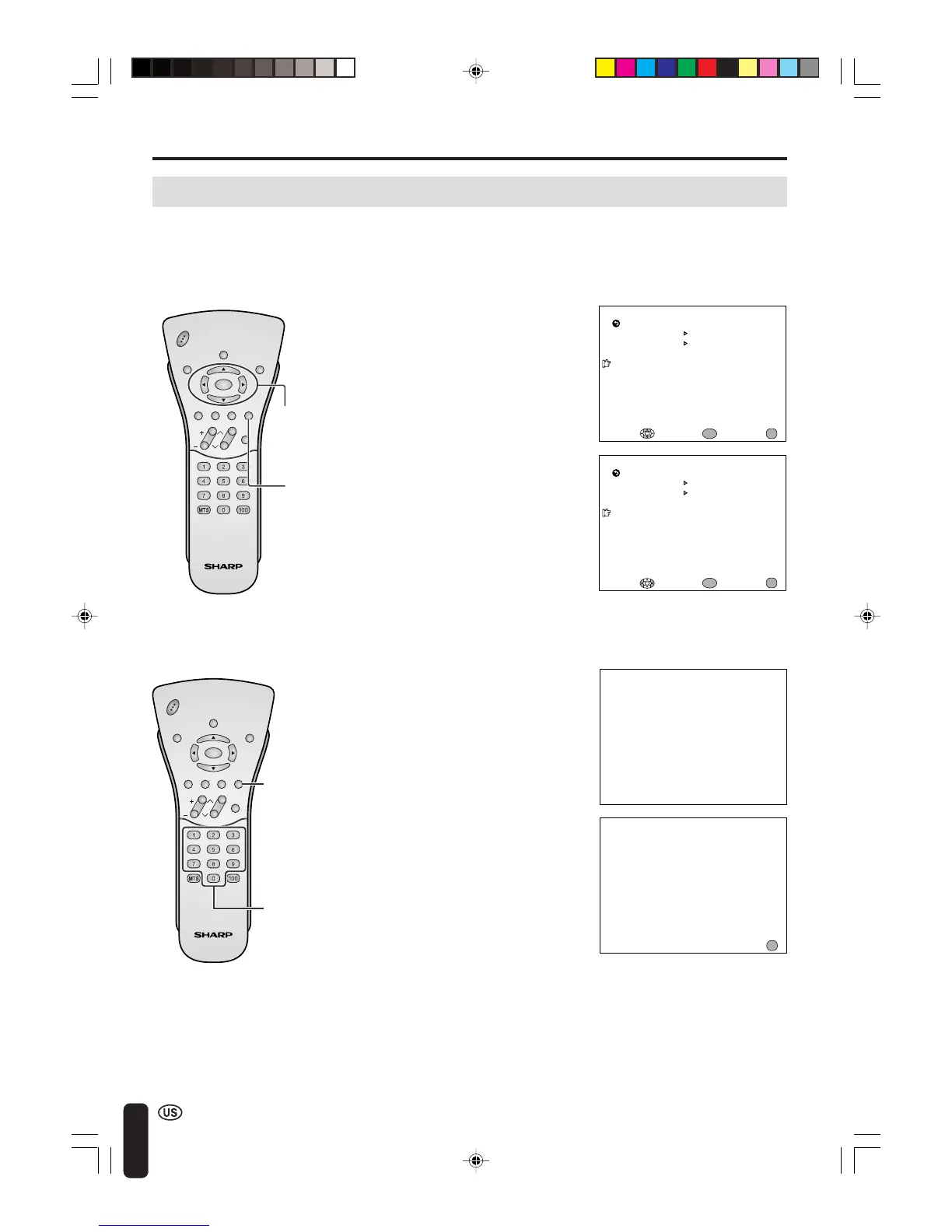
[3] ACTIVATING V-CHIP BLOCK
● Setting STATUS
Adjusting V-CHIP Settings (Continued)
1 Repeat steps 1 to 3 of [1] MPAA
RATING. (See page 39.)
2 Press a/b to move the cursor to
STATUS, and press ENTER.
3 Press c/d to set STATUS to ON,
and press ENTER.
A
• If STATUS is set to OFF, V-CHIP
BLOCK will not be activated.
1 V-CHIP HAS BEEN ACTIVATED
appears if you watch a program
with the same Program Rating
data you configured.
A
• V-CHIP HAS BEEN ACTIVATED will
not be displayed if STATUS is not
configured to ON.
[4] CANCELING THE V-CHIP BLOCK SCREEN WHILE V-CHIP BLOCK IS ACTIVATED
2 Press MENU to display INPUT
SECRET NO.
A
• If you turn the power on from off, V-CHIP BLOCK will be activated again.
• If you select V-CHIP BLOCK again by using MENU, V-CHIP BLOCK will be turned on again.
ADJUSTMENTS (Continued)
CHVOL
POW
ER
ENTER
DISPLAY
MUTE
SLEEP PIC. FLIP
BRIGHT TV/VIDEO MENU
FLASH-
BACK
ENTER/
a/b/c/d
4 Press MENU to return to the main
screen.
V–CHIP HAS BEEN ACT I VATED
TV–Y
INPUT SECRET NO .
– – – –
EXIT:
MENU
CHVOL
P
O
W
ER
ENTER
DISPLAY
MUTE
SLEEP PIC. FLIP
BRIGHT TV/VIDEO MENU
FLASH-
BACK
MENU
Channel
Select
M
PAA
TV GUIDEL INES
STATUS
ENTER: EXIT:
RETURN
V–CHI P BLOCK
[ ON ]
ENTER :
ENTER
MENU
ADJUST :
You can activate V-CHIP BLOCK after setting [1] MPAA RATING and/
or [2] TV GUIDELINES.
3 Input the 4-digit secret number by
using Channel Select; V-CHIP
BLOCK is temporarily canceled. If
you input an incorrect secret
number, SECRET NO. IS INCOR-
RECT is displayed. In this case,
input the correct secret number.
MENU
M
PAA
TV GUIDEL INES
STATUS
SELECT : EXIT:
RETURN
V–CHI P BLOCK
[OFF]
ENTER :
ENTER
MENU
LC-20B4U(E)-d 03.2.26, 3:32 PM42














 To Next Page