EasyManua.ls Logo

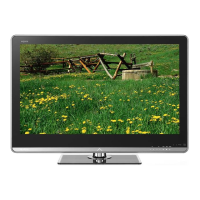
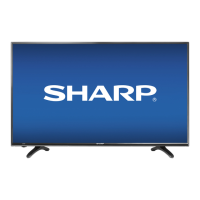
Sharp LC-40LB480U - User Manual

Sharp LC-40LB480U
74 pages
Print Icon
To Next Page IconTo Next Page
Loading...
Before using your new product, please read these instructions to prevent any damage.
USER GUIDE
LC-40LB480U
Full HD LED 1080p TV
40"
CLASS
(40" Diagonal)

Table of Contents

Other manuals for Sharp LC-40LB480U

Questions and Answers

  • P
    Paul LeblancSep 23, 2025
    How do I remove the retail banner from my Sharp TV?
    • R
      Ronald Hoffman Jr.Sep 23, 2025
      If a retail banner is displayed on your Sharp TV, you selected “Store” mode when you ran the EZ SETUP wizard. Reset your TV to the factory defaults, then select Home on the What is your viewing environment screen.
  • A
    Amanda StephensAug 25, 2025
    Why are there no channels after auto channel search on my Sharp LC-40LB480U TV?
    • R
      randallmasseyAug 25, 2025
      If, after running Auto Channel Search on your Sharp TV, there are no channels, reception can vary by channel depending on the broadcast power level of a given station. Contact your cable or satellite TV provider. Make sure that the antenna or cable/satellite TV is connected securely to your TV. Try replacing the cable between the antenna/cable or cable/satellite box and your TV.
  • J
    Jill RyanAug 25, 2025
    Why are some channels not displaying on my Sharp LC-40LB480U?
    • T
      Travis MunozAug 26, 2025
      If one or more channels do not display on your Sharp TV, ensure the channels are not blocked by checking parental control settings. Also, verify the channels are not hidden, as they may have been deleted from the channel list. You can tune to the channel by pressing the number buttons or add the channel back to the channel list. If you are using a cable or satellite box, use the remote that came with that box to change channels and make sure that you have the correct input selected to view channels from the cable or satellite box. If you are using an antenna, the digital channel signal may be low, so check the digital channel signal strength.
  • O
    oburnettAug 26, 2025
    Why does my Sharp LC-40LB480U keep turning off?
    • A
      Ann DanielsAug 27, 2025
      If your Sharp TV keeps turning off, make sure that the sleep timer is not turned on.
  • S
    scottstevensAug 27, 2025
    What to do if my Sharp LC-40LB480U TV says no signal?
    • R
      Russell BushAug 27, 2025
      If the Sharp TV displays a 'No Signal' error message, first press the INPUT button to ensure you've selected the correct input for your device or service. If you're using a cable or satellite box, use its remote to change channels and make sure the correct input is selected on the TV to view those channels.
  • S
    Susan JohnsonSep 14, 2025
    Why doesn't my device show up in the CEC Device list on my Sharp TV?
    • R
      Ryan FriedmanSep 14, 2025
      If a device does not show up in the CEC Device list on your Sharp TV, ensure the device is turned on. Make sure the HDMI cable is securely connected to both the TV and the device. Verify the device is connected with an HDMI cable and that the CEC Control feature is turned on. Also, confirm that the device is CEC-compatible by checking its documentation.
  • L
    lmurraySep 12, 2025
    Why can't I access some settings on my Sharp TV?
    • C
      carla53Sep 12, 2025
      If some settings cannot be accessed on your Sharp TV and a setting is grayed out, it is not available in the current video input mode.
  • J
    jose84Sep 13, 2025
    Why are the control buttons not working on my Sharp LC-40LB480U?
    • K
      Karla JeffersonSep 13, 2025
      If the control buttons on your Sharp TV do not work, ensure that the Button Lock option is set to Off. Unplug the power cord, wait a few seconds, then plug the cord back in and turn on your TV.
  • T
    Tracey NashSep 4, 2025
    Why is there no color on my Sharp LC-40LB480U?
    • J
      Jennifer SotoSep 4, 2025
      If your Sharp TV has no color, a dark picture, or the color is incorrect, try another channel as the station may be experiencing problems. Adjust the color settings and ensure the video cables are connected correctly and securely to your TV. Also, make sure the antenna or cable TV is connected correctly and securely. If using an antenna, the digital channel signal may be low, so check the signal strength and adjust the antenna or use a directional outdoor antenna with an amplifier if needed.
  • J
    Jimmy JohnsonSep 2, 2025
    Why is the picture quality on my Sharp LC-40LB480U TV good on some channels and poor on others?
    • J
      james40Sep 2, 2025
      If your Sharp TV picture quality is good on some channels but poor on others, it may be due to a weak signal from the broadcaster or cable TV provider. If you connect to cable or satellite TV without a set-top box, consider installing one to improve signal reception and picture quality. Contact your provider for details on upgrading to a set-top box.

Sharp LC-40LB480U Specifications

General IconGeneral
Screen Size40 inches
Resolution1920 x 1080 (Full HD)
Display TypeLED
Refresh Rate60 Hz
HDMI Ports3
USB Ports1
Audio Output10W x 2
Built-in Wi-FiYes
Smart TVYes

Related product manuals