41
■
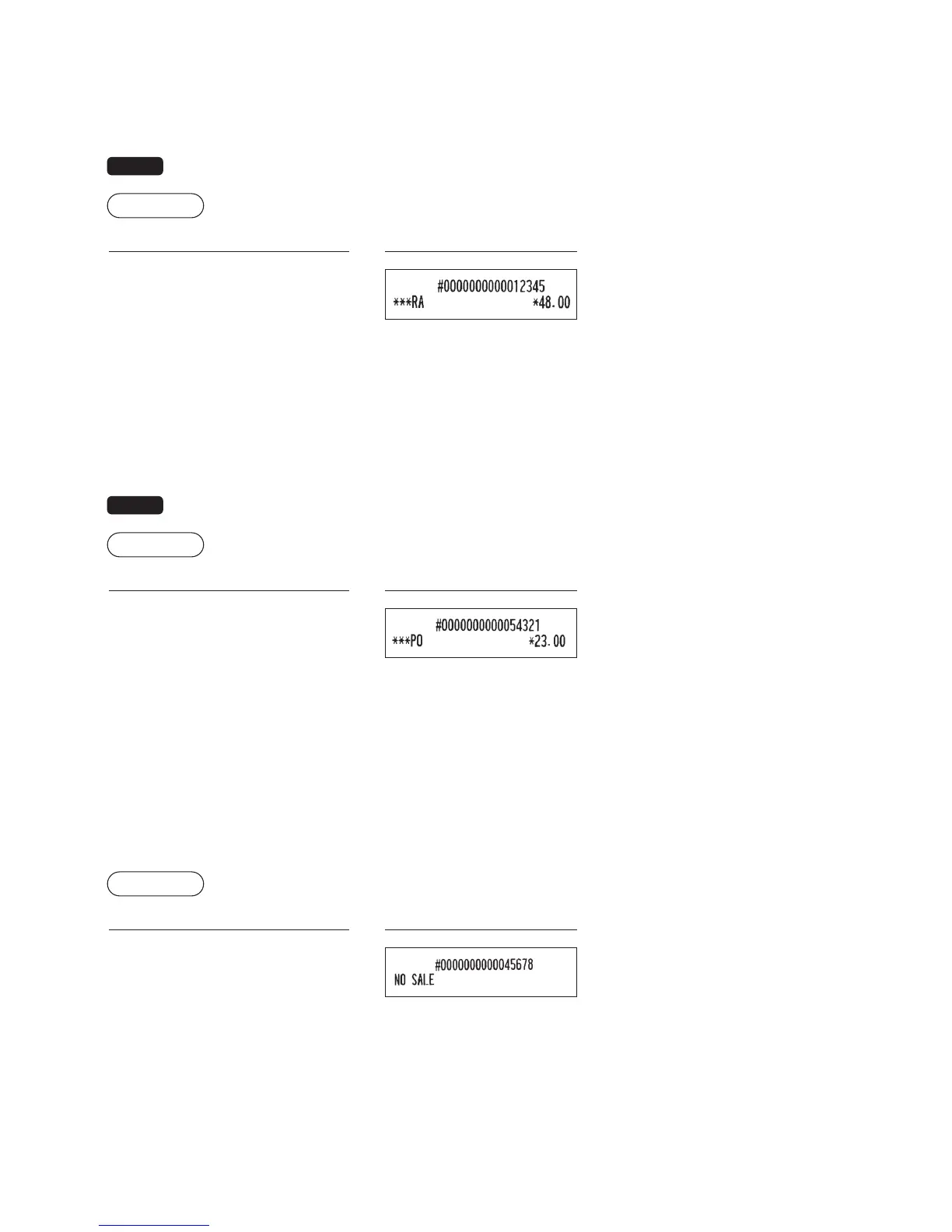
Received-on-account entries
When you receive on account from a customer, use the
R
key. For the received-on-account (RA) entry, enter
the amount, and press the
R
key.
NOTE
CashtenderingonlyavailableforRAoperation.
Example
Key operation
Print
12345
s
4800
R
■
Paid-out entries
When you pay an amount to a vendor, use the
t
key. For the paid-out (PO) entry, enter the amount and press
the
t
key.
NOTE
CashtenderingonlyavailableforPOoperation.
Example
Key operation
Print
54321
s
2300
t
■
No sale (exchange)
When you need to open the drawer with no sale, press the
A
key. The drawer will open and printer will print
“NO SALE” on the receipt. If you let the register print a non-add code number before pressing the
A
key, a
no sale entry is achieved and a non-add code number is printed. Refer to “Other programming” (job code 63) on
page 55 for the programming.
Example
Key operation
Print
A



 To Next Page