90
■
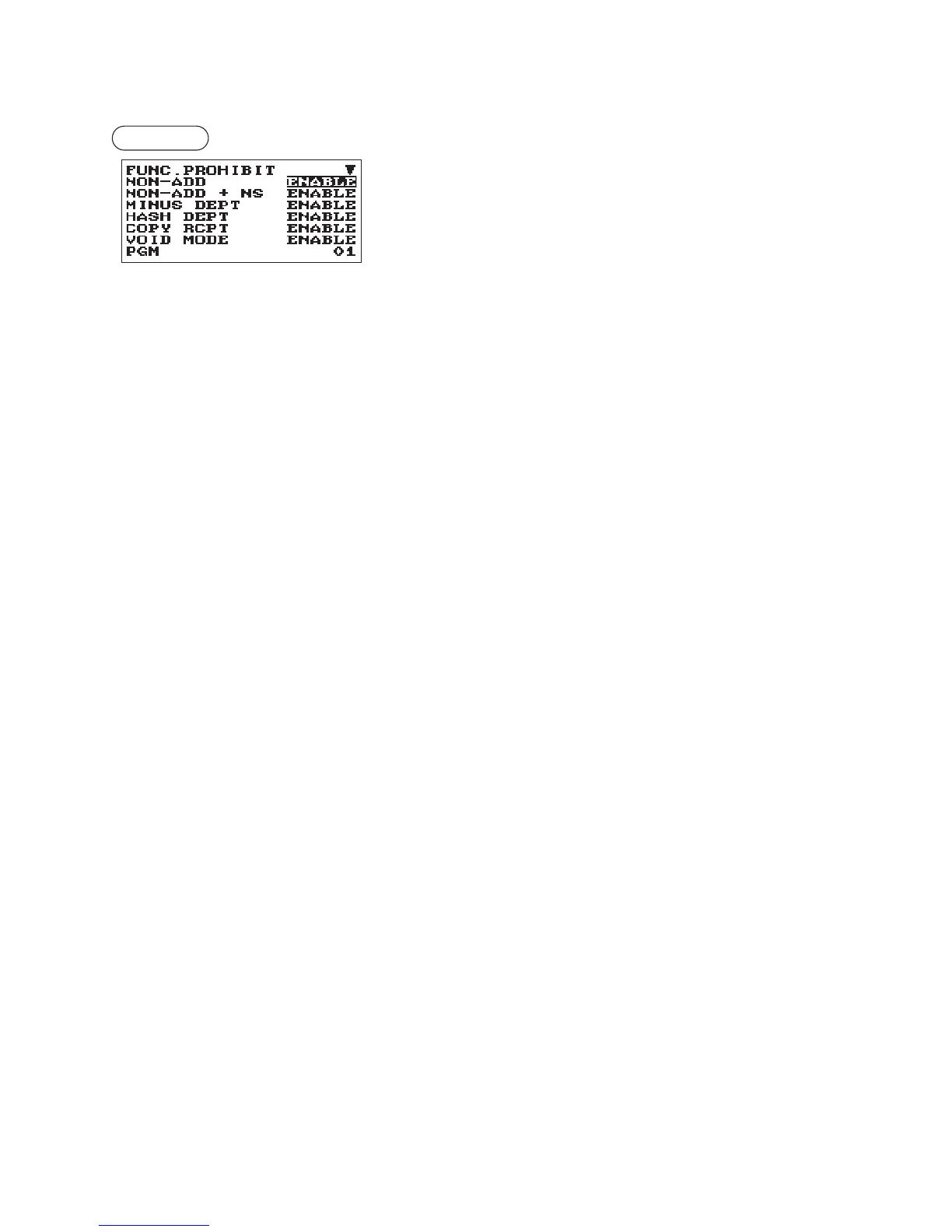
FunctionProhibit
Your register allows you to select whether to enable or disable various functions.
Procedure
Program each item as follows:
The screen continues.
•NON-ADD(Usetheselectiveentry)
ENABLE: Entry Non-add code
DISABLE: Not entry Non-add code
•NON-ADD+NS(Usetheselectiveentry)
ENABLE: Enable No sale after Non-add code entry
DISABLE: Disable No sale after Non-add code entry
•MINUSDEPT(Usetheselectiveentry)
ENABLE: Entry the minus department or PLU
DISABLE: Not entry the minus department or PLU
•HASHDEPT(Usetheselectiveentry)
ENABLE: Entry the hash department or PLU
DISABLE: Not entry the hash department or PLU
•COPYRCPT(Usetheselectiveentry)
ENABLE: Enable the receipt copy function
DISABLE: Disable the receipt copy function
•VOIDMODE(Usetheselectiveentry)
ENABLE: Enable the void mode
DISABLE: Disable the void mode
•SUBTOTAL<0(Usetheselectiveentry)
ENABLE: Enable to go negative merchandise subtotal
DISABLE: Disable to go negative merchandise subtotal
•TEND+DIRECT(Usetheselectiveentry)
ENABLE: Enable the direct non-tendering nalization after the previous tender entry
DISABLE: Disable the direct non-tendering nalization after the previous tender entry












 To Next Page