EN – 14EN – 14
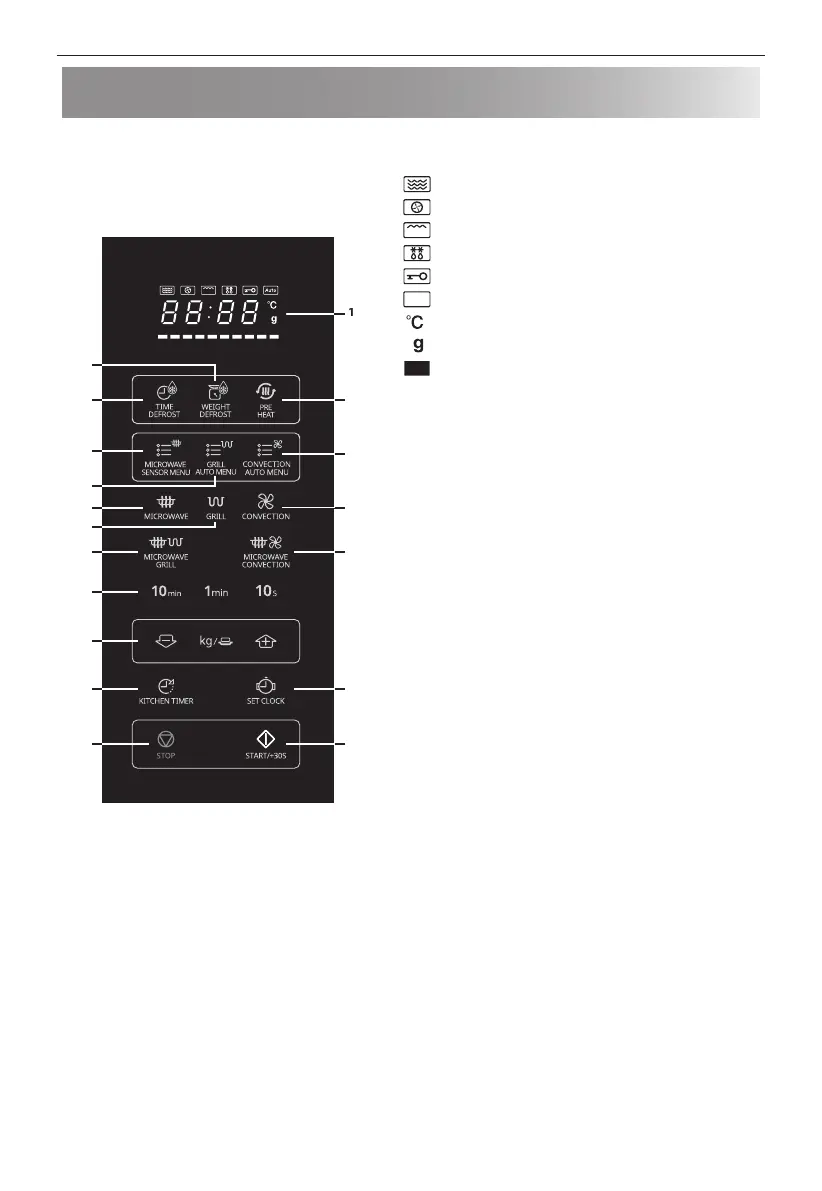
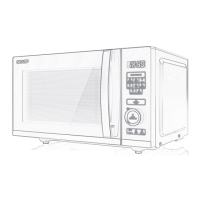
Control panel
1
1
1
1
1
1. DIGITAL DISPLAY – Cooking time, power, indicators and
clock time are displayed.
[MICROWAVE] indicator
[CONVECTION] indicator
[GRILL] indicator
[DEFROST] indicator
[CHILD LOCK] indicator
Auto
[AUTO MENU] indicator
[TEMPERATURE] indicator
[WEIGHT] indicator
[TEMPERATURE PROGRESS] indicator
The segments gradually light up to show the
temperature reached in CONVECTION mode. Each
segment represents 10°C of the set temperature
level (For example, the rst one indicates 140°C and
the last one 230°C). When you set the temperature
the corresponding segment illuminates while the
respective segments to the left of it illuminate
respectively one by one during the preheating
process.
2. WEIGHT DEFROST – Press once to defrost based on weight.
3. TIME DEFROST – Press to select defrosting by time.
4. PREHEAT – Press to preheat the oven in convection mode.
5. MICROWAVE SENSOR MENU – Press to select sensor
cooking menu.
6. GRILL AUTO MENU – Press to select grill auto cooking
menus.
7. CONVECTION AUTO MENU – Press to select convection
auto cooking menus.
8. MICROWAVE POWER – Press to select microwave power
level.
9. GRILL – Press to set grill cooking mode.
10. CONVECTION – Press to set convection cooking mode.
11. MICROWAVE+GRILL – Press to set microwave and grill
combination cooking modes.
12. MICROWAVE+CONVECTION – Press to set microwave and
convection combination cooking modes.
13. TIME – Set the clock and timer.
14. WEIGHT/PORTION – Use these buttons to select weight or
portions.
15. KITCHEN TIMER – Press to use as a minute timer, or to
programme standing time.
16. SET CLOCK – Use to set clock time.
17. STOP – Press once to pause cooking or twice to cancel
operation.
18. START/+30s – Start button. Press once to cook for 30
seconds on full power.


 To Next Page