EN – 22EN – 22
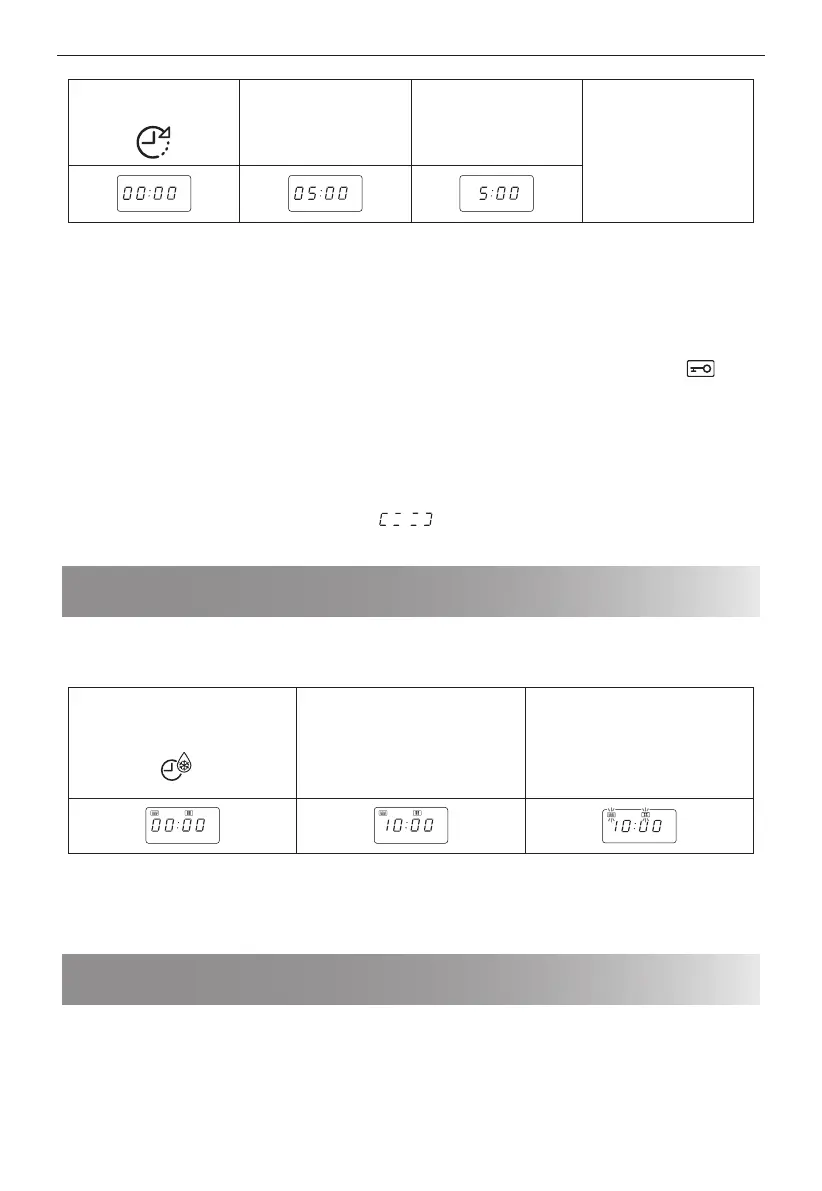
1. Press the [KITCHEN
TIMER] button once.
2. Enter the desired time
by pressing the [1
min] button 5 times.
3. Press the [START/+30s]
button to start the
timer.
4. Check the display.
(The display will count
down through the set
cooking/defrosting
time.)
When the timer time arrives, the will bleep 2 times and the LED will display then time of day.
You can enter any time up to 99 minutes, 50 seconds. To cancel the KITCHEN TIMER whilst counting down, simply
press the [STOP] button.
NOTE: The KITCHEN TIMER function cannot be used whilst cooking.
4. CHILD LOCK
Use to prevent unsupervised operation of the oven by little children.
a. To set the CHILD LOCK:
Press and hold the [STOP] button for 3 seconds, a long bleep will be heard and the display will indicate
.
The oven is now in the CHILD LOCK mode.
b. To cancel the CHILD LOCK:
Press and hold the [STOP] button for 3 seconds until a long beep sound.
Note: If the button does not operate, open/close the door and try again.
5. LOCATION MEMORY
This is a function where the food location would be back to original cooking when nishing cooking.
Press [KITCHEN TIMER] button for 3 seconds to set or cancel this function. The default setting is ON.
When the LOCATION MEMORY function is in activate,
will be appeared at the end of cooking.
This function will not work if the door is opened or stop operation during cooking.
Defrosting by time
This function quickly defrosts food while enabling you to choose a suitable defrost period, depending on the
food type. Follow the example below for details on how to operate this function. The time range is 0:01 – 99:50.
Example: To defrost the food for 10 minutes.
1. Select the menu required by
pressing the [TIME DEFROST]
button once.
x1
2. Enter the cooking time by
pressing the [10 min] button
once.
3. Press the [START/+30s] button
to start the defrosting.
(The display will count down
through defrosting time)
Notes for time defrost:
• After cooking the audible signal will sounds ve times and the LED will display the time of day, if the clock has been
set. If the clock has not been set, the display will only show “0:00” when cooking is complete.
• The preset microwave power level is P30 and can not be changed.
Defrosting by weight
The microwave oven is pre-programmed with a timer and power level so that foods such as meat or seafood can be
easily defrosted. The weight range for this is from 0.1kg – 2.0kg.
d-1: Defrost by weight (general)
d-2: Defrost by weight (ground meat)
d-3: Defrost by weight (seafood)
Follow the example below for details on how to operate these functions.
Example: To defrost a joint of meat weighing 1.2kg using.


 To Next Page