EN
EN – 21EN – 21
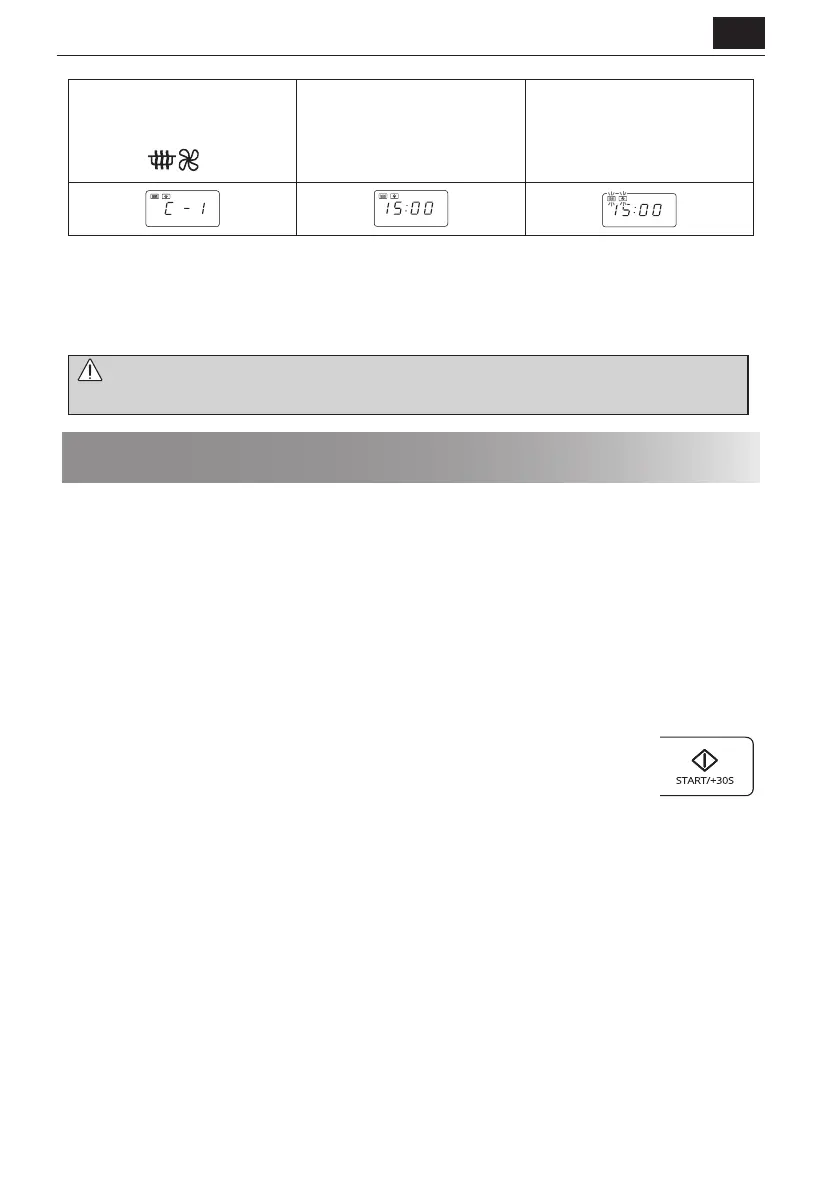
1. Press the
[MICROWAVE+CONVECTION]
button once.
x1
2. Enter the required heating time
by pressing the [10 min] button
once and the [1 min] button 5
times.
3. Press the [START/+30s] button
to start the cooking.
(The display will count down
through the set cooking time.)
NOTES for CONVECTION and MICROWAVE+CONVECTION COOKING:
• You may detect smoke or a burning smell when using the convection for the rst time. This is normal and not a sign
that the oven is faulty. To avoid this problem, when rst using the oven, heat the oven without food for 20 minutes
on convection 230°C.
IMPORTANT: During operation, to allow smoke or smells to disperse open a window or switch the kitchen ventilation
on.
WARNING: The door, outer cabinet, oven cavity and accessories will become very hot during operation.
To prevent burns, always use thick oven gloves.
Other convenient functions
1. SEQUENCE COOKING
This function allows you to cook using up to 2 di erent stages which can include manual cooking time and mode
and/or time defrost as well as weight defrost function. Once programmed there is no need to interfere with the
cooking operation as the oven will automatically move onto the next stage. The audible signal will sound once after
the rst stage.
Note: Auto menu cannot be set as one of the multiple sequences.
Example: If you want to defrost the food for 5 minutes, then to cook with P80 microwave power for 7 minutes.
The steps are as follows:
1. Press the [TIME DEFROST] button once, in the LED display will show 00:00.
2. Enter the cooking time by pressing the [1 min] button 5 times.
3. Input the power level (P80) by pressing the [MICROWAVE POWER] button 3 times.
4. Enter the cooking time by pressing the [1 min] button 7 times.
5. Press the [START] button once to start cooking.
2. +30s FUNCTION (Auto-start)
The [+30s] button allows you to operate the two following functions:
a. Direct start
You can directly start cooking on 100 P microwave power level for 30 seconds by pressing the
[+30s] button.
b. Extend the cooking time
You can extend the cooking time during manual cooking, time defrost and auto menu operation for multiples of
30 seconds if the [+30s] button is pressed while the oven is in operation. During the weight defrost, the cooking
time cannot be increased.
NOTE: The cooking time may be extended to a maximum of 99 minutes 50 seconds.
3. KITCHEN TIMER
You can use the kitchen timer for timing where microwave cooking is not involved for example to time boiled eggs
cooked on conventional hob or to monitor the standing time for cooked/defrosted food.
Example:
To set the timer for 5 minutes.


 To Next Page