12
2
1
9
7 8
4
65
1
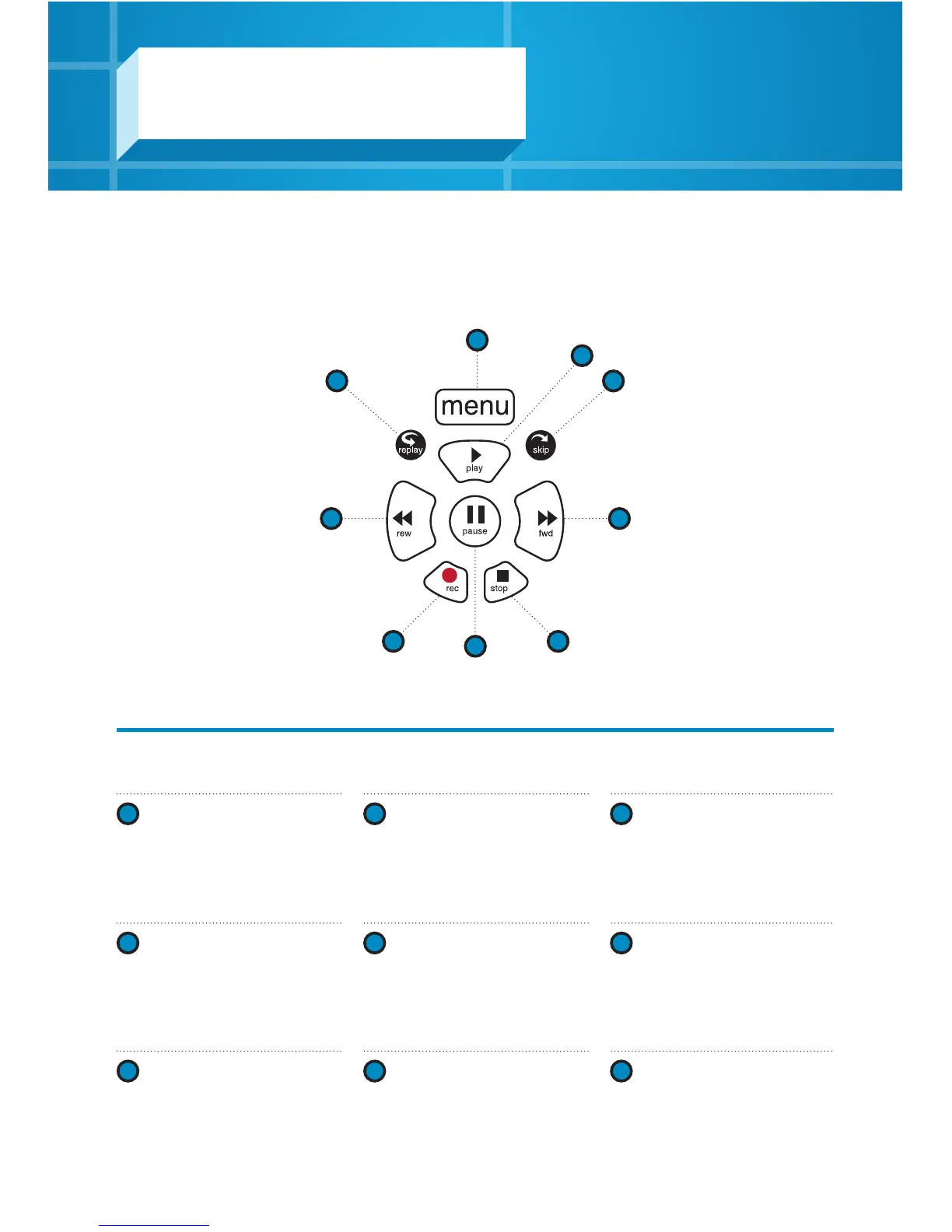
MENU
Every time you press MENU,
you’ll return to a previous
menu until you’re back at the
Main Menu.
2
PLAY
Plays the TV show or
highlighted media. You can also
resume watching a paused
show.
3
SKIP
Skips forward. You can
customize the number of
seconds to skip in your
Settings.
4
REPLAY
Replays the last seven seconds.
5
REWIND
Use the REWIND button to
review live TV. Press it again up
to three times to increase the
rewind speed.
6
FAST-FORWARD
Press up to three times to
increase the fast‑forward
speed.
7
RECORD
Press to record a show you’re
currently watching or a
highlighted show in your guide.
8
STOP
Exits a recorded show or stops
a recording in progress.
9
PAUSE
Pauses the show or movie you
are watching.
34
Control your recorded or live program with the following buttons:
Gateway Portal controls
Using your PVR



 To Next Page