EasyManua.ls Logo

Shaw Gateway HDPVR - Channels Feature; Channels Display Layout Explained

Default Icon
32 pages
Print Icon
To Next Page IconTo Next Page
To Previous Page IconTo Previous Page
Loading...
9
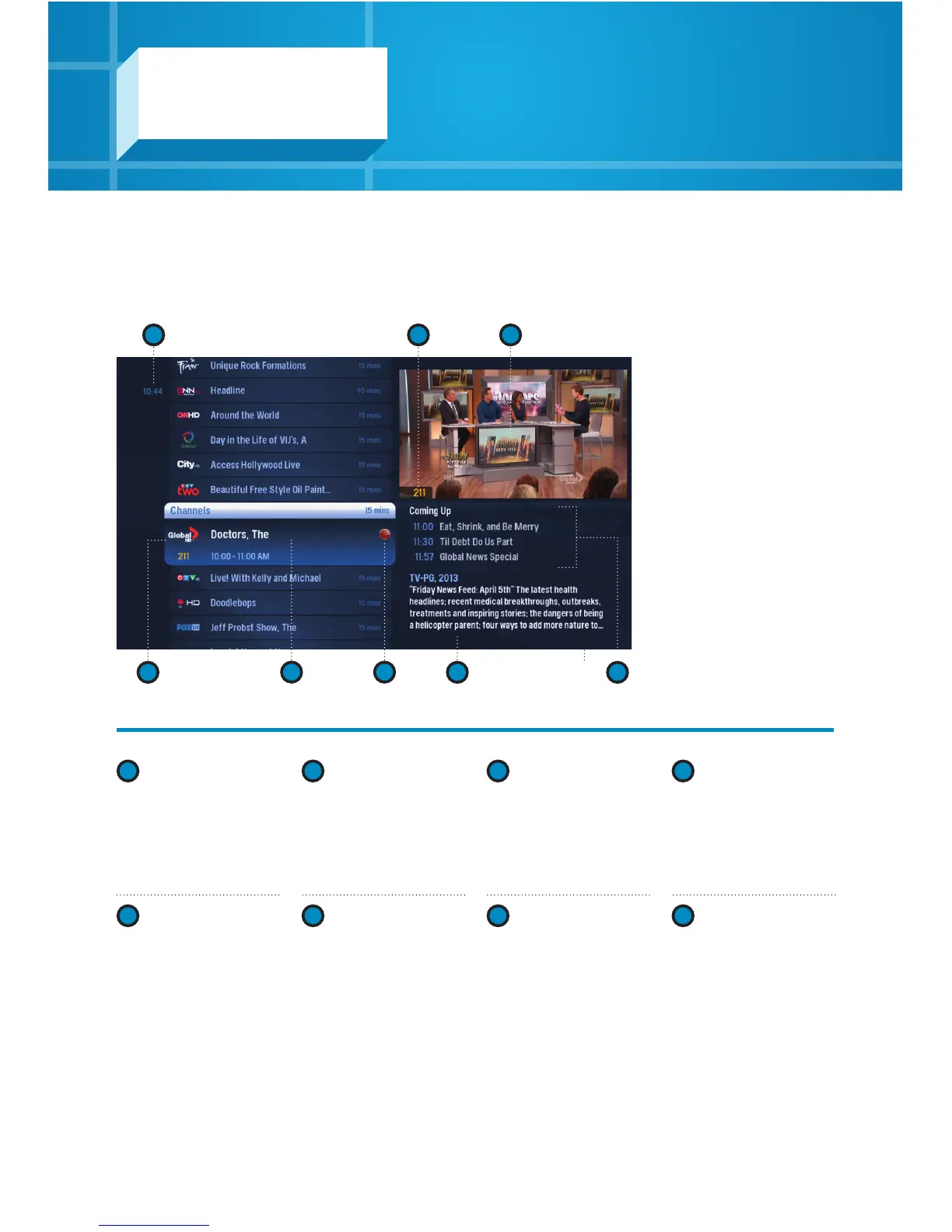
Channels – layout
1
TIME
Displays the current
time.
2
CURRENT
CHANNEL
Displays the channel
playing in the Preview
Window.
3
PREVIEW
WINDOW
Keep an eye on the
show you’re watching
while you’re channel
surfing.
4
HIGHLIGHTED
PROGRAM
Press INFO to bring up
a menu.
1
4 7 8
5 6
32
5
CHANNEL LIST
Displays all the
currently airing
programs you have
access to.
6
RECORDING
ICON
Displays an icon next
to a show if it’s being
recorded or is
scheduled to be
recorded.
7
INFORMATION
PANEL
Displays details about
a highlighted program.
8
UPCOMING
PROGRAMS
Displays the next three
shows airing on the
highlighted channel.
Channels
The Channels category makes it easy
to find what you want to watch.