EN-40 Original User Guide | Pedelec Shimano Steps Version 1
If no LED ashes, or all ve LEDs ash several times, the
battery may be faulty 7.1 Battery Page EN-48.
Initiating Sleep mode
1. Briey press the battery button twice. The following appears:
Display Description
The rst and fth LEDs ash twice.
2. The battery is now in Sleep mode.
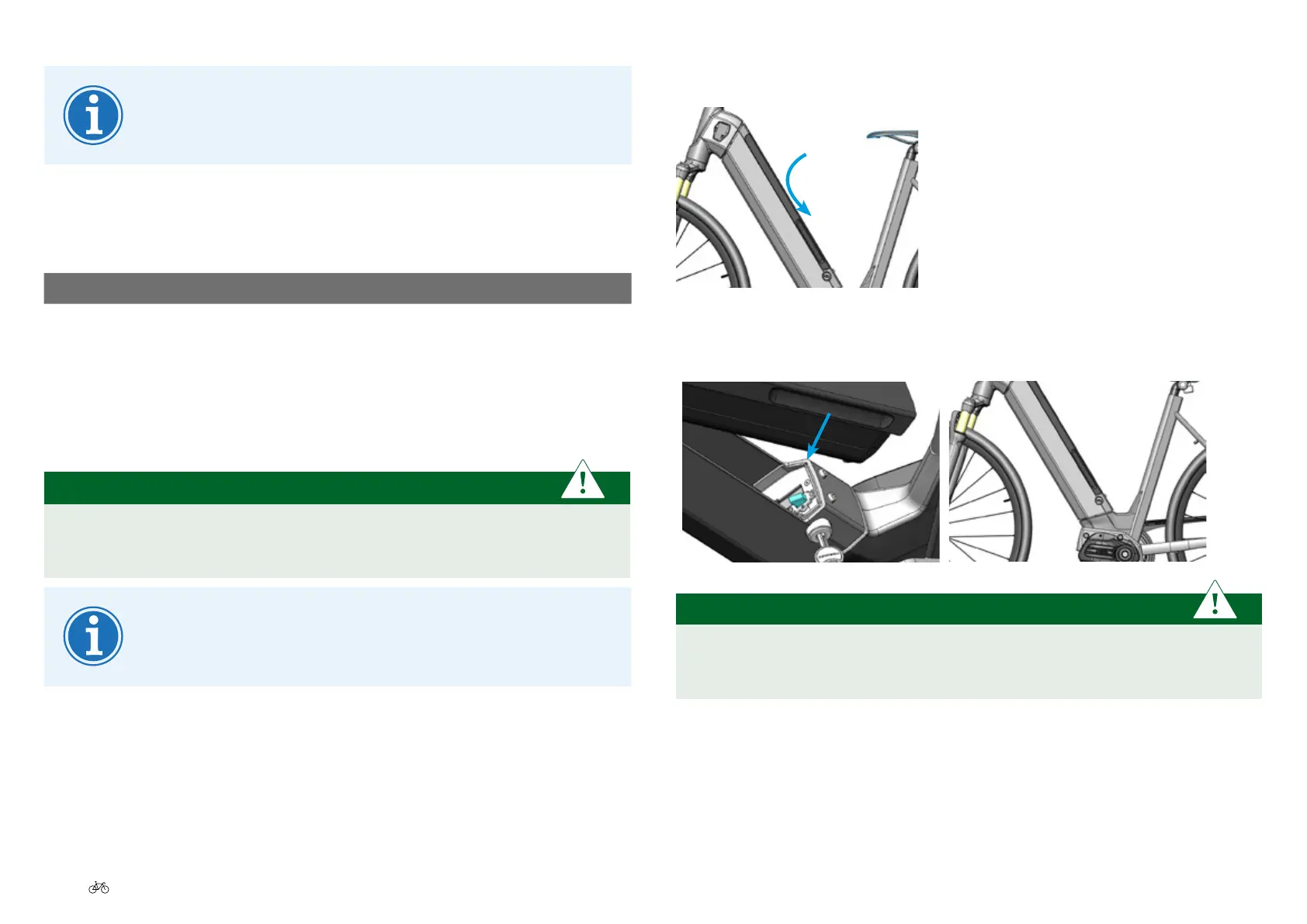
5.3.2 Inserting and locking the battery
IMPORTANT
Graspthebatteryrmly, so that it does not fall out of your hand. It
can be damaged if you drop it.
One-key system: The same key (if available) can be used for
the cycle and battery lock.
1. Insert the battery from above into the holder.
2. Push the battery into the holder until it clicks into place.
PLEASE NOTE
Always remove the battery key immediately. There is a risk of
breakage, e.g. when the crank is turned.








 To Next Page