14
Switching the traveling data display
The traveling data that can be displayed differs according to the assist bicycle.
1.
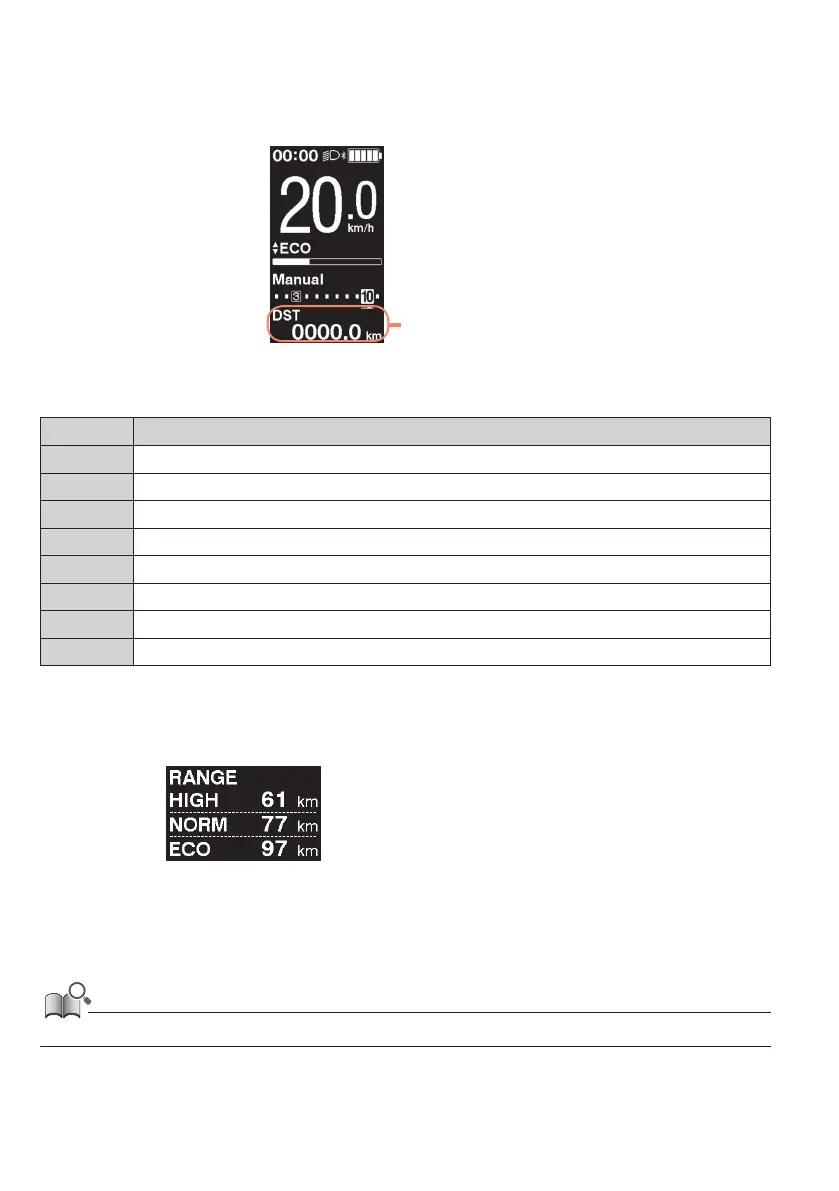
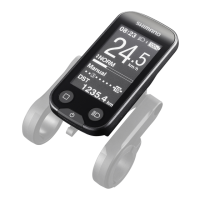
On the main screen: <F>
Travel data display
The traveling data switches in the following order each time <F> is pressed.
Display item Explanation
[DST] Traveling distance
[ODO] Cumulative distance
[RANGE] Traveling range *1
[RANGE] Traveling range for each assist mode *1 *2 *3
[TIME] Traveling time *3
[AVG] Average speed *3
[MAX] Maximum speed *3
[CADENCE] Crank rotation speed *3*4
*1 Reference value. The value is displayed when the assist mode is set to a value other than [OFF] or [WALK]. The
battery level cannot be displayed while this is being shown.
*2 It is displayed as shown in the figure. The gear position cannot be displayed while this is being shown.
*3 Whether to show this or not can be set with E-TUBE PROJECT.
*4 It is displayed when the assist mode is set to a value other than [OFF] or [WALK] with electronic gear shifting.
• If the traveling data display that can be displayed is repeatedly switched, it will eventually switch back to displaying [DST].



 To Next Page