17
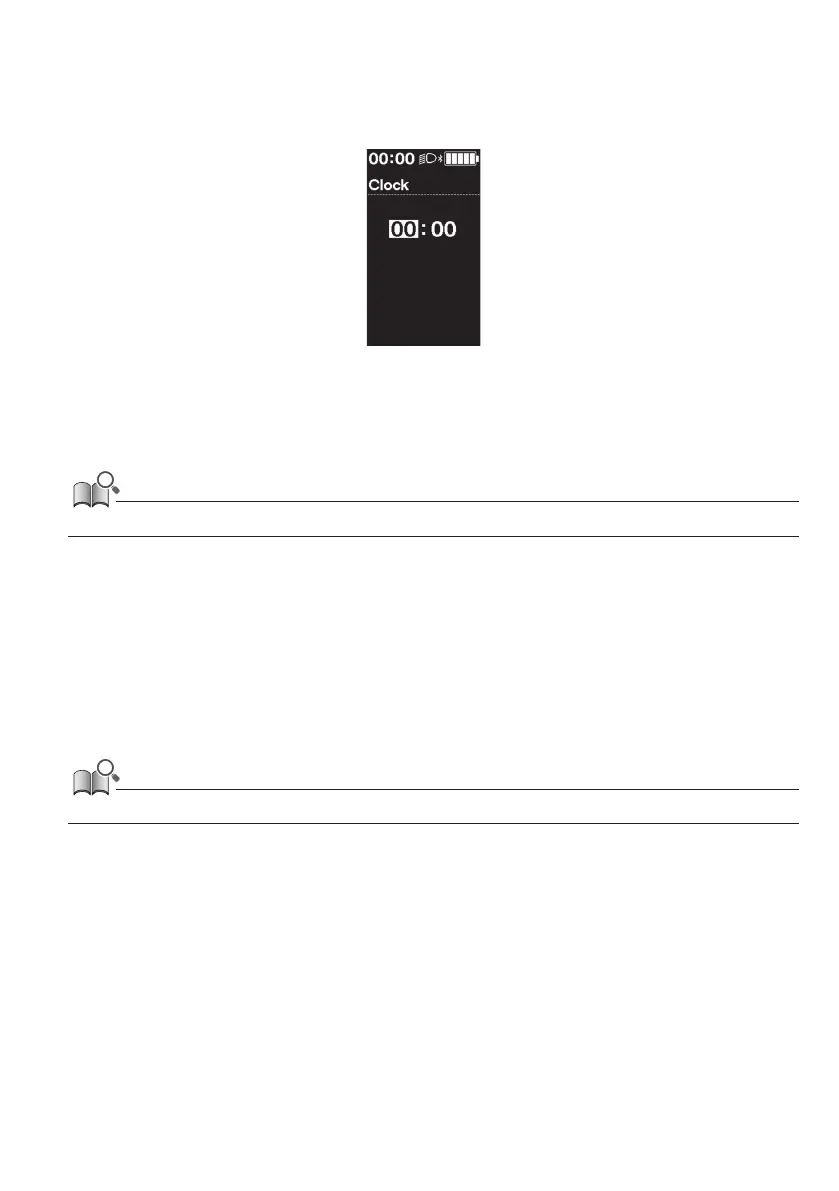
Setting the time [Clock]
1.
Setting menu screen ⇒ [Clock] ⇒ <↑> or <↓> to change the "Hour" number ⇒ <F>
The cursor moves to the "Minute" number.
2.
<↑> and <↓> to change the "Minute" number ⇒ <F>
The display will automatically return to the setting menu screen.
• Continue to hold <↑> or <↓> to change the number quickly.
Turning the operation sound ON/OFF [Beep]
Set whether to emit the operation sound.
1.
Setting menu screen ⇒ [Beep] ⇒ [ON] / [OFF]
The display will automatically return to the setting menu screen.
• The beep sound for operation mistakes and system errors cannot be turned OFF.









 To Next Page