18
Setting the display
Backlight setting [Backlight]
Configurable items Details
[ON] Always turned on
[OFF] Always turned off
[MANUAL]
The backlight will turn ON/OFF when the light connected to the drive unit is turned ON/OFF. If
no light is connected, the backlight can be turned ON/OFF by operating the cycle computer's
light button.
1.
Setting menu screen ⇒ [Backlight] ⇒ [ON] / [OFF] / [MANUAL]
The display will automatically return to the setting menu screen.
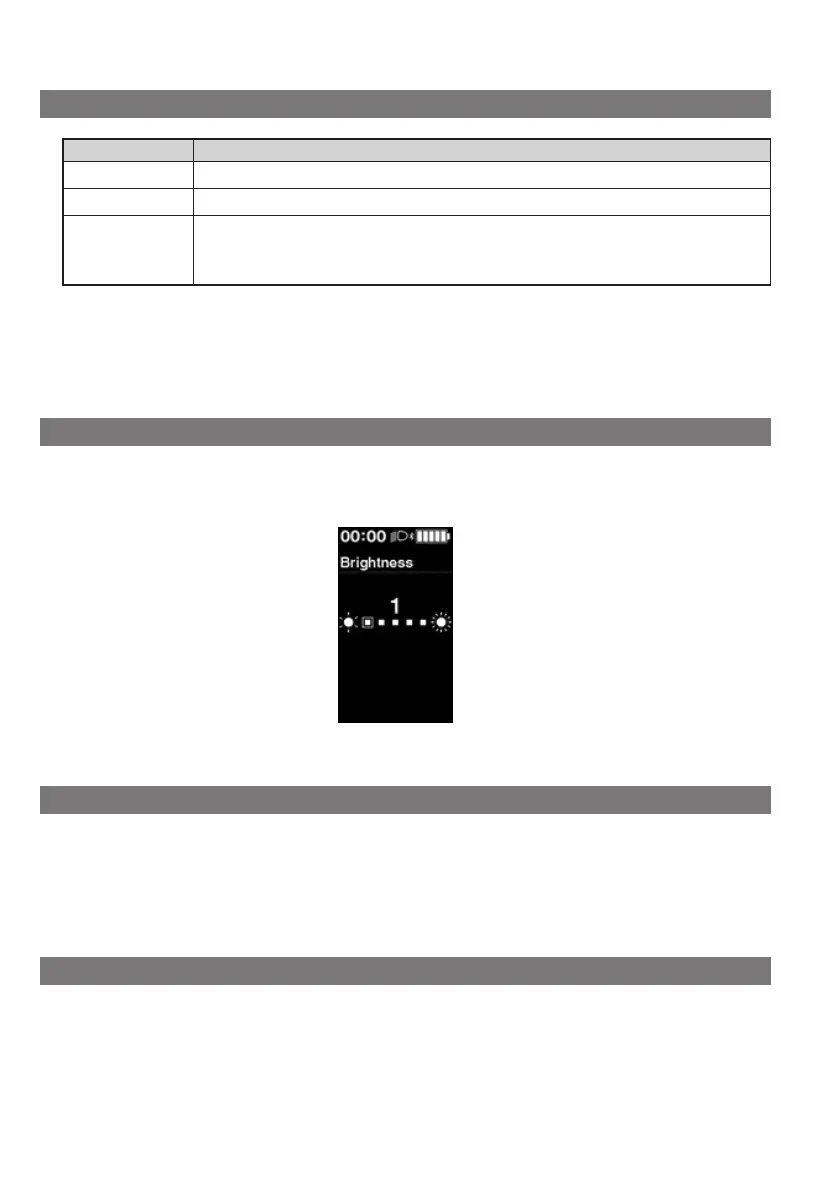
Setting the screen brightness [Brightness]
1.
Setting menu screen ⇒ [Brightness] ⇒ <↑> or <↓> to adjust the brightness ⇒ <F>
The display will automatically return to the setting menu screen.
Switching the font color [Font color]
1.
Setting menu screen ⇒ [Font color] ⇒ [White] / [Black]
The display will automatically return to the setting menu screen.
Switching the display language [Language]
1.
Setting menu screen ⇒ [Language] ⇒ select the display language ⇒ <F>
The display will automatically return to the setting menu screen.









 To Next Page