16
Setting menu
The items that can be set differ according to the assist bicycle. If assist switch is not connected, the setting menu cannot be
displayed.
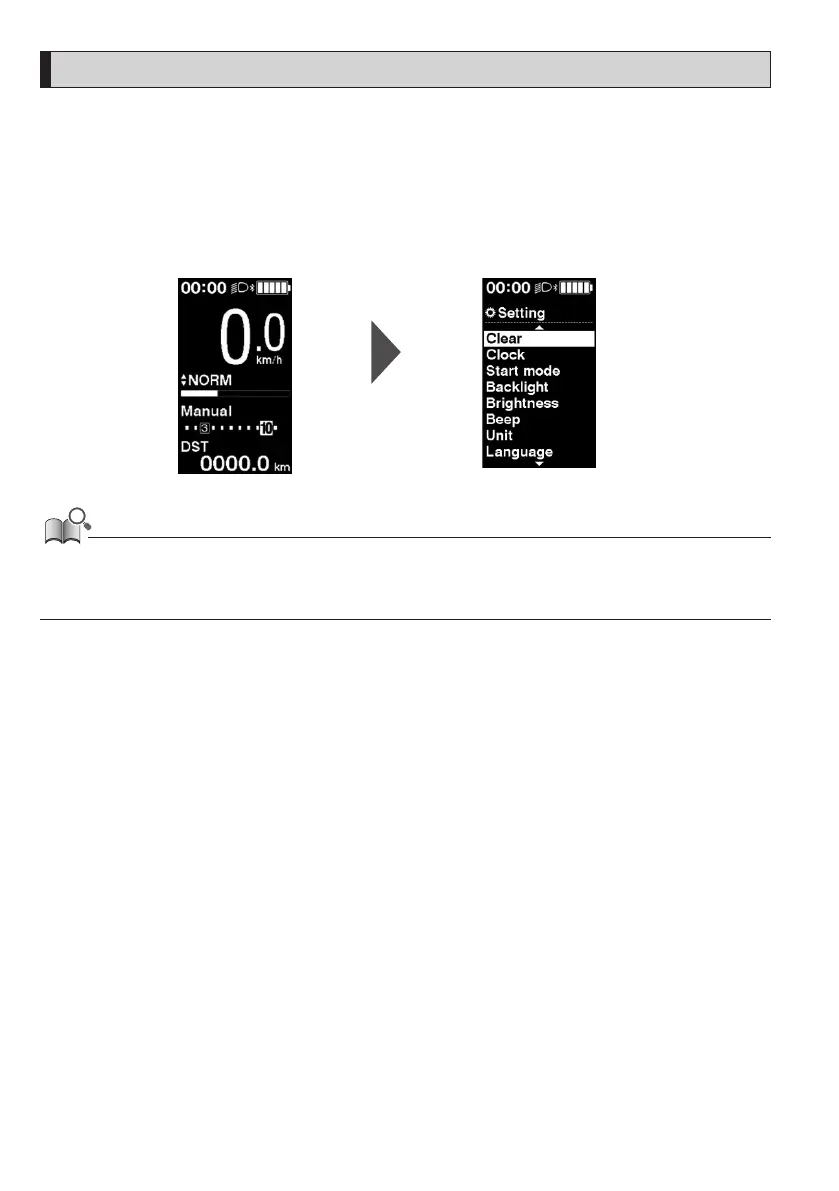
Switching to the setting menu
To display the setting menu, perform the following operation when the traveling data display is something other than [DST].
1.
Stop the bicycle ⇒ <F> (continue to hold until the screen switches)
Main screen Setting menu screen
• You can also use the following methods to display the setting menu.
- Stop the bicycle
⇒ <A> (continue to hold until the screen switches)
- Stop the bicycle
⇒ <↑> + <↓> (continue to hold until the screen switches)
Returning to the main screen from the setting menu screen [Exit]
Closes the setting menu and returns to the main screen.
1.
Setting menu screen ⇒ [Exit]






 To Next Page