17(29)
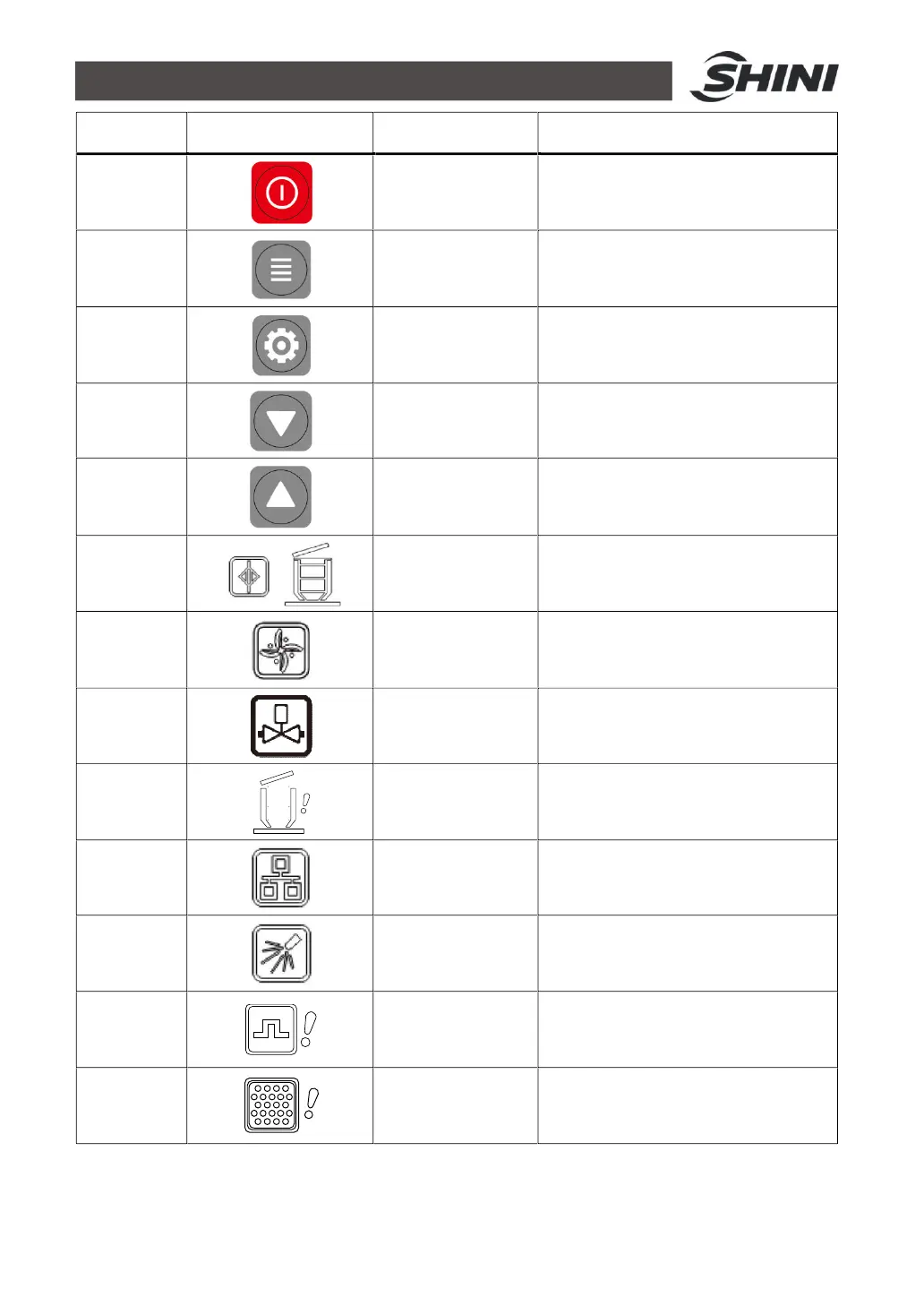
NO. Symbol Name
1
ON/OFF
2
MENU
3
SET
4
DOWN
5
UP
6
7
BLENDING
8
MAT.SHUT-
9
SHORTAGE
ALARM
10
11
FILTER MESH
CLEAN
12
OVERLOAD
ALARM
13
SCREEN
BLOCKING
Description
Start/stop the machine
Enter or exit parameter setting
Modify or confirm machine
parameters
Move the menus down, and reduce
the value
Move the menbus up, and increase
the value
It means full materials in the hopper
It means the machine is mixing the
materials in the hopper
It means the machine is shutting off
the materials
It means machine alarm for no
materials during suction
It means the communication is
connecting through
It means filter auto cleaning function
It means motor overload error
Prompt to clean or replace the filter
screen



 To Next Page