25(29)
4) Press “Setup” key, the set value flickers, then press “Up”or “Down” key to
add or decrease the value.
5) Press “Setting”key to confirm the input value;
6) Press “Up” key again and again, it displays “Baud” and “PAR” settings, (as
below )
7) Repeat step 3 and step 4, then confirm the related input parameters.
8) Press “Menu” key to return operation menu.
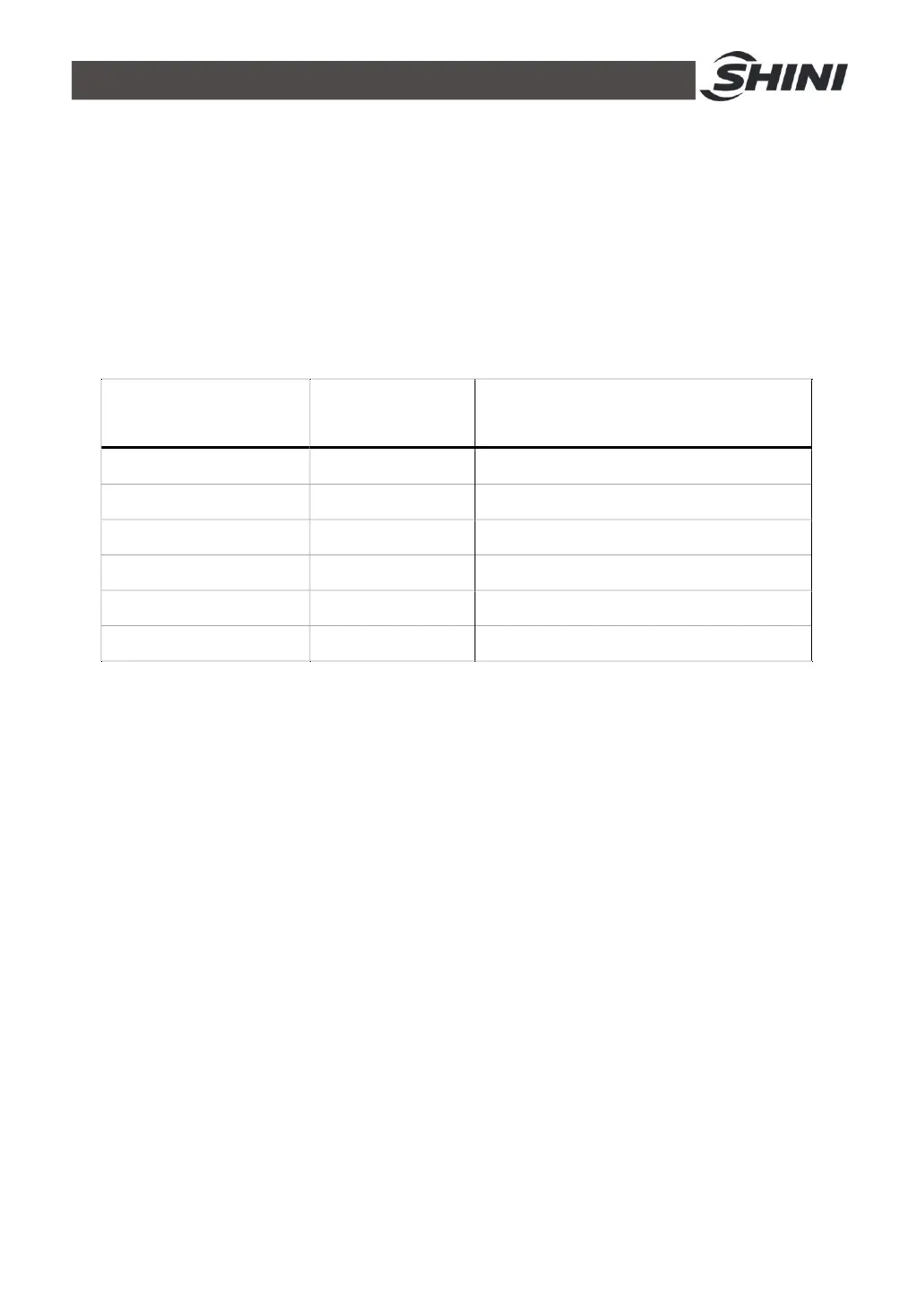
Table 4‑2:Communication Setting Parameter
Communication
Parameters
Communication
Codes
Factory Default
Communication Protocol PRO RTU
Communication Address Id 1(current address)
Baud Rate Baud 19.2K
PAR PAR none
Data Length Data 8
Stop Bit Stop 1


 To Next Page