28(43)
4.2 Machine Startup
1) Turn on the main switch.
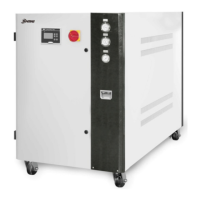
Picture 4-2:Stepup Step 1
2) Turn on the switch to start up the pump
When the machine pump is middle or high pressure, in order to prevent
excessive flow resulting in large pump flow, the pressure at the water
pump outlet shall not exceed the pressure range in the following Table.
Type
Model
50Hz 60Hz
Medium pressure
High pressure Medium pressure
High
pressure
SIC-3W 1.5~3.6 2.1~4.4 1.9~3.6 2.4~5.1
SIC-5W 1.5~3.5 2.1~4.3 1.9~3.1 2.4~5.0
SIC-8W 2.1~3.9 2.6~4.7 1.8~3.3 2.4~4.6
SIC-10W 2.1~3.4 2.6~4.2 1.8~3.0 2.4~4.1
SIC-12.5W 2.3~3.8 2.8~4.8 2.6~4.0 2.6~4.0
SIC-15W 2.3~3.7 2.8~4.5 2.6~3.9 2.6~3.9
SIC-20W 2.3~3.8 3.7~4.4 3.3~4.3 4.0~5.4
SIC-25W 2.3~3.7 3.7~4.3 3.3~3.5 4.0~4.2
SIC-30W 2.3~3.6 3.7~4.2 2.6~4.4 2.6~4.4
SIC-40W 2.3~3.1 3.7~3.9 2.6~3.8 2.6~3.8
SIC-45W 1.9~3.7 4.2~5.0 3.1~4.1 3.1~4.8
SIC-50W 1.9~3.6 4.2~4.8 3.2~4.0 3.2~4.7
Units:bar 1bar=0.1Mpa
Noets:1) When the operation pressure is lower than the values in the table above, the
motor of the pump may be damaged because of large water flow.
2) When the operation pressure is higher than the vaues in the table above, the
water flow may be insufficient and the machine may need a pump replacement
to ensure high pressure.
3) Turn on the compressor.
4) Set the temperature of chilled water (if the temperature has been set, this
step is unnecessary). Press the key of the temperature controller to


 To Next Page
 Loading...