4. Calibrate the Scanner
4.1. Precautions and Use
Calibration is the process to ensure the device will scan with the optimal accuracy and scan
quality.
This customer calibration is not required daily often. Only when the first time after scanner and
software are installed. Or, when you are in the following situations, you should calibrate the device:
When the scanner is used for the first time or after long time without using.
When there is strong vibration during the transportation.
When alignment mistake or failure frequent appear during the scanning.
When scanning data is incomplete and quality is much worse during the scanning.
4.2. Operation
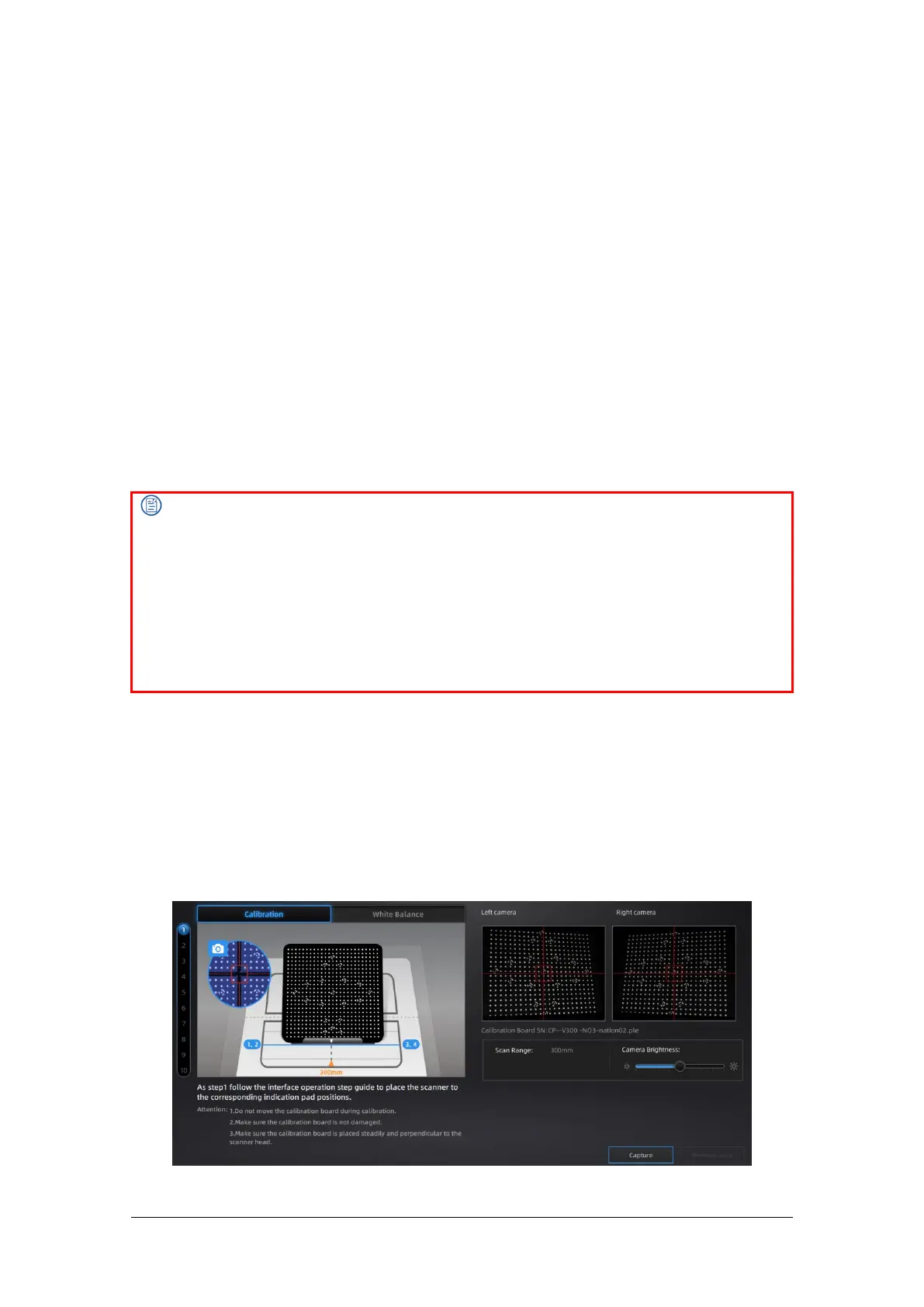
After installation, when you open the software for the first time, choose device type and it will
enter the calibration interface automatically. If there is no calibration data, click “quit”, the
software will prompt “No calibration data, please calibrate”.
Different calibration boards are used for scanning ranges of 300mm and 150mm. Select the
corresponding calibration board as shown in the calibration interface.
Note:
1. After the calibration is complete, put the calibration board way in its velvet bag so as not to
forget or damage it.
2. Make sure to protect the calibration board and keep it clean, no scratches or stains on the black
surface with white circles.
3. The calibration board is matched to the Device with same Serial Number. Doing the calibration
with an incorrect calibration board will fail to generate good scan data or optimum accuracy.
4. Clean with clear water only, do not use alcohol or chemical liquid to clean the calibration board.
5. To prevent damage to the calibration board, do not drop the board, and do not place heavy
objects or irrelevant objects on the board.



 To Next Page