EasyManua.ls Logo

Shining 3D Transcan-C - Data Post Process

Shining 3D Transcan-C
60 pages
Print Icon
To Next Page IconTo Next Page
To Previous Page IconTo Previous Page
Loading...
Shining 3D Transcan-C_User Manual_V1.4.2
38
Don’t Fill Holes
Fill Holes (for holes smaller than 10mm)
Remove spikes: Remove spikes, detect and flatten single point spikes on polygonal meshes.
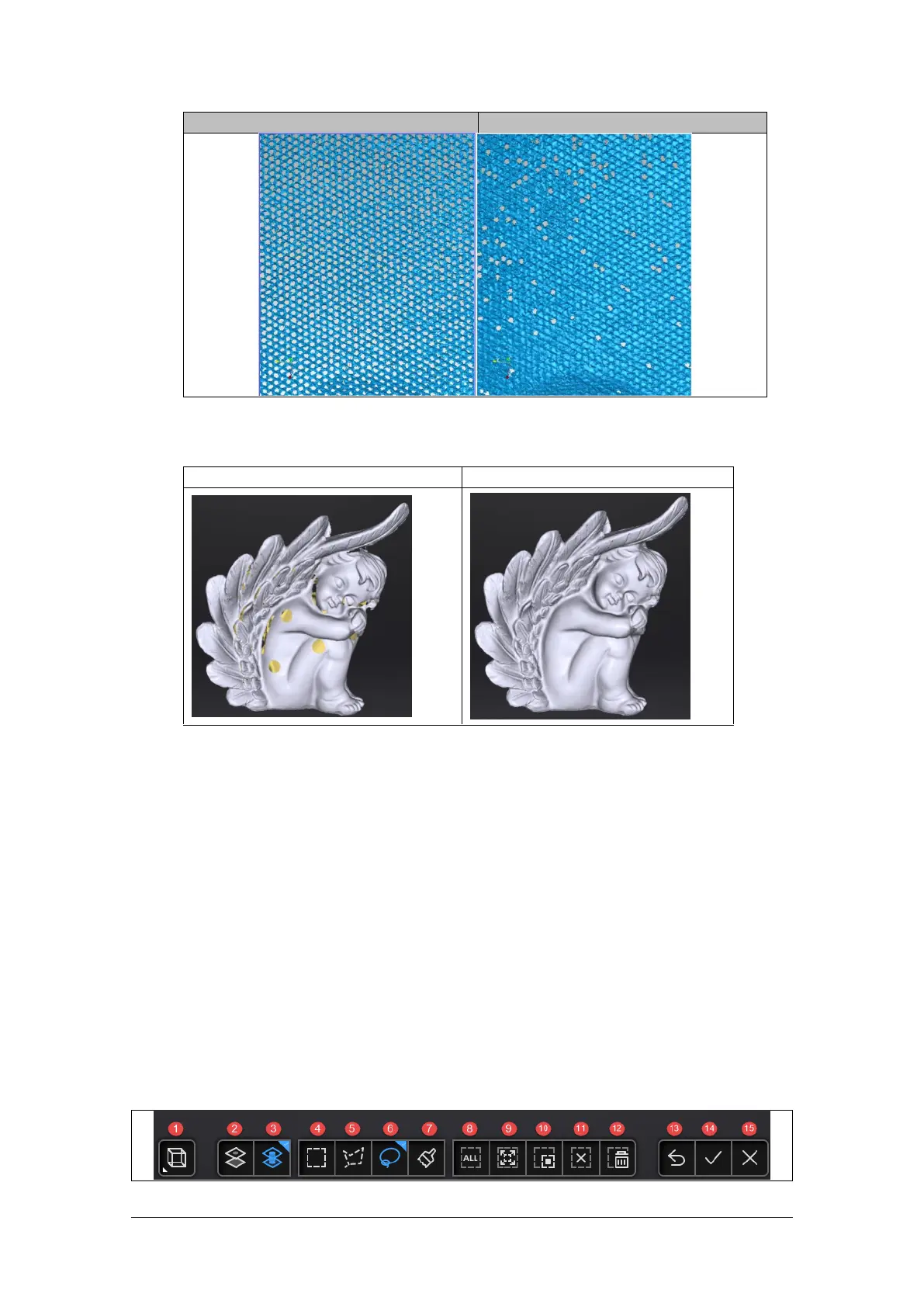
Marker hole filling:
Without markers fill
With markers fill
7.2. Data Post Process
7.2.1. Mesh Editing
The mesh can be edited: Select/delete, Hole filling, Sharpen, Smooth, Simplification,
Multiview.
MESH SELECT/DELETE
Press Shift + Left mouse to select data and enter the selection menu.
CTRL+ Left mouse: Deselect a selected region.
CLOUDS SELECT/DELETE
SHIFT + Left mouse: Select unwanted data, the selected section will be displayed in red, as
shown below.
CTRL+ Left mouse: Deselect a selected region.


Related product manuals