Shining 3D Transcan-C_User Manual_V1.4.2
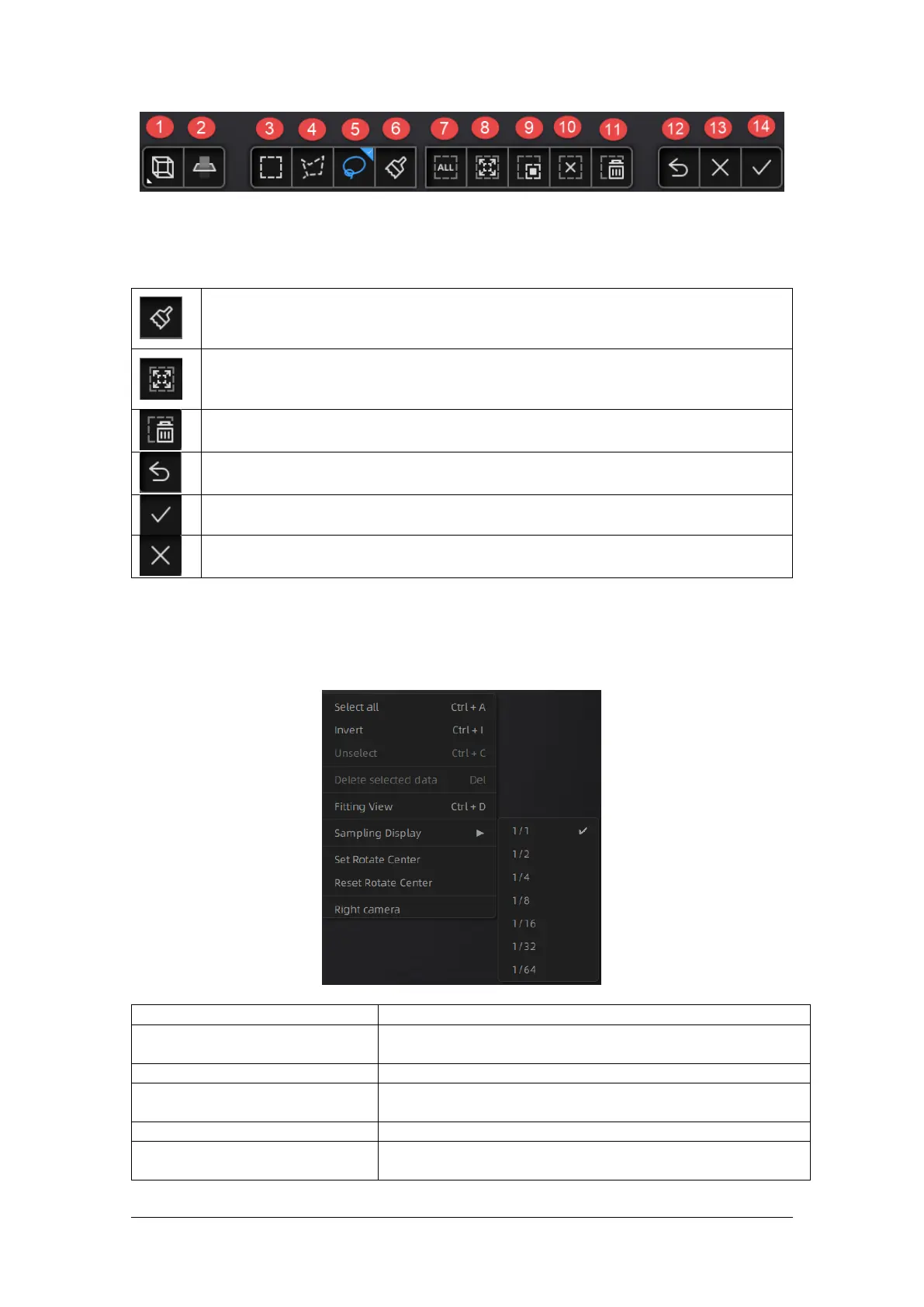
①Multi-view ②Cutting plane ③Rectangle selection ④Polygon selection ⑤Lasso selection
⑥Brush ⑦Select all ⑧Connected field ⑨Inverse selection ⑩All unselected
⑪ Delete selected ⑫ Undo deletion ⑬ Cancel editing ⑭ Apply editing
Brushes
After selecting a brush, you can change the brush size with the mouse wheel while
holding down the CTRL key on the keyboard.
Connected field
After selecting the data, clicking the button to select all the data connected to that
piece of data.
Delete selected data
Click the button or press Delete key to delete selected data.
Undo
You can only undo the most recent deleted data.
Click the button or press Space key to save data and exit editing. The edited data is saved
in the project file.
Cancel editions on the data.
5.3.3. Right-Click Menu
Right click on the interface and the following right click menu appears.
Select all, deselect, deselect, delete
selected
Same functions as editing, can be operated by shortcut keys.
Data is centered on the interface and sized appropriately.
Set the center of rotation
The center of rotation can be set on the data with the left mouse
button, and the setting can be exited with the ESC key.
Reset the center of rotation
After reset, the center of rotation is in the data center.
For data with a large number of point clouds, you can use this
function to display the data at the selected scale.



 To Next Page