38 User Guide ShoreTel IP Phone 485g
Customizing Your Phone Changing the Ringtone
2
The Options menu opens.
3. Press the navigation key to scroll to the Auto off-hook option, and use one of the following
methods to select Headset:
Press the Next value soft key to highlight Headset.
Use the key on the navigation key pad to highlight Headset.
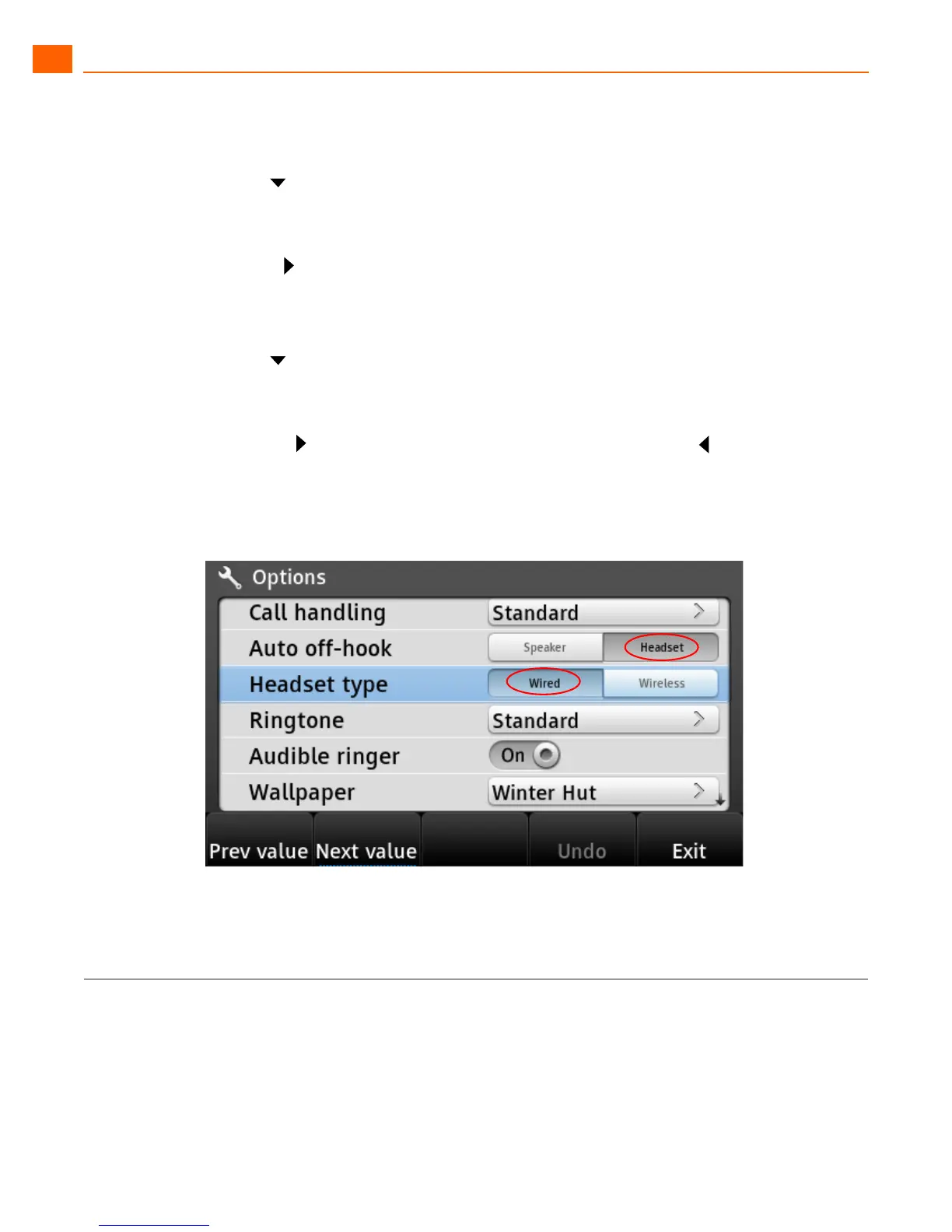
Headset is highlighted, indicating that your headset is your automatic off-hook preference.
(The option with black letters is the active option, as shown in Figure 7 on page 38.)
4. Press the navigation key to scroll to the Headset type option, and use one of the following
methods to select the type of headset you use:
Press the Next value soft key to toggle between Wired and Wireless.
Press the key on the navigation key pad to select Wireless or the key to select Wired.
The desired headset type is highlighted.
5. Press the Exit soft key.
Figure 7: Active Options Are Indicated with Black Text
Changing the Ringtone
1. Press the Options soft key.
2. Enter your voicemail password, and press the OK soft key.
The Options menu opens.



 To Next Page