DMX Linking
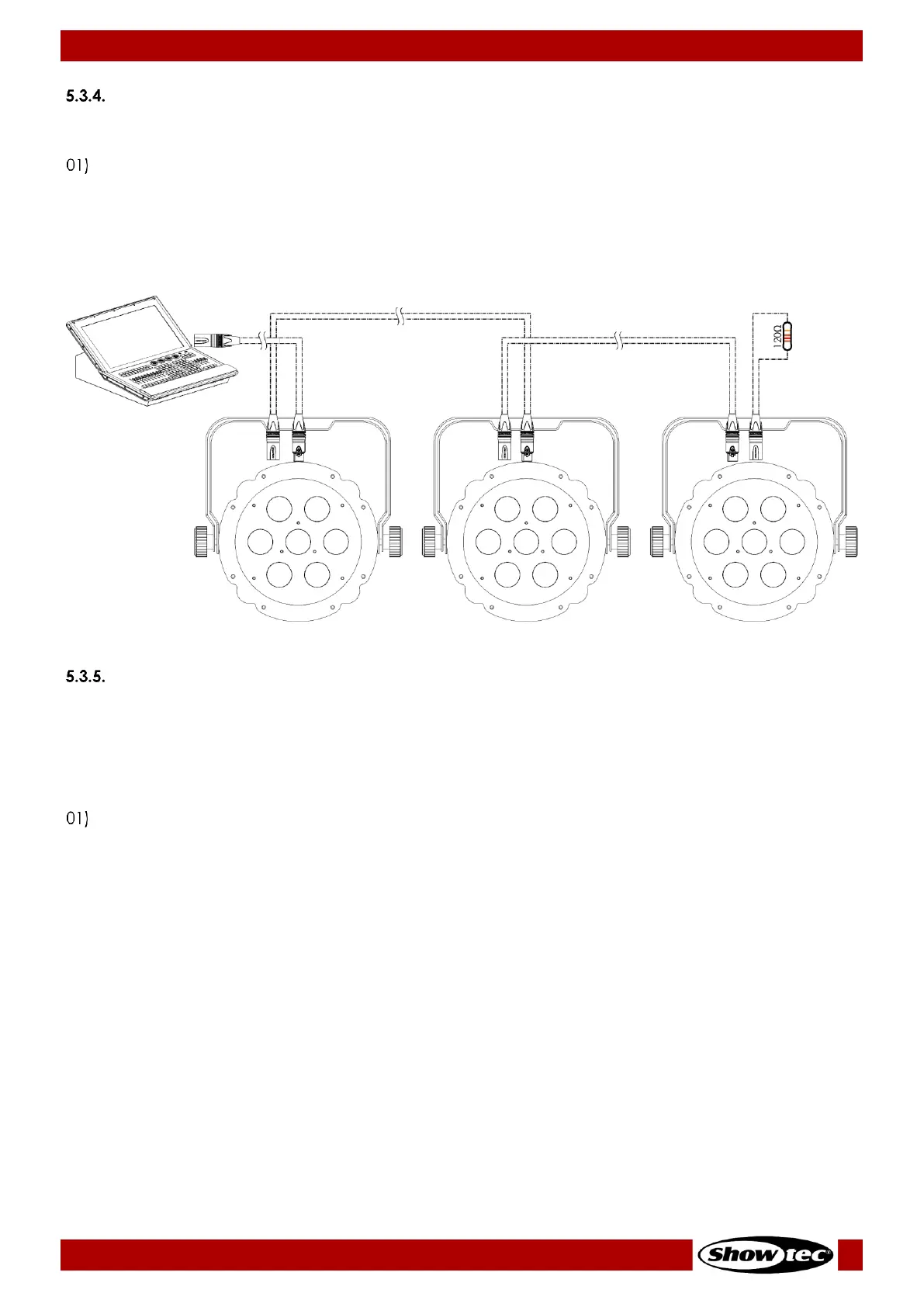
To connect multiple devices on one DMX data link, follow the steps below:
Use a 3-pin DMX cable to connect the DMX OUT connector of the lighting controller to the DMX IN
connector of the first device.
02) Connect the first device’s DMX OUT connector to the second device’s DMX IN connector with a
3-pin DMX cable.
03) Repeat step 2 to connect all devices in a daisy-chain as shown in Fig. 11.
04) Connect a DMX terminator (120 Ω resistor) to the DMX OUT connector of the last device on the data
link.
DMX Addressing
In a setup with multiple devices, make sure that you set the DMX starting address of each device
correctly. The Compact Par 7 Tri has 3 personalities: 3, 4 and 8 channels.
If you want to connect multiple devices on one data link and use them in 8-channel mode, for example,
follow the steps below:
Set the starting address of the 1
st
device on the data link to 1 (001).
02) Set the starting address of the 2
nd
device on the data link to 9 (09), as 1 + 8 = 9.
03) Set the starting address of the 3
rd
device on the data link to 17 (017) as 9 + 8 = 17.
04) Continue assigning the starting addresses of the remaining devices by adding each time 8 to the
previous number.
Make sure that you do not have any overlapping channels in order to control each Compact Par 7 Tri
correctly. If two or more devices are addressed similarly, they will work similarly.












 To Next Page