10
Multiple Phantoms (DMX Control)
01) Fasten the effect light to a firm trussing. Leave at least 0,5 meter on all sides for air circulation.
02) Always use a safety cable (ordercode 70140 / 70141).
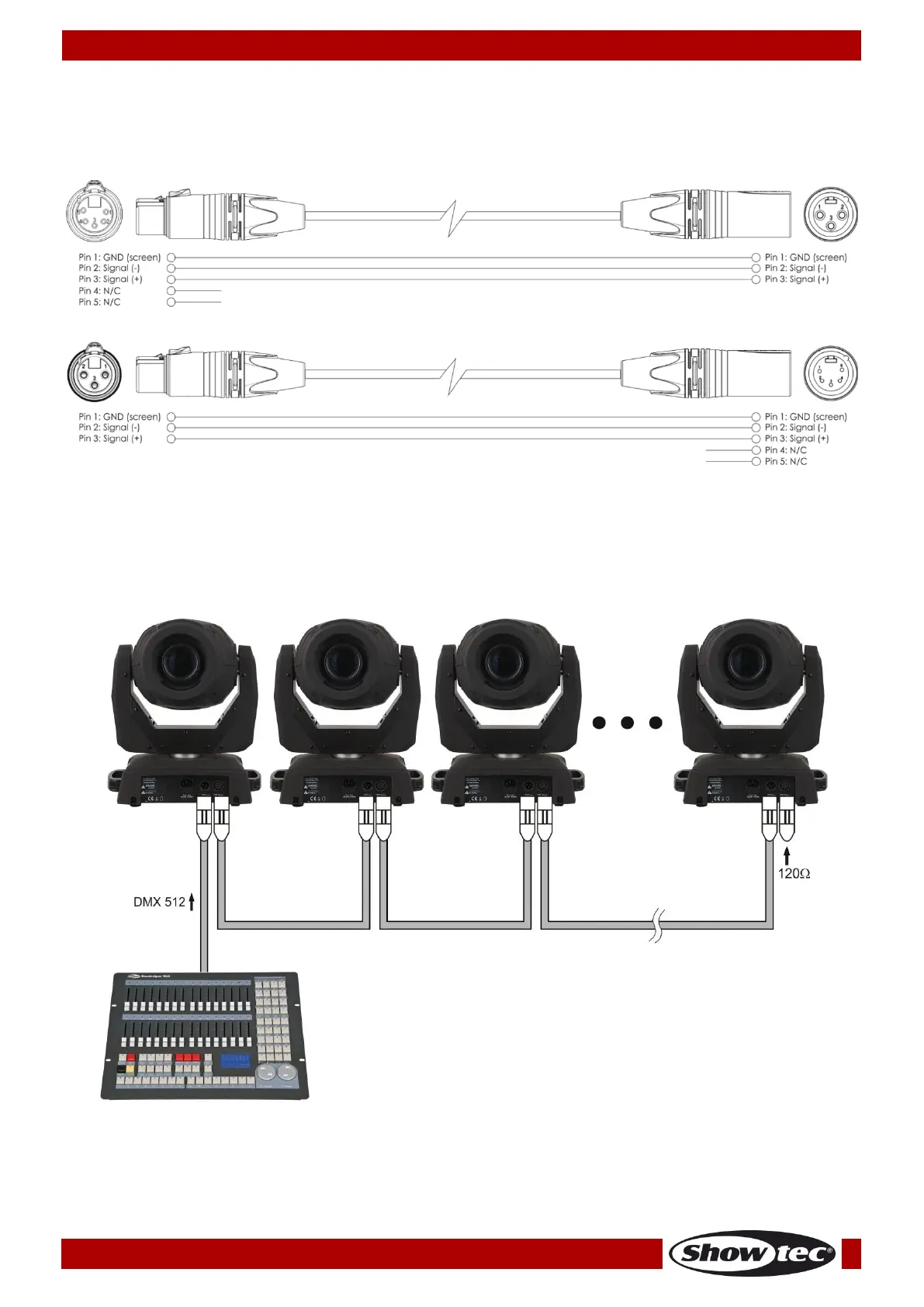
03) Use a 3-pin XLR cable to connect the Phantoms and other devices.
04) Link the units as shown in fig. 04. Connect the first unit's DMX "out" socket with the second unit's "in"
socket, using a DMX-signal cable. Repeat this process to link the second, third, and fourth units.
05) Supply electric power: Plug electric mains power cords into each unit's IEC socket, then plug the
other end of the mains power cord into proper electric power supply sockets, starting with the first
unit. Do not supply power before the whole system is set up and connected properly.
Multiple Phantoms DMX Set Up
Note : Link all cables before connecting electric power











 To Next Page