15
2. Built-in Programs
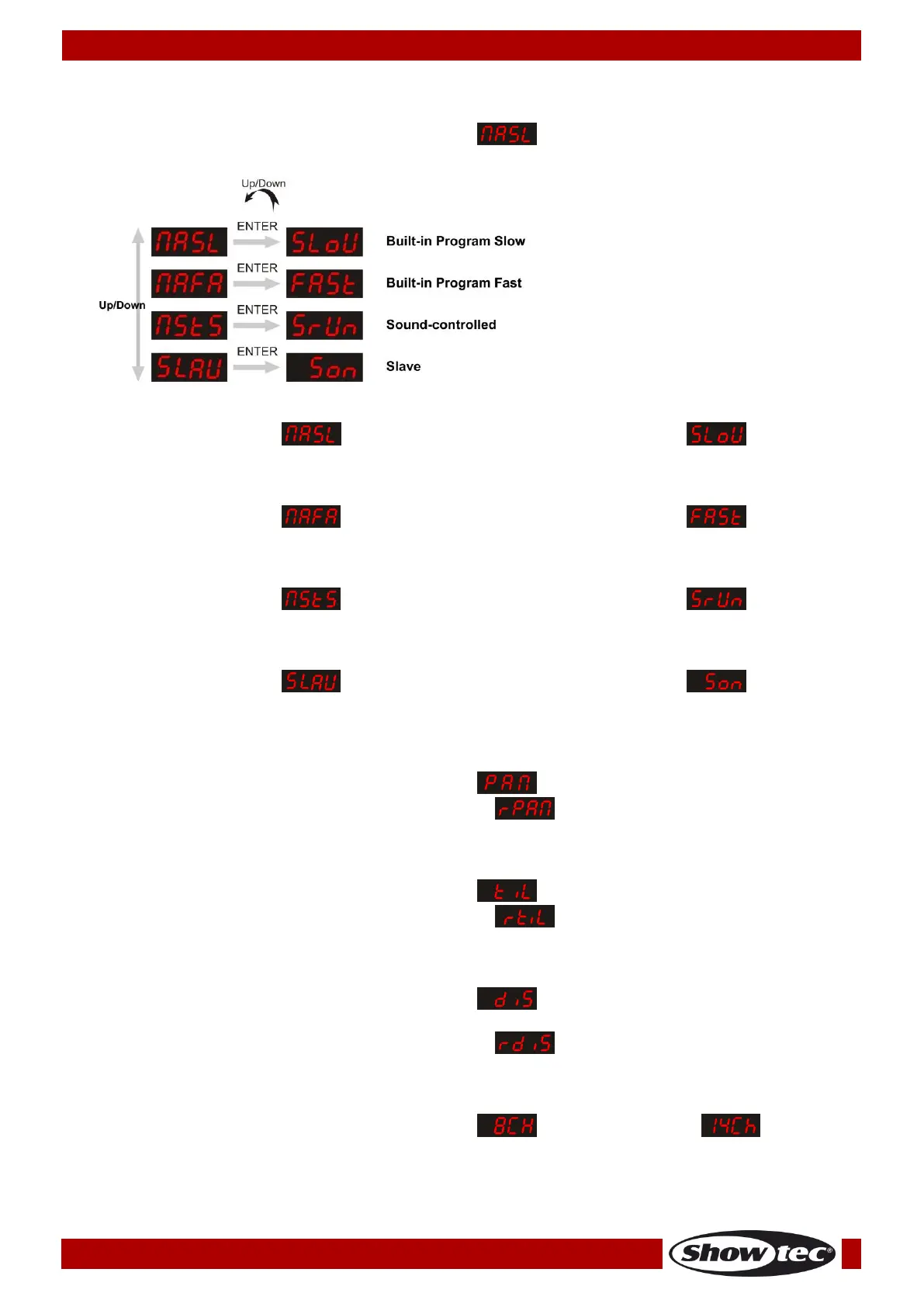
It is possible to select 4 different programs.
01) Press the MODE/ESC button until the display shows .
02) Press the UP/DOWN buttons to select one of the 4 programs:
Built-in Program Slow
01) When the display shows , press the ENTER button. The display will show .
02) The device is now in slow built-in program mode.
Built-in Program Fast
01) When the display shows , press the ENTER button. The display will show .
02) The device is now in fast built-in program mode.
Sound-controlled Mode
01) When the display shows , press the ENTER button. The display will show .
02) The device is now sound-controlled and will react to the beat of the background music.
Slave Mode
01) When the display shows , press the ENTER button. The display will show .
02) The device is now functioning as a slave device. It will now react the same as its master device.
3. Pan/Reverse Pan
01) Press the MODE/ESC button until the display shows . The device is now in normal Pan mode.
02) Press the UP/DOWN buttons. When the display shows , the Pan function will be reversed.
4. Tilt/Reverse Tilt
01) Press the MODE/ESC button until the display shows . The device is now in normal Tilt mode.
02) Press the UP/DOWN buttons. When the display shows , the Tilt function will be reversed.
5. Display/Reverse Display
01) Press the MODE/ESC button until the display shows . The device is now in normal Display
mode.
02) Press the UP/DOWN buttons. When the display shows , the display will be reversed.
6. DMX Modes
01) Press the MODE/ESC button until the display shows (8-channel mode) or (14-channel
mode).
02) Press the UP/DOWN buttons to toggle between those 2 DMX modes.












 To Next Page