16
7. Pan Settings
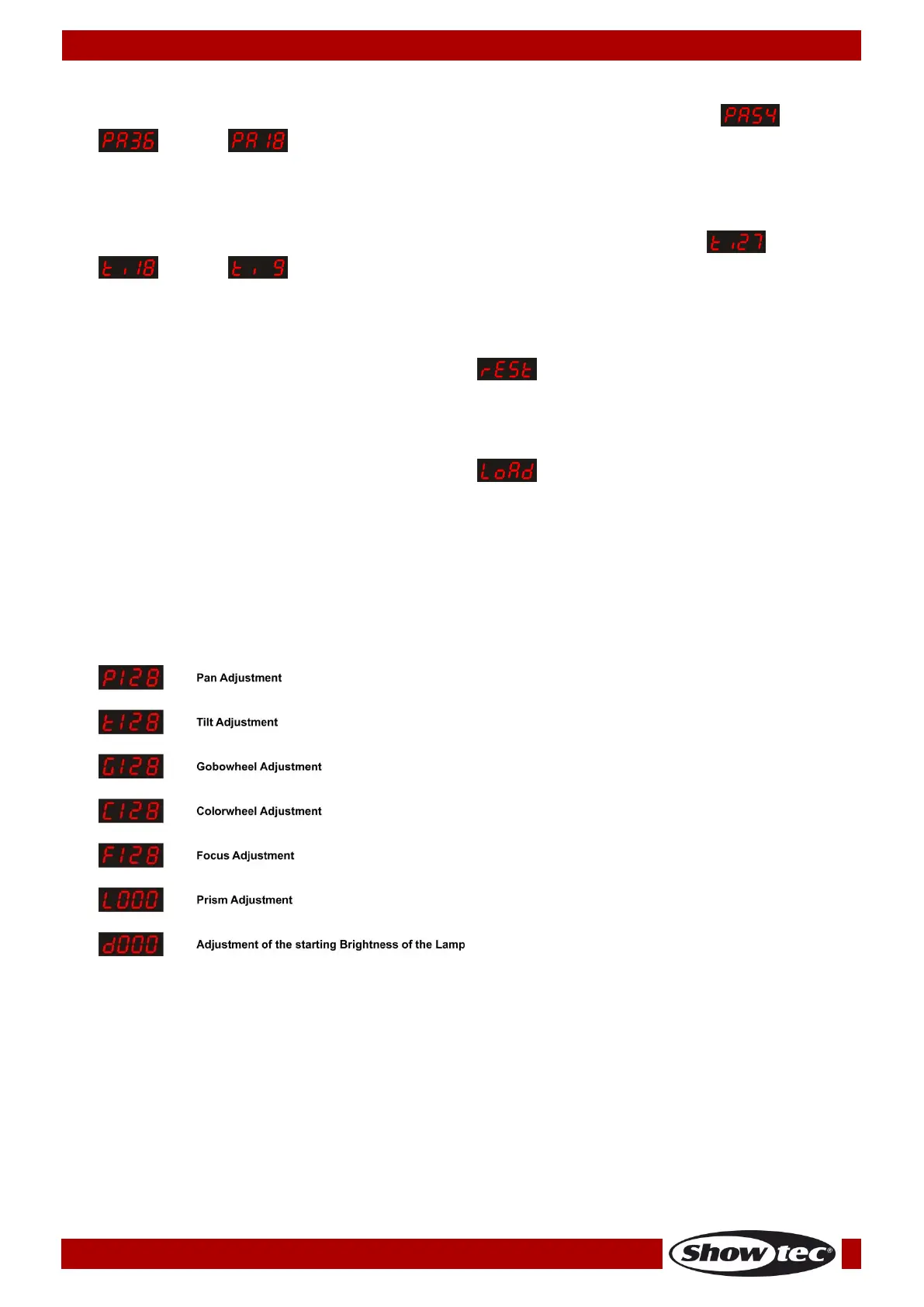
01) Press the MODE/ESC button until the display shows one of the 3 pan range options: (540º),
(360º) or (180º).
02) Press the UP/DOWN buttons to toggle between those 3 options.
8. Tilt Settings
01) Press the MODE/ESC button until the display shows one of the 3 tilt range options: (270º),
(180º) or (90º).
02) Press the UP/DOWN buttons to toggle between those 3 options.
9. Reset
01) Press the MODE/ESC button until the display shows .
02) Press the ENTER button to reset the device.
10. Factory Settings
01) Press the MODE/ESC button until the display shows .
02) Press the ENTER button to restore the factory settings.
Service Function # 1
01) Press and hold down the MODE/ESC button for 10 seconds.
02) The display will show 0000.
03) Press the UP button to set the value. Press the DOWN button to move to the following digit.
04) Enter password: 2323.
05) There will appear the following menu. Press the MODE/ESC button to toggle through the menu:
06) Press the UP/DOWN buttons to set values.
07) Press the ENTER button to store your settings. This option will auto-exit after 10 seconds.












 To Next Page