Shure Incorporated
18/50
Transmitter
Menu path: UTILITY > LOCK
MENU: All menu paths are inaccessible. To unlock, press the ENTER button four (4) times to pass through the following
screens: UTILITY > LOCK > MENU UNLOCK
POWER: Power switch is disabled
Quick-Lock Option: To turn on the transmitter with its power and menu navigation buttons locked, press and hold the ▲ but
ton during power-on until the locked message is displayed.
To unlock, turn the power switch to the off position, then press and hold the ▲ button while turning the power switch to the on
position.
Batteries
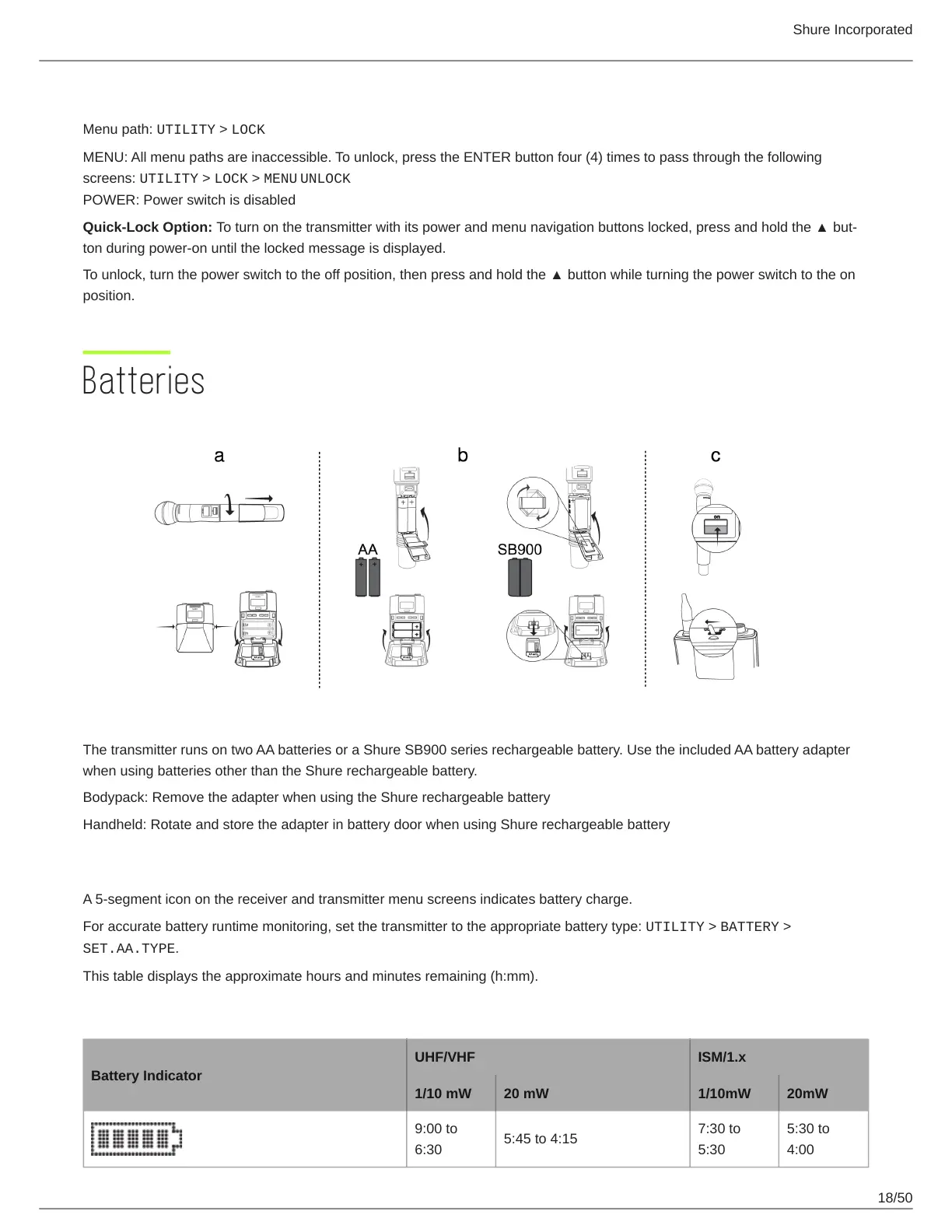
The transmitter runs on two AA batteries or a Shure SB900 series rechargeable battery. Use the included AA battery adapter
when using batteries other than the Shure rechargeable battery.
Bodypack: Remove the adapter when using the Shure rechargeable battery
Handheld: Rotate and store the adapter in battery door when using Shure rechargeable battery
Battery Indicator
A 5-segment icon on the receiver and transmitter menu screens indicates battery charge.
For accurate battery runtime monitoring, set the transmitter to the appropriate battery type: UTILITY > BATTERY >
SET.AA.TYPE.
This table displays the approximate hours and minutes remaining (h:mm).
Alkaline
Battery Indicator
UHF/VHF ISM/1.x
1/10 mW 20 mW 1/10mW 20mW
9:00 to
6:30
5:45 to 4:15
7:30 to
5:30
5:30 to
4:00



 To Next Page