Introduction
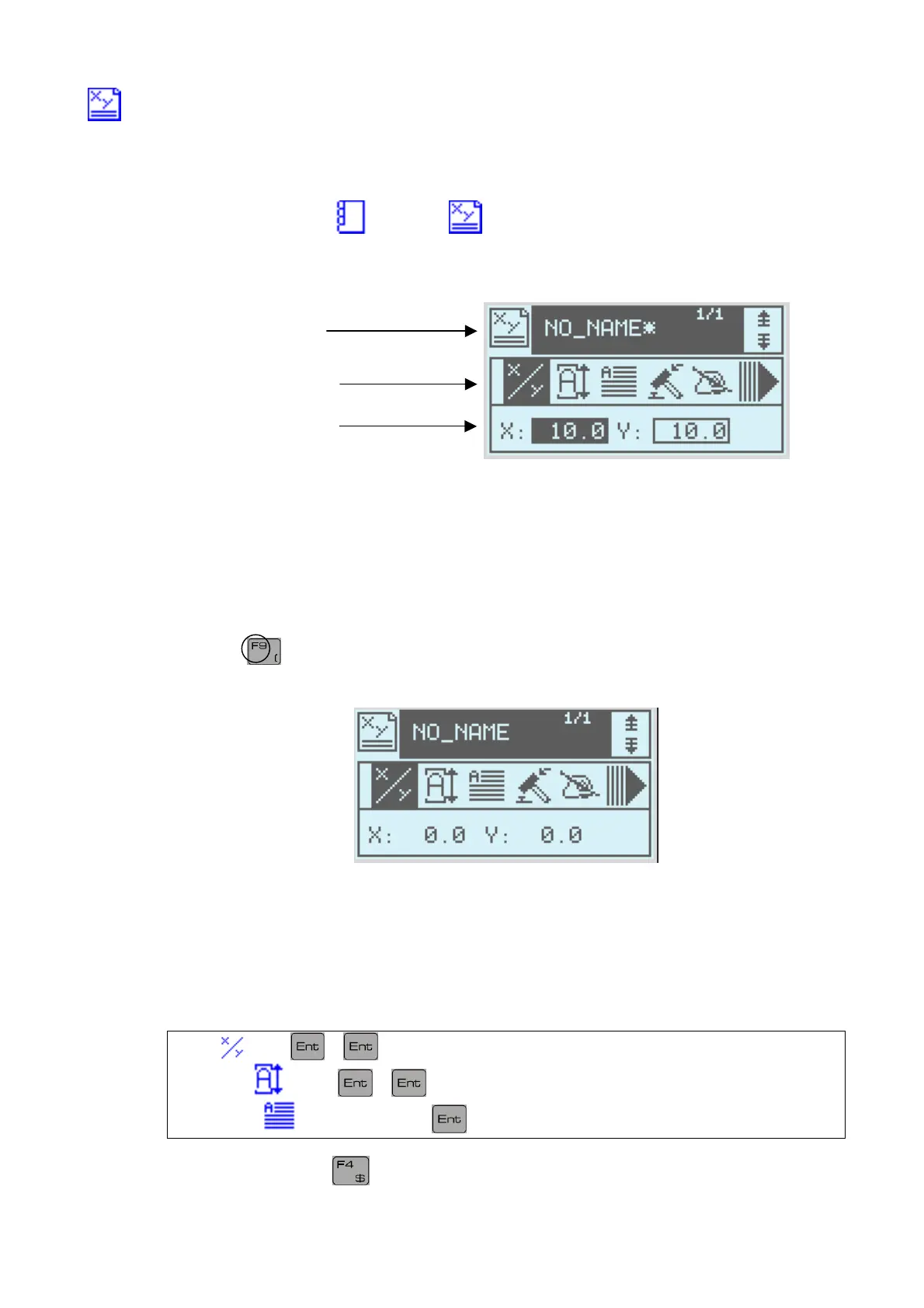
c) Description of the screen
From marking mode
open the tab to go into write mode.
This mode enables you to create a marking file
Write icon
Toolbar
Configuration values
First marking file
d) Printing
As an example we will create a new file
Press the
key to create a new file
The monitor screen should be as follows
The X and Y fields represent the marking coordinates
(Y is aligned on the base of the characters)
Let us create a line where the word TEST will be engraved
where X=5 and Y=5 and size is 3 by 3 mm
Press then 5 5
Then press then 3 3
Finally select then [T] [E] [S] [T]
Finally, save the file
NOTE7V1EC7P62P122US-R01.doc 13/46


 To Next Page