IV - FILE MANAGEMENT
Introduction
Open the file management tab .
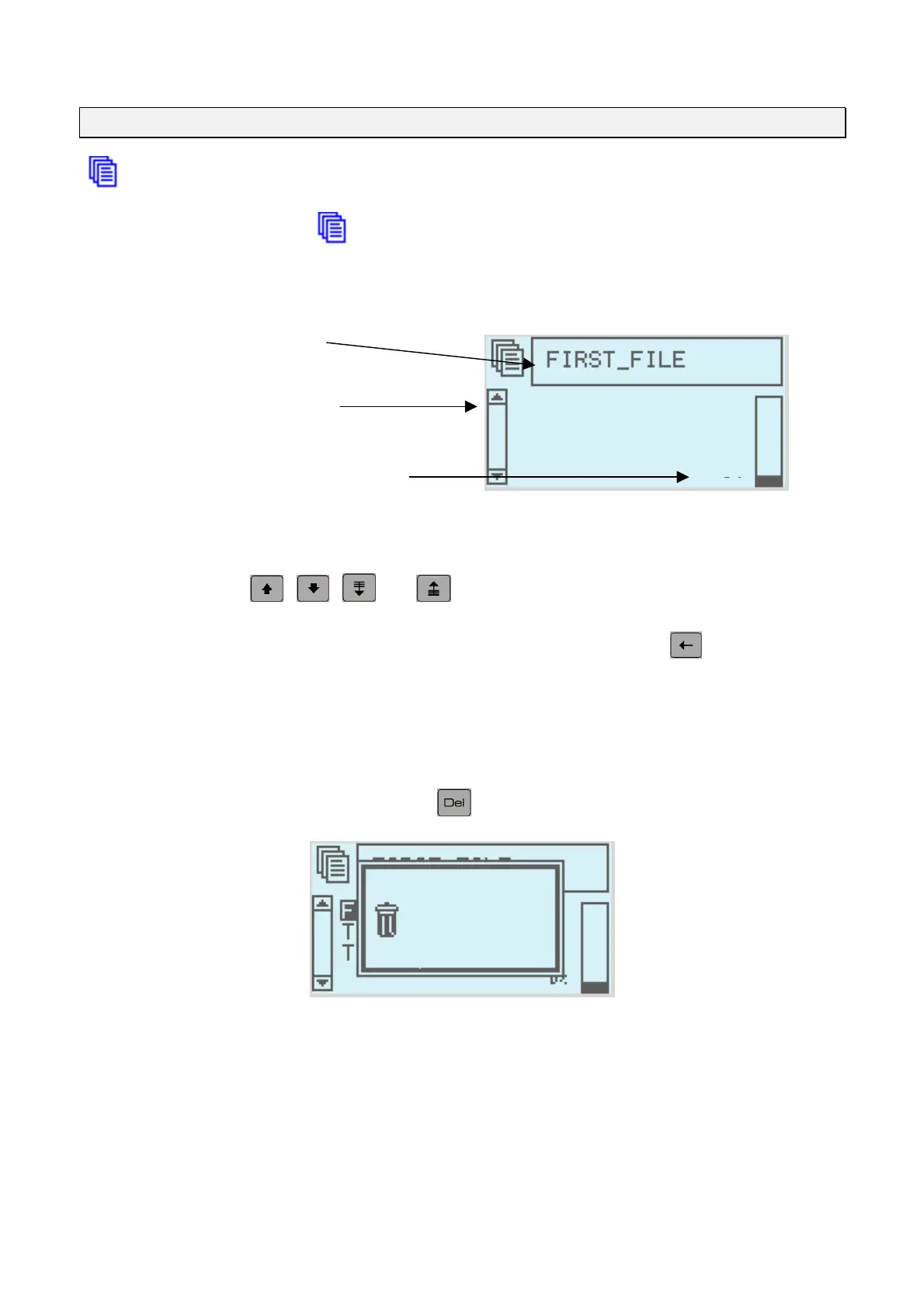
The monitor screen should be as follows
Search area
File list
Memory in use
FIRST
FILE
2%
Loading a file into memory
select a file using the
,
,
and
arrows.
You can search for a file by starting to type in its name in the search area (the key removes
what you have typed)
Deleting files
Selection of files is the same as for opening files
Once selected the file can be deleted using the key
Delete
FIRST_FILE
Yes(y) No(n)
to confirm deletion press (y)es
NOTE7V1EC7P62P122US-R01.doc 17/46


 To Next Page