Introduction to the software
- Special keys
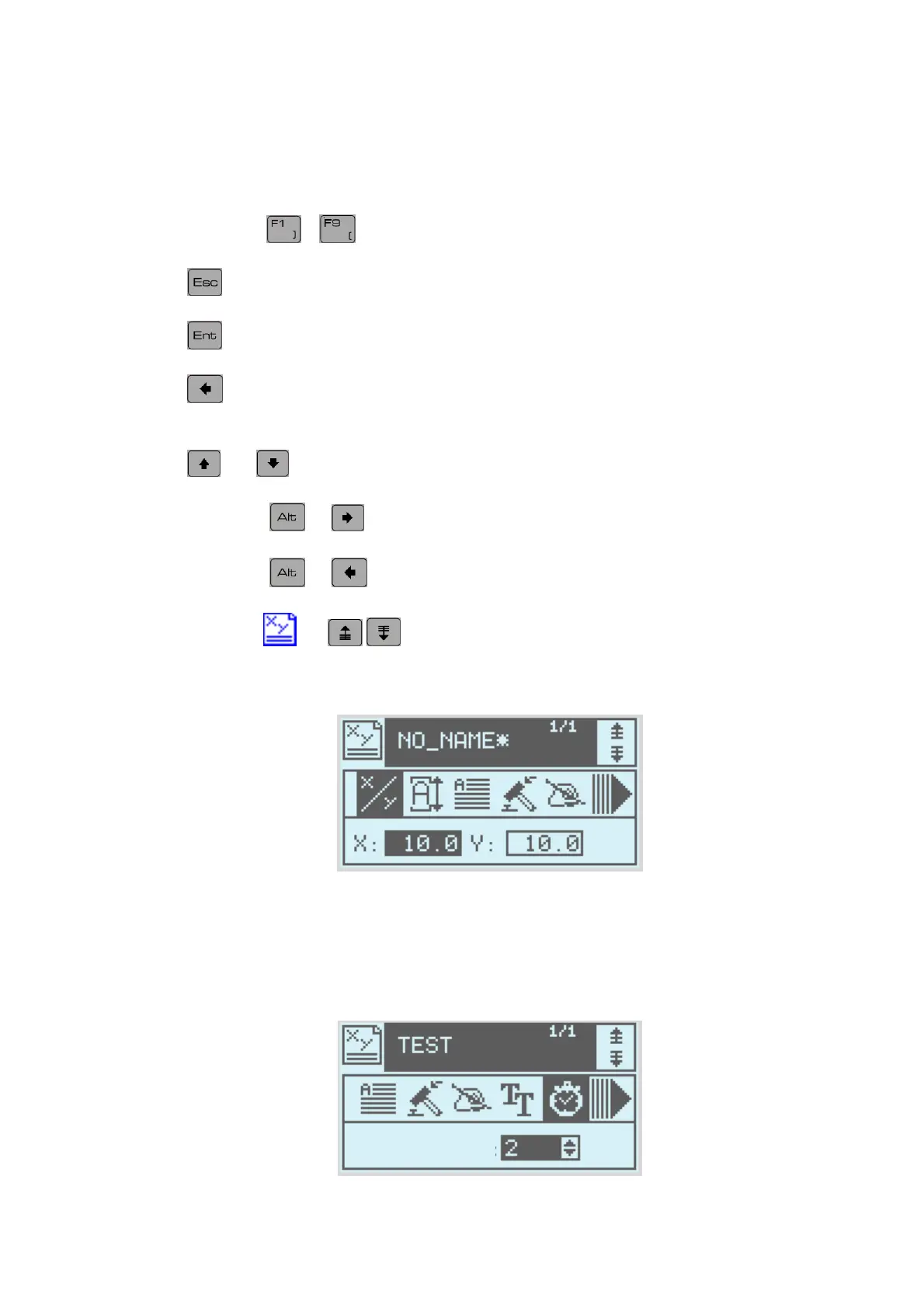
The F1 to F9 (
… ) keys are generally keyboard shortcuts.
The
key cancels data input in progress or returns you to the previous window
The key enables you to validate data entry or move on to on to the next field.
The key enables you to return to the previous field, to validate the data in the
present field and to return to the previous field
The and
keys enable you to scroll through a list
Combining the
+ keys enables you to go to the end of the data field
Combining the
+ keys enables you to return to the start of the data field
In write mode
the keys enable you move from one line to another.
- The data fields
In the active field (here zone X) the field is in reverse- video and a cursor is blinking at the
insertion point.
- The fields list
S
ee
NOTE7V1EC7P62P122US-R01.doc 10/46


 To Next Page