Text to be marked.
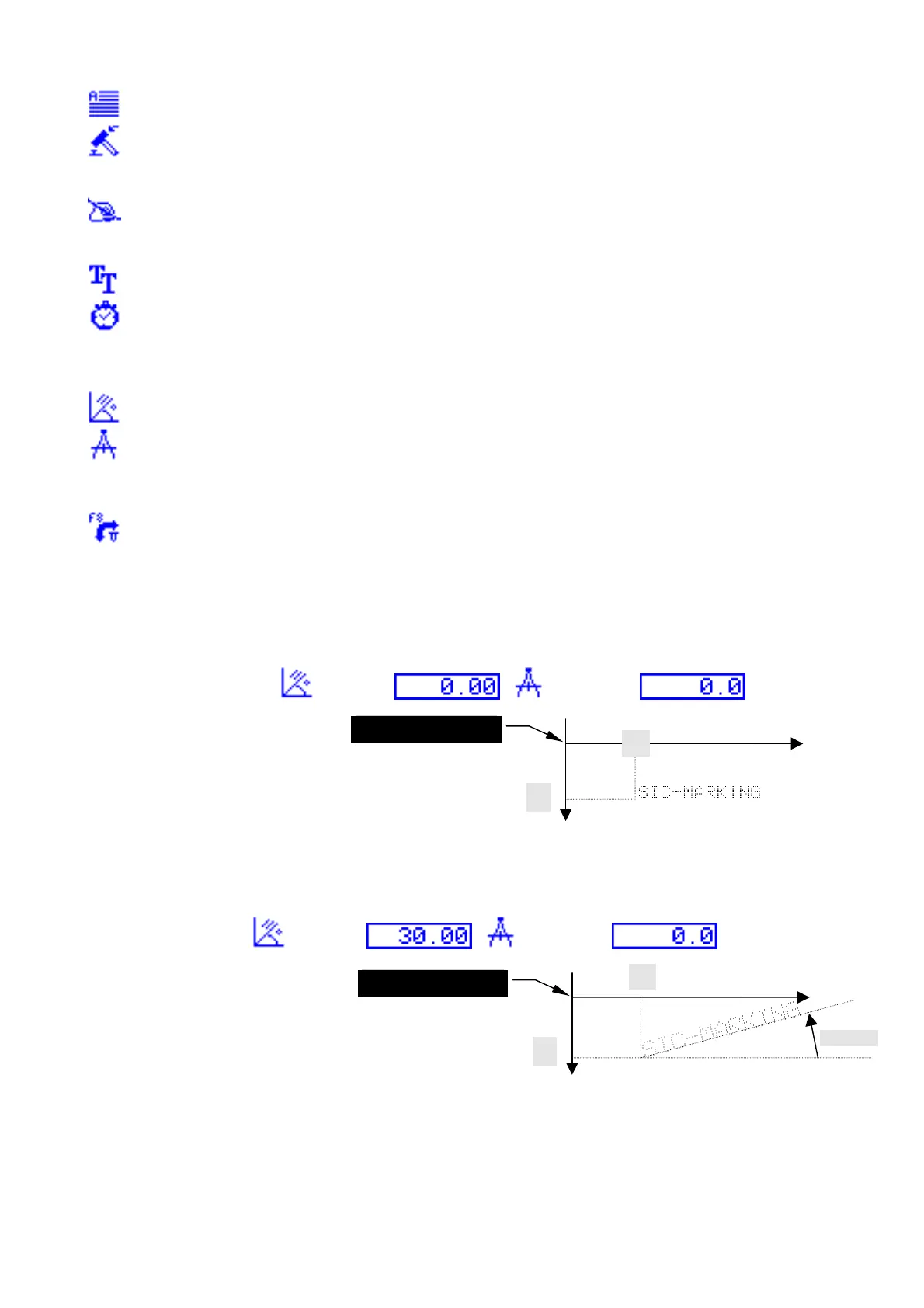
The Depth field represents the force of the impact: Impact 1 is weak, Impact 9 is strong
Impact 0 does not mark
The Quality field represents point size Smp = character on a 5x7 grid
Dbl = character on a 9x13 grid
0.58 = 0.58 mm between each point
Font style of character OCR, OCRA, ARIAL, COURIER
The Speed field allows you to regulate the speed of movement of the slotted table during
marking
1 = Slow speed, 2 = intermediate speed, 3 = fast speed
Angled marking
Radial marking
The X and Y fields represent the centre of the circle (and not the co-ordinates of the first letter)
The angle represents the starting angle of the trace
Adjustment mode
Some examples
•Straight marking
ANGLE
RADIUS
original position
Y
X
•angled marking
ANGLE
RADIUS
X
Y
original position
NOTE7V1EC7P62P122US-R01.doc 15/46


 To Next Page