5 COMMISSIONING AND OPERATION
24 Operating Instructions | InspectorP Rack Fine Positioning 8024534 / 16UW / 2020-02-26
Subject to change without notice
The optics are already pre-focused at a distance which is suitable for most
applications. An adjust of the focus position may be necessary in rare cases only.
In combined applications with single and double deep racks, always focus the
device on the double deep rack.
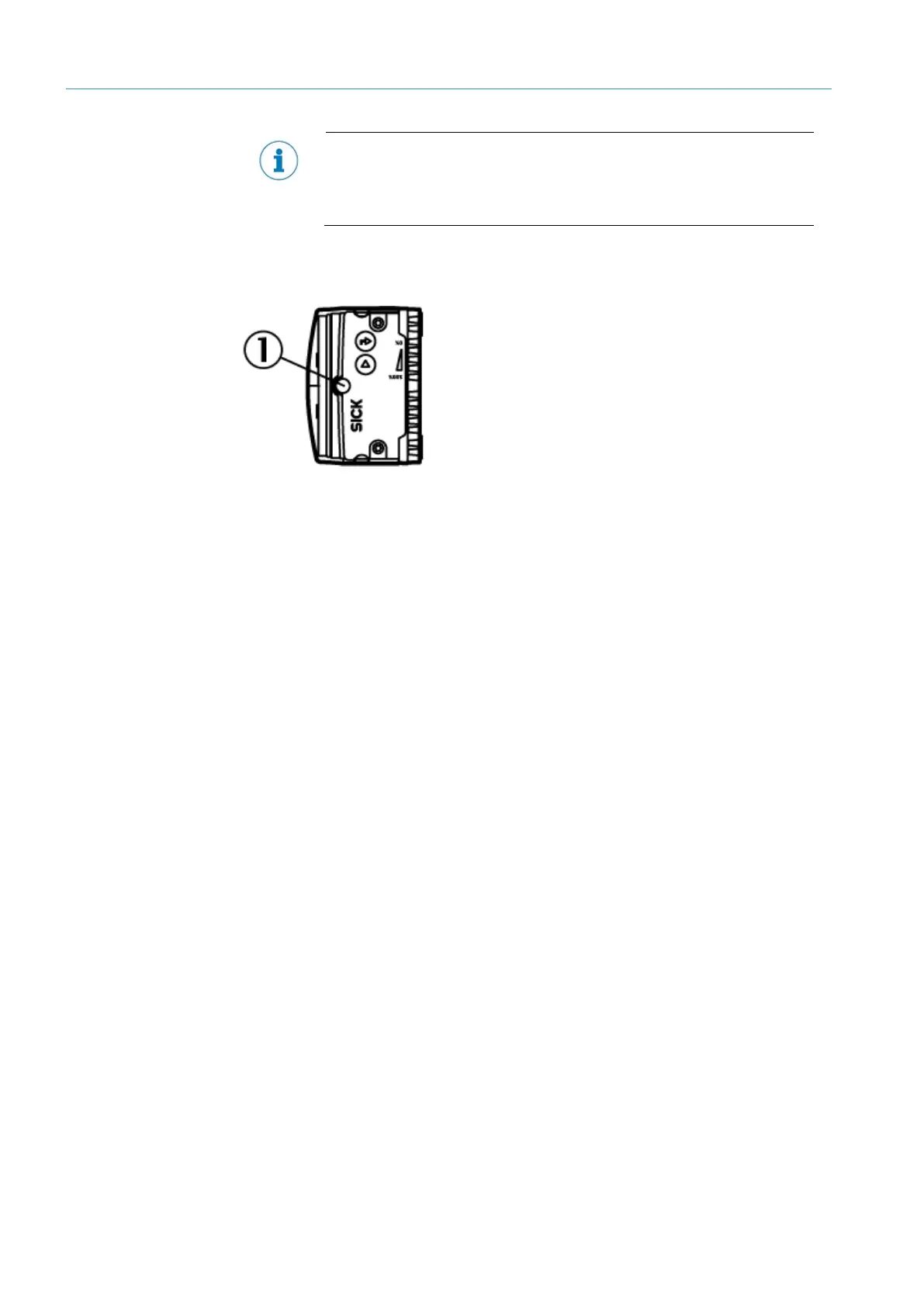
4. Manually adjust the focus screws on the upper side of the device to optimize the
focus position. Use a SW2 hexagon key.
(1) Manual focus screw
5.3.4 Calibration of the device
In order to receive exact position correction values from the device, the working
distance and the circle diameter of the positioning mark must be calibrated. First
calibrate for single deep applications.
Prerequisites
•
The Operator or Maintenance user level is set.
•
The Continuous measurement and Display Image switches are activated.
1. Open the Setup window in SOPASair.
2. Measure the distance between the viewing window of the device and the rack
with the positioning mark.
3. Make the following calculation:
− Measured distance between the viewing window and rack +40 mm =
calculated working distance
− Example: 300 mm +40 mm = 340 mm
4. Enter the calculated working distance in the Working distance area into the
Working distance – single deep [mm] input mask. With double deep applications,
enter the calculated working distance in the Working distance – double deep
[mm] input mask.
5. Measure the circle diameter of the positioning mark.
6. Enter the measured circle diameter into the Circle diameter [mm] input mask as
the start value in the Circle Setup area.
The device verifies the values and executes fine adjustment. The device
constantly records images and evaluates these images.
7. In SOPASair, adjust the circle diameter in steps until the Evaluation circle
diameter (aim: 100%) parameter shows the value 100% ± 5% in the Results area
(target: 100%). The circle diameter set in SOPASair can deviate from the
measured circle diameter.
8: Manual focus screw













 To Next Page