EasyManua.ls Logo

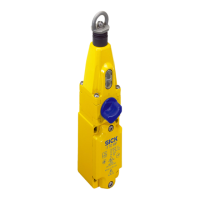
SICK STR1 - User Manual

SICK STR1
52 pages
Print Icon
To Next Page IconTo Next Page
Loading...
O P E R A T I N G I N S T R U C T I O N S
STR1
Safety switches

Table of Contents

Questions and Answers

  • C
    Cindy MiddletonAug 3, 2025
    What to do if my SICK STR1 Switch has no voltage supply?
    • R
      Rebecca CombsAug 3, 2025
      If your SICK Switch has no voltage supply, you should: * Check the voltage supply. * If the light emitting diodes do not light up even if a voltage supply is present, replace the safety switch. * Check OSSD 1 and OSSD 2 for short-circuit downstream of 0 V or 24 V DC, or between one another. * Check cabling for damage. Remember, there must be a dual-channel configuration.
  • D
    dawngriffinAug 8, 2025
    What to do if my SICK Switch has an external fault?
    • M
      mhurstAug 8, 2025
      If your SICK Switch indicates an external fault, take these steps: 1. Isolate the faulty sensor and check it separately. 2. Check the wiring for cross-circuits and short-circuits. 3. Switch the voltage supply off and on. If the fault persists, the sensor is likely defective and should be replaced.
  • K
    Kyle WallaceAug 12, 2025
    What to do if my SICK STR1 has an internal fault?
    • J
      Joseph MyersAug 12, 2025
      In case of an internal fault with your SICK Switch: 1. Isolate the faulty sensor and check it separately. 2. Check the wiring for cross-circuits and short-circuits. 3. Switch the voltage supply off and on. If the fault continues, the sensor is defective and needs replacement.
  • S
    Sheri OwenAug 17, 2025
    Why did the teach-in sequence fail on my SICK STR1 Switch?
    • C
      Cynthia AdamsAug 17, 2025
      The teach-in sequence for your SICK Switch might have failed because: * The actuator was removed from the response range too early. * The voltage supply was not isolated in a timely manner. To resolve this, try teaching in the actuator again.
  • A
    April MartinezAug 23, 2025
    What to do if the maximum number of actuators has been taught in on my SICK Switch?
    • L
      Leah HuffAug 23, 2025
      If the maximum number of actuators has already been taught in on your SICK Switch, it is not possible to carry out another teach-in process.
  • C
    Cristina AndersonAug 28, 2025
    What to do if an actuator that has already been taught in needs to be taught in again on my SICK STR1 Switch?
    • A
      Anna NelsonAug 28, 2025
      It is not possible to teach in an actuator again if it has already been taught in on your SICK Switch.

Summary

Safety information

General safety notes

Provides crucial general safety precautions and warnings for using the safety switch.

Intended use

Specifies the approved applications and conditions for the STR1 safety switch.

Requirements for the qualification of personnel

Details the necessary expertise for personnel involved in handling the safety switch.

Product description

Fault detection

Explains how the safety switch detects and indicates internal and external faults.

Safe series connection

Covers options and considerations for connecting multiple safety switches in series.

Protective functions

Lists the internal protective functions integrated into the safety switch.

Project planning

Integration into the electrical control

Details how to integrate the safety switch into the machine's control system.

Thorough check concept

Defines the principles and requirements for performing thorough checks.

Mounting

Electrical installation

Connection of a safe series connection with T-connectors

Explains how to connect safety switches in series using T-connectors.

Commissioning

Safety

Safety prerequisites before initiating the commissioning process.

Teach-in

Step-by-step guide for teaching in actuators for unique and permanently coded switches.

Thorough check

Procedures and requirements for performing thorough checks during commissioning.

Troubleshooting

Safety

Safety warnings and actions to take in case of malfunctions or hazards.

Fault displays

Details fault indications via LEDs and provides corrective measures.

Maintenance

Technical data

Safety-related parameters

Details safety performance levels, category, SIL, and response times.

SICK STR1 Specifications

General IconGeneral
TypeSafety switch
Housing materialPlastic
Number of safe outputs2
Supply voltage24 V DC
Safety Integrity LevelSIL3
Performance LevelPL e
Category4
Enclosure ratingIP67
Operating Voltage24 V DC
Output TypePNP
Switching Distance8 mm
Connection typeCable with connector

Related product manuals