
 To Next Page
K
Kayla BennettAug 11, 2025
What to do if SICK Switch has no supply voltage?
- PPeter SchmidtAug 11, 2025
If the SICK Switch is not receiving any supply voltage, ensure that you switch on the supply voltage.

What to do if SICK Switch has no supply voltage?
If the SICK Switch is not receiving any supply voltage, ensure that you switch on the supply voltage.
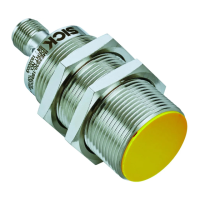
What to do if SICK IQB2S Switch has an external error?
If the SICK Switch reports an external error, you should: * Check the wiring for cross-circuits and short-circuits. * Switch the voltage supply off and then on again. If the error persists after these steps, the sensor may be defective and require replacement.
What to do if SICK Switch has an internal error?
If the SICK Switch shows an internal error, try switching the voltage supply off and then on again. If the error continues to occur after restarting, it indicates that the sensor is defective and needs to be replaced.
 General
| Type | Inductive proximity switch |
|---|---|
| Sensing range Sn | 2 mm |
| Enclosure rating | IP67 |
| Supply voltage | 10-30 V DC |
| Operating voltage | 10-30 V DC |
| Switching current | 200 mA |
| Protection class | III |
| Switching frequency | 1 kHz |
| Connection type | Connector |
| Ambient temperature | -25 °C ... +75 °C |