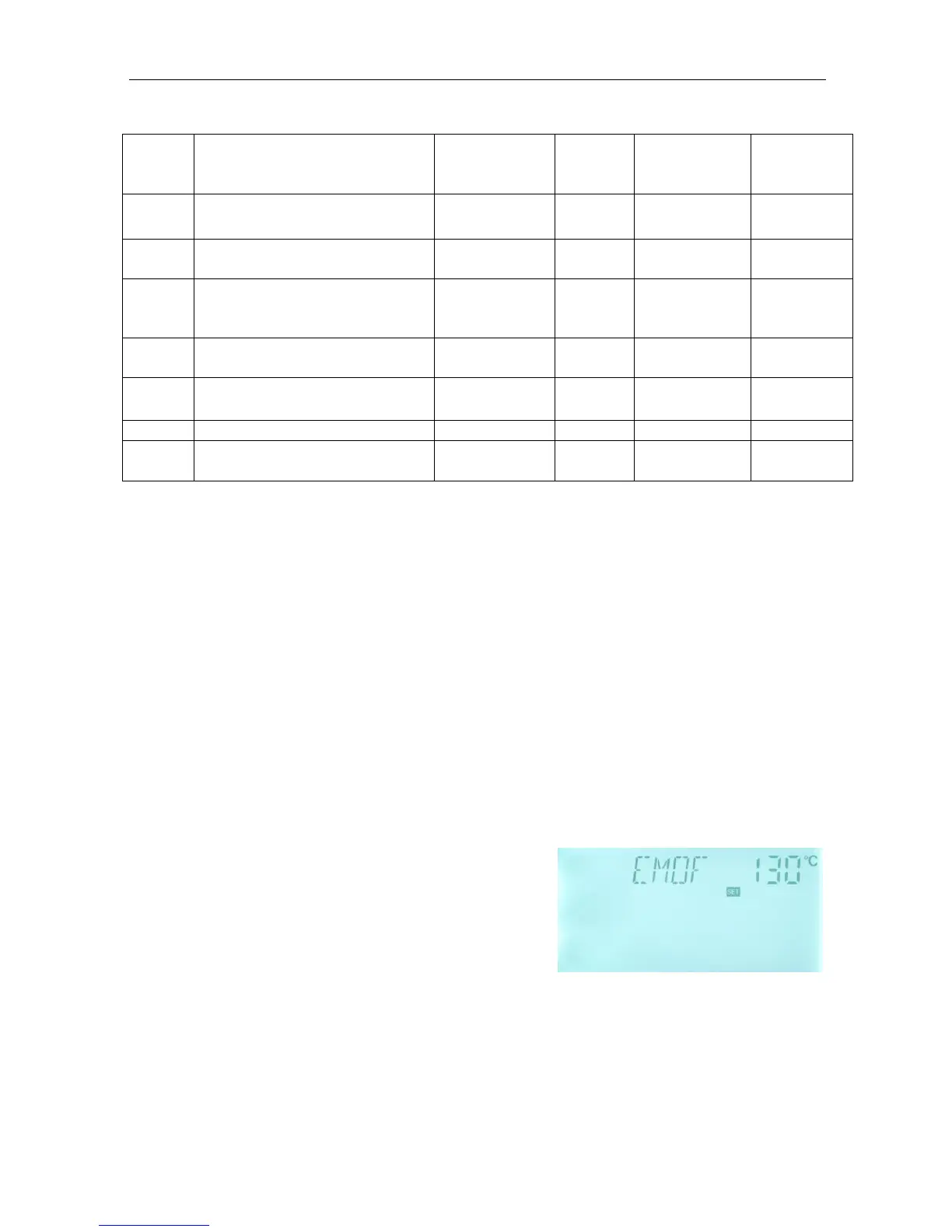
4.3.1 EMOF Switch-on temperature of collector emergency function
Function description:
When collector temperature rises up to the preset switch-on temperature of collector
(EMOF), collector emergency function is activated, solar circulation pump is stopped in
order to avoid the damage of system other components caused by high temperature. The
adjustable range of this EMOF temperature is (ON+3℃)~200℃, factory set is 130℃.
When the temperature of collector rises up to EMOF temperature, solar circuit pump is
locked, but when collector temperature drops to the switch-off temperature of collector
emergency function (EMON) (factory set is 120
o
C), solar circuit pump is unlocked, and
collector emergency function is deactivated.
Select EMOF submenu, “EMOF 130
o
C” displays
►Press “SET” button, 130
o
C blinks.
►Press “+”“-” button, adjust the EMOF temperature,
adjustable range: (ON+3℃)~200℃ ,factory set is
130
o
C
►Press “SET” button, activate and deactivate this function, if the function is deactivated,
then “EMOF ----“displays on the screen.
►Press “ESC” button to exit menu or wait for 20 seconds to exit automatically, set
parameters are saved automatically.


 To Next Page