SR882 operation manual
~ 45 ~
4.9.1 OSDC card function switch-on and off
Setup steps:
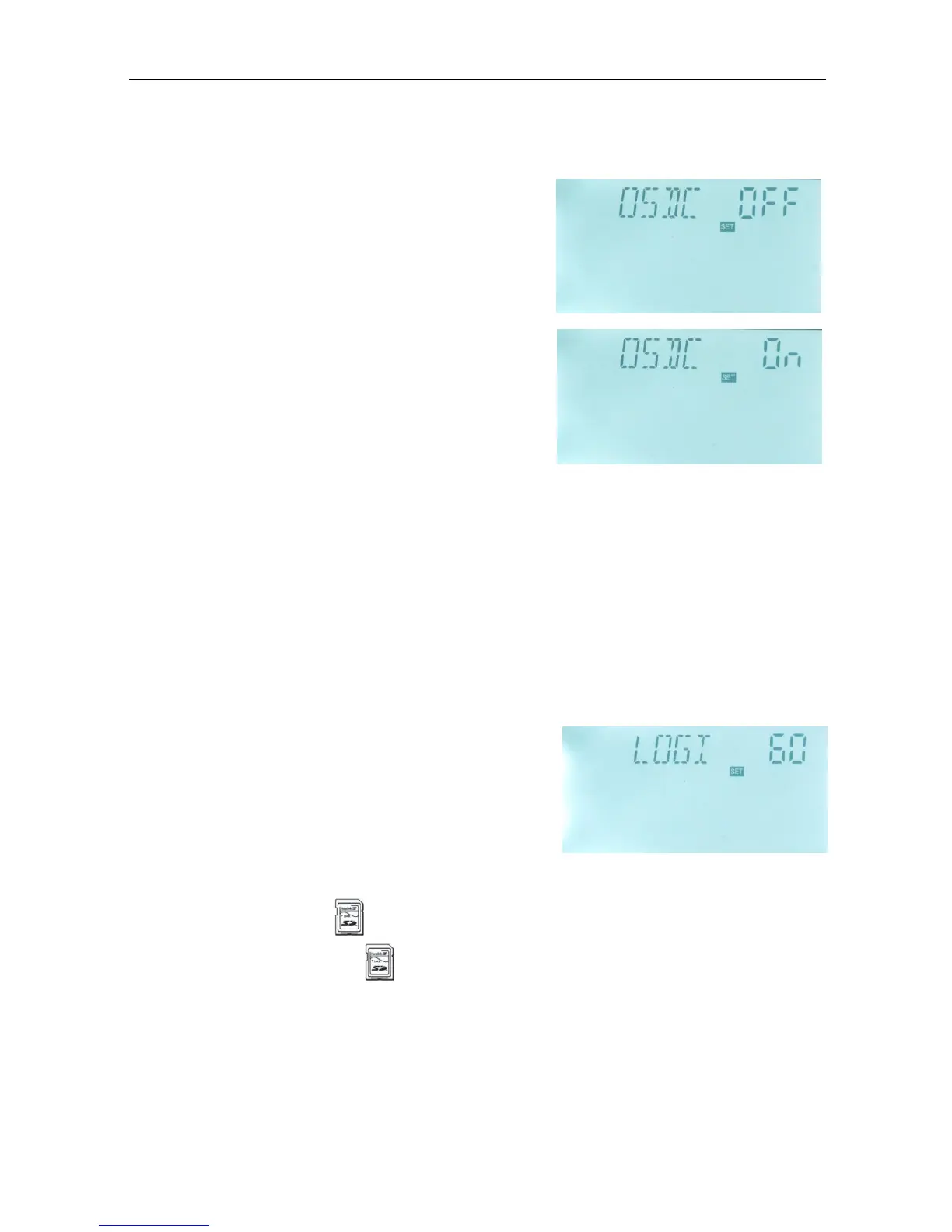
To select menu OSDC, “OSDC” displays on the
screen.
►Press “SET” button, “OSDC OFF” appears, in this
case, data isn’t saved.
►Repress “SET” button, “OFF” blinks on the screen,
factory default set: “OFF”.
►Repress “SET” button again to activate this function,
and “OSDC ON” displays on the screen, start to save
data now.
► Press “ESC” button to exit the menu or wait for 20
seconds to exit automatically, parameters are saved
automatically.
4.9.2 LOGI Data save intervals
Description:
By this function, SD card can save data in every 60 seconds (factory default time 60
seconds).
Setup steps:
To select menu LOGI, “LOGI 60” displays on the screen.
►Press “SET” button to access program, “LOGI 60”
appears and “60” blinks.
►Press “+” “-” button to adjust data save interval,
adjustable range: 01~1200 seconds.
► Press “ESC” button to exit the menu or wait for 20
seconds to exit automatically, parameters are saved automatically.
Note: if SD card is used, card signal will appears on the screen, if SD card is full,
then data log is stopped, and card signal blinks.


 To Next Page