SR882 operation manual
~ 46 ~
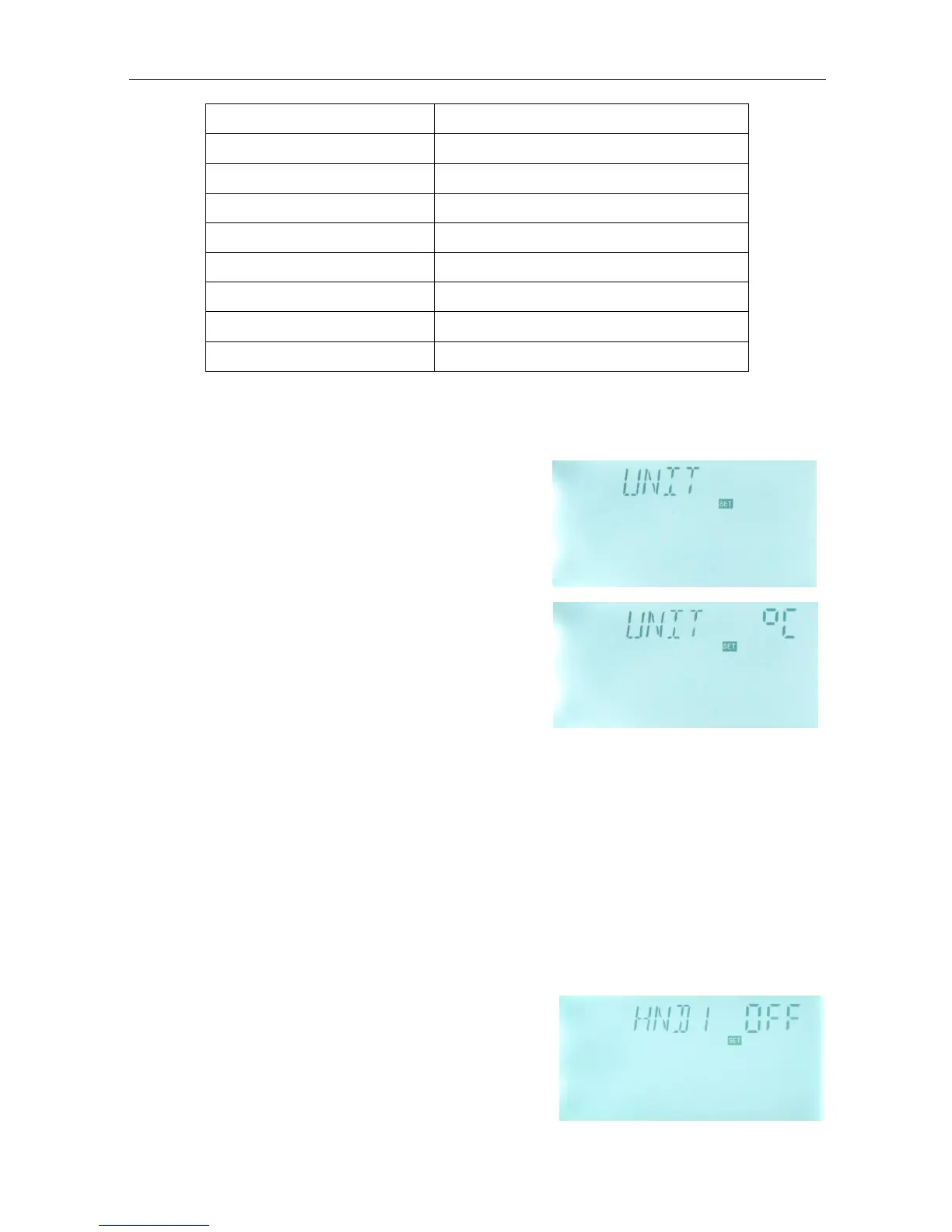
4.10 UNIT Display unit
o
C and ℉ switches
Setup steps:
To select menu UNIT, “UNIT” displays on the screen.
►Press “SET” button to access program, “UNIT
o
C”
appears and “
o
C” blinks.
►Press “+” “-” button to switch unit between
o
C and
o
F, factory set is
o
C.
► Press “ESC” button to exit the menu or wait for 20
seconds to exit automatically, parameters are saved
automatically.
4.11 HND Manual control
When using this controller first time or when debugging this controller, output of this
controller (P1, P2, H1)can be triggered manually with “On, OFF” control.
Setup steps:
To access main menu HND,
-------------------------------------------------------------------------------------------------------------------------
►Press “SET” button, “HND1 off” displays on the
screen, P1 output manually set
►Repress “SET” button, “HND1 on” displays on the
screen, P1 output is switched-on
►Repress “SET” again, “HND1 off” displays, P1


 To Next Page