SITRANS LC300
24 Operating Instructions, 05/2021, A5E47904073-AA
Operation
6.1 Start up
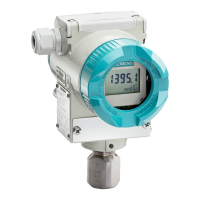
SITRANS LC300 user interface comprises the liquid crystal display (LCD), the 6-position rotary
switch, and two push-buttons. Select a menu using the rotary switch; select and/or alter a
readout or value using the push-buttons.
The rotary switch can be set from 0 to 5. Each position represents a menu. The position
wraps from 5 to 0.
The LCD (liquid crystal) displays settings altered by the rotary switch and the push buttons.
Limits required with 3.6 mA fault protection s
etting
If the SITRANS LC300 is to be programmed for "fault protection setting to 3.6 mA" which is
obtained by using the rotary switch position 3 and pushing the down button. Then, the
following ambient t
emperature and input voltage limits must be observed:
The device can operate on an input voltage minimum of 12 V DC and a maximum of 30 V
DC between -30 °C and up to +85 °C (-22 °F and +185 °F)
To extend operation to -40 °C up to +85 °C (-40 °F and +185 °F) the input voltage must be
increased to 15 V DC to a maximum of 30 V DC.



 To Next Page
 Loading...