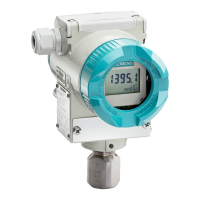
Operation
SITRANS LC300
Operating Instructions, 05/2021, A5E47904073-AA
25
6.1.1 Menu functions
Rotary
switch posi-
0 1 2 3 4 5
(pF) (0%
(pF) (100%
loop-current
protection
setting to 22
version
damping
ton
LRV
URV
protection
setting to
damping
PV
from PV
protection
Acknowledg
to 1.00
When you turn the rotary switch, the LCD shows the new menu selection for about 1 second
followed by the data for that selection. When you alter a read-out or value, a colon (:) is
displayed when the debounce delay timer has expired and the new value has been accepted.
Menu positions 0 (primary variable in pF) and 3 (corresponding loop-current values in mA)
are the recommended positions during normal operation.
6.2
6.3 Menu position 0
• LCD displays the PV (Primary Variable) in pF.
• In case of a system fault, the display alternates between PV value and Flt. View the
fault details in menu 4.
• Pressing either or both push-buttons in menu 0 has no effect.



 To Next Page
 Loading...