5 Configuration and Settings
Set23_RegSim
Entry ID: 23753479, V2.3.S, 02/2014
© Siemens AG
2014 All rights reserved
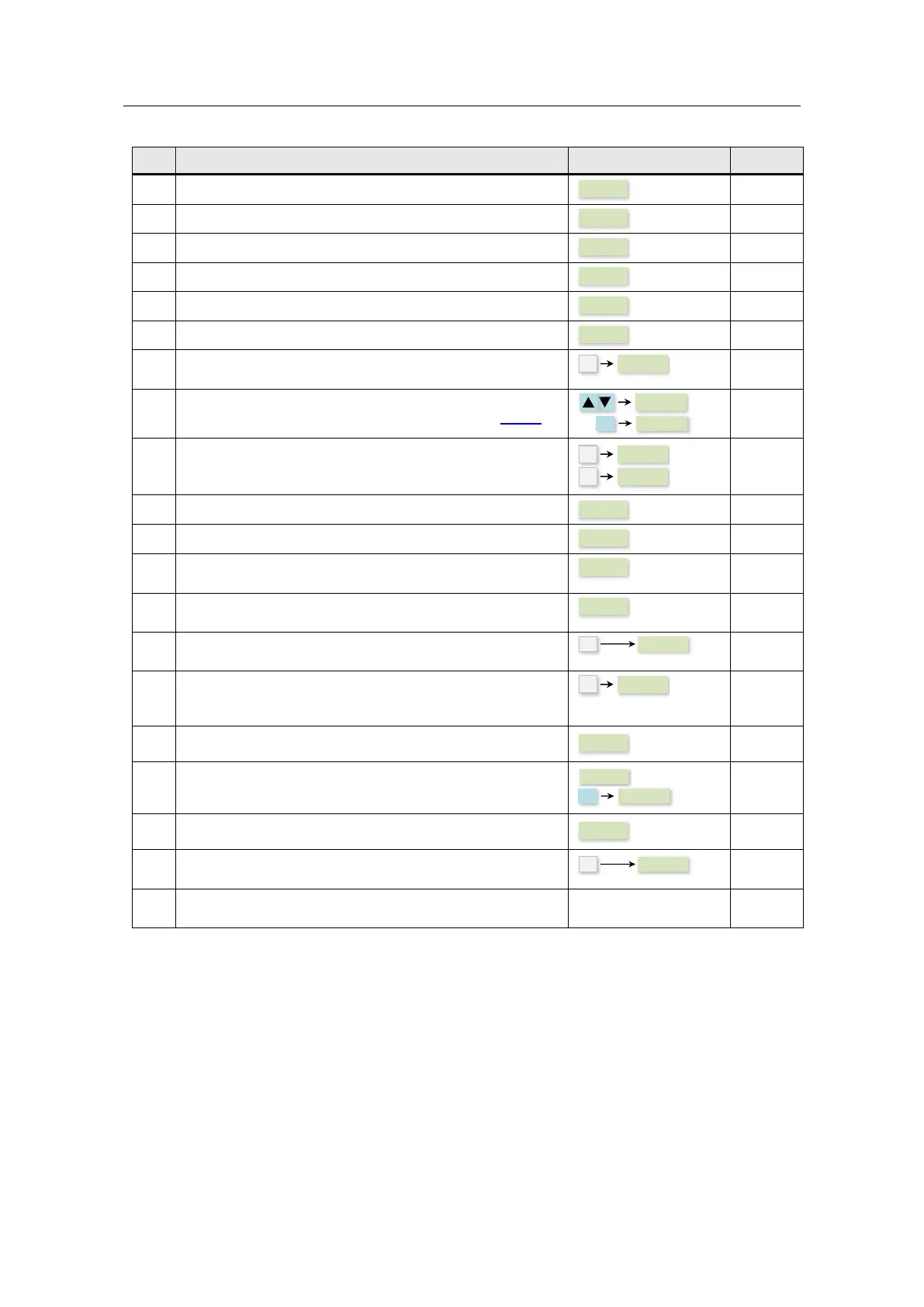
Set the motor voltage to 230V.
Set the motor nominal current to 0.73A.
Set the motor nominal power to 0.12kW.
Set the factor motor nominal power to 0.75 cos .
Set the motor nominal frequency to 50Hz.
Set the motor nominal speed to 1350 min-1.
Press the multifunction key for a short time (< 2s) to reach
the “Connection macros”.
Activate the terminal strips as command source of the
SINAMICS V20 by selecting the connection macro Cn002.
Press the SINAMICS multifunction twice for a short time
(< 2s). The menu will change to the “General parameters”.
Set the minimum frequency to 0Hz.
Set the maximum frequency to 50Hz.
Set the ramp-up time from the minimum to the maximum
motor speed to 5s.
Set the ramp-down time from the maximum to the minimum
motor speed to 5s.
Press the multifunction key in the SINAMICS V20 for a long
time (> 2s) to go back to the display menu.
Press the SINAMICS multifunction for a short time (< 2s).
SINAMICS V20 changes to the “Parameter menu” where
you can go to further parameters.
Select the access step “Expert”.
Transfer the data from RAM to the EEPROM.
Select the access step “Standard”.
Press the multifunction key in the SINAMICS V20 for a long
time (> 2s) to go back to the display menu.
Switch off the supply voltage of the SINAMICS V20 to apply
the values.





 To Next Page