Chapter 2
Installing the Device
RUGGEDCOM RX5000
Installation Guide
10 Installing the Chassis Ground Connection
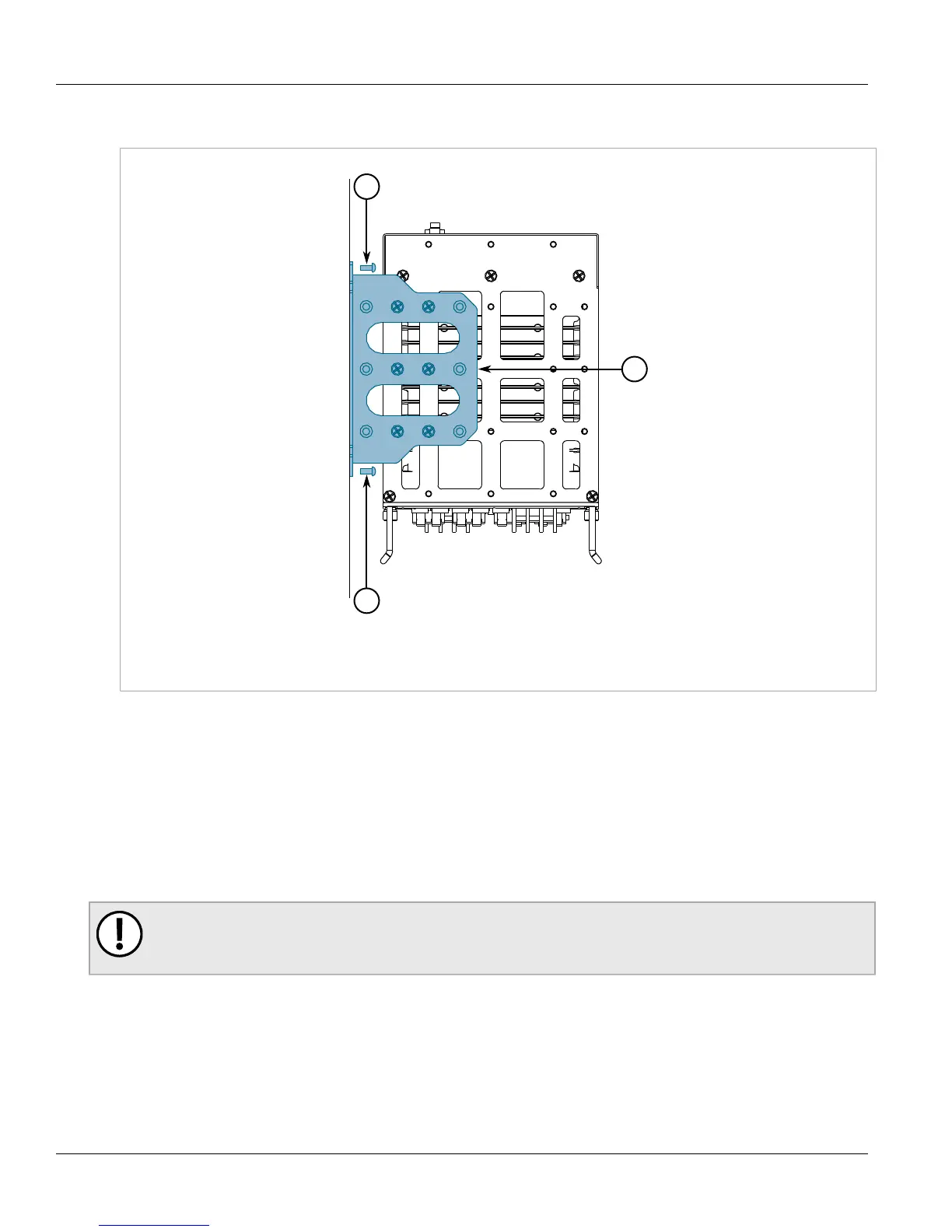
1. Place the device against the panel and align the adapters with the mounting holes.
Figure4:Panel Mounting
1.Screw 2.Adapter
2. Install the supplied screws to secure the adapters to the panel. Make sure the screws are torqued to 2 ± 0.1
N·m (18 ± 1 lbf-in)
Section2.5
Installing the Chassis Ground Connection
If the ground terminal on the power supply module(s) is not connected to safety Earth, a connection must be
provided from the chassis ground terminal on the RUGGEDCOM MX5000 chassis.
IMPORTANT!
If the ground terminal on the power supply module(s) is connected to safety Earth, a connection from
the chassis ground terminal is not required.
1. Position the grounding cable and external tooth lock washer on the RUGGEDCOM MX5000.



 To Next Page