Chapter 2
Installing the Device
RUGGEDCOM RX5000
Installation Guide
16 Configuring the Device
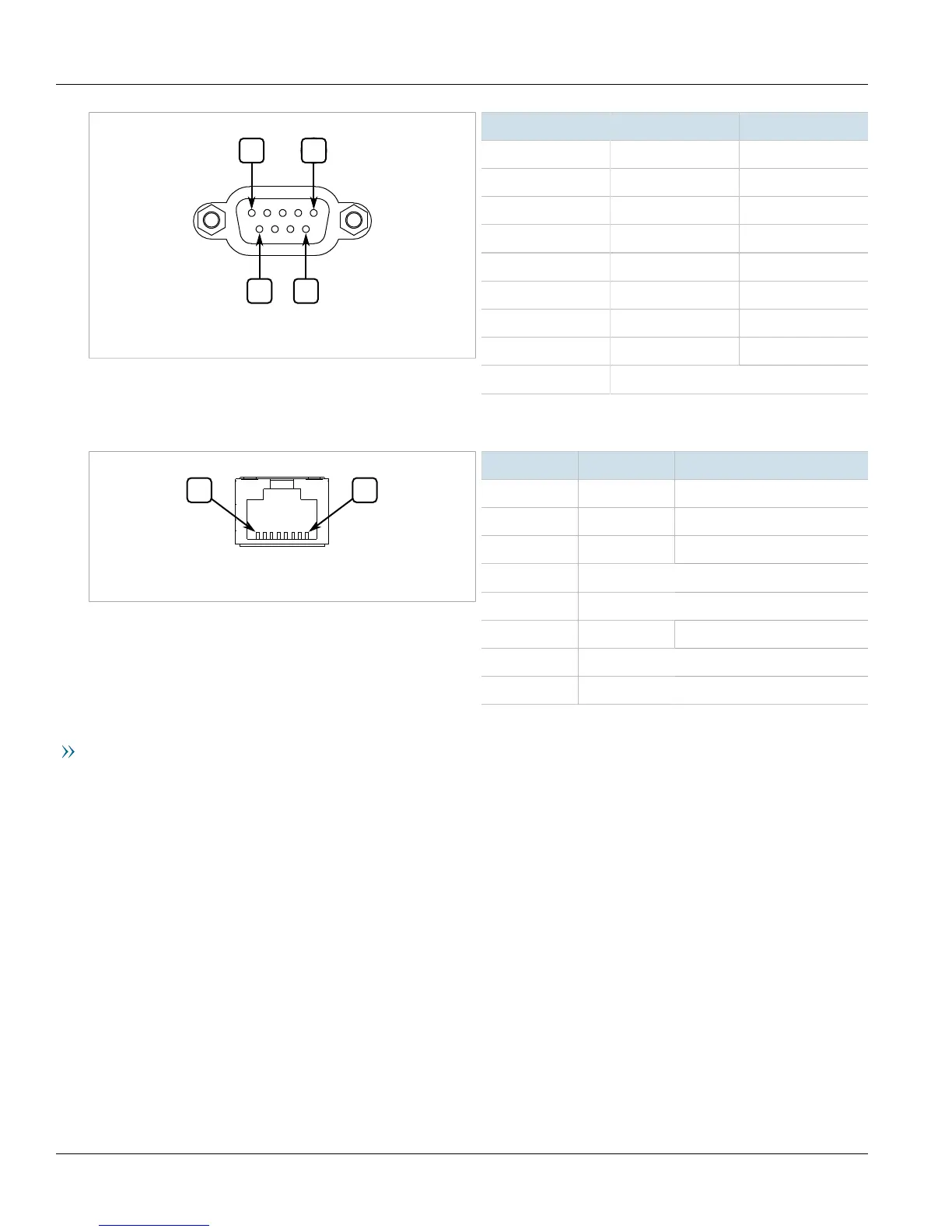
Figure10:Serial DB9 Console Port
Pin Name Description
1 DCD Data Carrier Detect
2 RX Receive Data
3 TX Transmit Data
4 DTR Data Terminal Ready
5 GND Signal Ground
6 DSR Data Set Ready
7 RTS Request to Send
8 CTS Clear To Send
9 Reserved (Do Not Connect)
The management port is a 10/100Base-TX copper Ethernet port with an RJ45 connector. The following is the pin-
out for the management port:
Figure11:RJ45 Management Port
Pin Name Description
1 TX+ Transmit Data+
2 TX- Transmit Data-
3 RX+ Receive Data+
4 Reserved (Do Not Connect)
5 Reserved (Do Not Connect)
6 RX- Receive Data-
7 Reserved (Do Not Connect)
8 Reserved (Do Not Connect)
Communication Ports
Connect any of the available Ethernet ports on the device to a management switch and access the RUGGEDCOM
ROX II console and Web interfaces via the device's IP address. The factory default IP address for the RUGGEDCOM
RX5000 is https://192.168.0.2.
For more information about available ports, refer to Chapter3, Modules.
Section2.10
Configuring the Device
Once the device is installed and connected to the network, it must be configured. All configuration management
is done via the RUGGEDCOM ROX II interface. For more information about configuring the device, refer to the
RUGGEDCOM ROX II User Guide associated with the installed software release.



 To Next Page