Chapter 3
Modules
RUGGEDCOM RX5000
Installation Guide
26 Installing/Removing Power Supply Modules
2. If applicable, connect the supplied terminal block to the module or connect the terminal block from the
previous module.
3. Confirm or connect the wiring from the power supply to the module. For more information, refer to
Section2.8, “Connecting Power”.
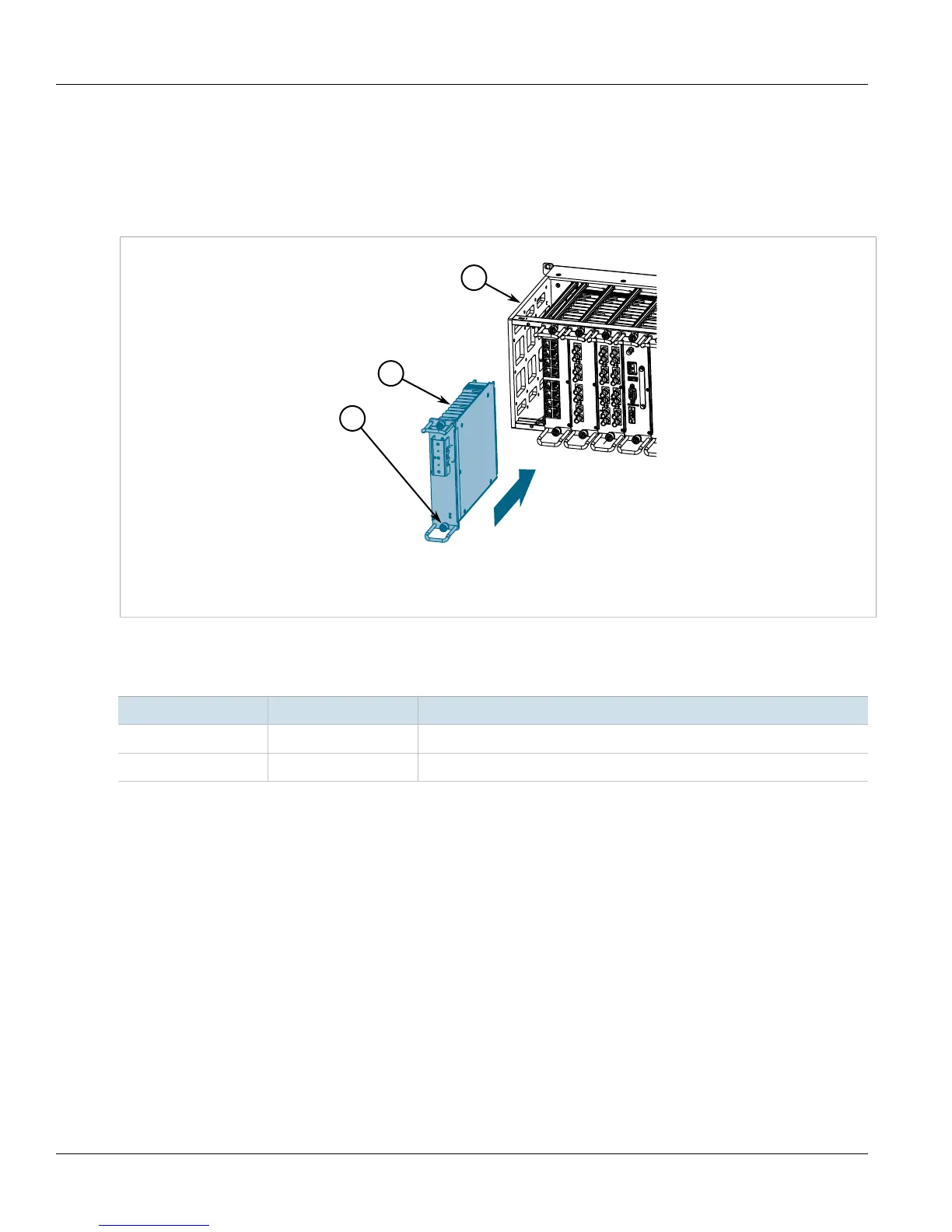
4. Insert the module into the empty slot.
Figure18:Installing a Power Supply Module
1.Screws 2.Power Supply 3.Chassis
5. Hand-tighten the screws to secure the power module to the chassis.
6. Turn on power to the module and confirm the module is receiving and supplying power. This is indicated by
the LEDs on the module.
LED State Description
O Green The module is supplying power
I Green The module is receiving power



 To Next Page